The best Nikon NX MobileAir alternative for delivering every frame automatically
Short answer: if you shoot a supported Nikon for news or sport and need to crop, caption and file selected frames to an FTP server from your phone, NX MobileAir is the right tool — it's free and made for exactly that. If you need every full-resolution frame delivered automatically as you shoot — to an FTP/SFTP server and to Dropbox, Google Drive, a client gallery or Lightroom at the same time, from Nikon, Canon, Sony or Fujifilm bodies — CloudTether is the alternative.
Here's what NX MobileAir does well, the limits people hit, a side-by-side table and how to set up CloudTether in three steps.
iPhone, iPad and Android · facts checked November 2026
Cloud storage
Galleries & proofing


Messaging
Transfer & servers
What Nikon NX MobileAir is
NX MobileAir is Nikon's free app for iPhone, iPad and Android that turns a phone into an FTP uploader for professional Nikon bodies. It imports pictures over a cable (or wirelessly on some bodies), lets you crop, straighten and caption them with IPTC data and voice memos, and uploads to one of several FTP servers, with settings per album. Recent versions also send stills and video to Frame.io on supported cameras.
Where CloudTether is different
NX MobileAir is a press tool for Nikon bodies: pick, crop, caption and file to FTP. CloudTether is a delivery tool for four brands: every frame comes off the camera automatically and goes to FTP/SFTP and to cloud storage, client galleries, Lightroom or S3, several at once, with no editing step on the phone.
What Nikon NX MobileAir does well
- A computer-free FTP workflow for professional Nikon bodies: import over a cable for speed (wirelessly on some bodies), pick, and upload to one of several FTP servers.
- On-phone editing for press work: view, select, crop, rotate and straighten, edit IPTC fields and attach voice memos, with image processing, IPTC and FTP settings saved per album.
- Download every picture or only the ones you protect on the camera; resume after a failed import; check upload status.
- Recent versions add video import and sending stills and video to Frame.io on supported cameras, and version 1.6 removed earlier limits on albums and saved files.
Why people look for a Nikon NX MobileAir alternative
These are the issues photographers most often search for — common, well-documented ones, not a verdict on the app. Many have fixes, and it's worth trying them first.
Nikon bodies only, model by model
Nikon lists supported cameras — currently including the Z9, Z8, Z6III, Zf, Z5II and D6 — and adds others by firmware update. Older or entry bodies, and other brands, aren't covered.
Built around FTP
Delivery is to FTP servers (and Frame.io on supported bodies). A client's Dropbox folder or a proofing gallery is a separate step.
Connection trouble
App Store reviews mention Bluetooth pairing problems, and wireless mode needs a recent iOS and a supported body. A cable is the dependable route.
Hands-on by design
Picking, cropping and captioning on the phone is the point for press work, but it's time spent on the phone rather than shooting when a client just needs every frame.
Nikon NX MobileAir vs CloudTether, side by side
| Feature | Nikon NX MobileAir | CloudTether |
|---|---|---|
| Made by | Nikon (free) | CloudConcur |
| Cameras | Supported Nikon Z and D bodies (list grows by firmware update) | Nikon, Canon, Sony and Fujifilm |
| Connection | Cable; wireless on some bodies | USB-C cable (verified on a Nikon Z6); Wi-Fi verified on Canon |
| What transfers | All pictures, or only protected ones | Every full-resolution NEF or JPEG automatically — or only shots you rate in camera |
| Editing and IPTC | Crop, straighten, IPTC fields, voice memos | None — originals, JPEGs only or resized copies |
| Where photos go | The phone, FTP servers, Frame.io on supported cameras | The phone, plus FTP/SFTP, Dropbox, Google Drive, galleries, Lightroom or S3 — several at once |
| Live view and remote shutter | Remote capture features on some bodies | New: yes (camera sheet → Live view / Remote) — no exposure control |
| Platforms | iPhone, iPad, Android | iPhone, iPad, Android |
Based on vendor pages, app-store listings and press coverage as of November 2026. Features vary by camera and app version — check Nikon NX MobileAir's own documentation for your model. Product names are trademarks of their owners.
Should you switch?
Switch to CloudTether if…
- Every frame must reach a client's Dropbox, Google Drive, SmugMug or ShootProof gallery — not only an FTP server.
- You want delivery to run by itself, with no picking or editing on the phone.
- The team mixes Nikon with Canon, Sony or Fujifilm, or tethers two or three bodies to one phone.
- You want only rated shots to leave the camera — CloudTether supports rated send on Nikon and Canon.
Stick with Nikon NX MobileAir if…
- You crop, caption and file selected frames to a wire or agency FTP from the phone.
- You need IPTC editing or voice memos on the phone — CloudTether has neither.
- You deliver video and stills to Frame.io from a supported Nikon through Nikon's own app.
Plenty of photographers keep both: Nikon NX MobileAir for what it's best at, CloudTether for getting every frame delivered.
How to switch in 3 steps
Install CloudTether, then:
- 1
Plug in the Nikon
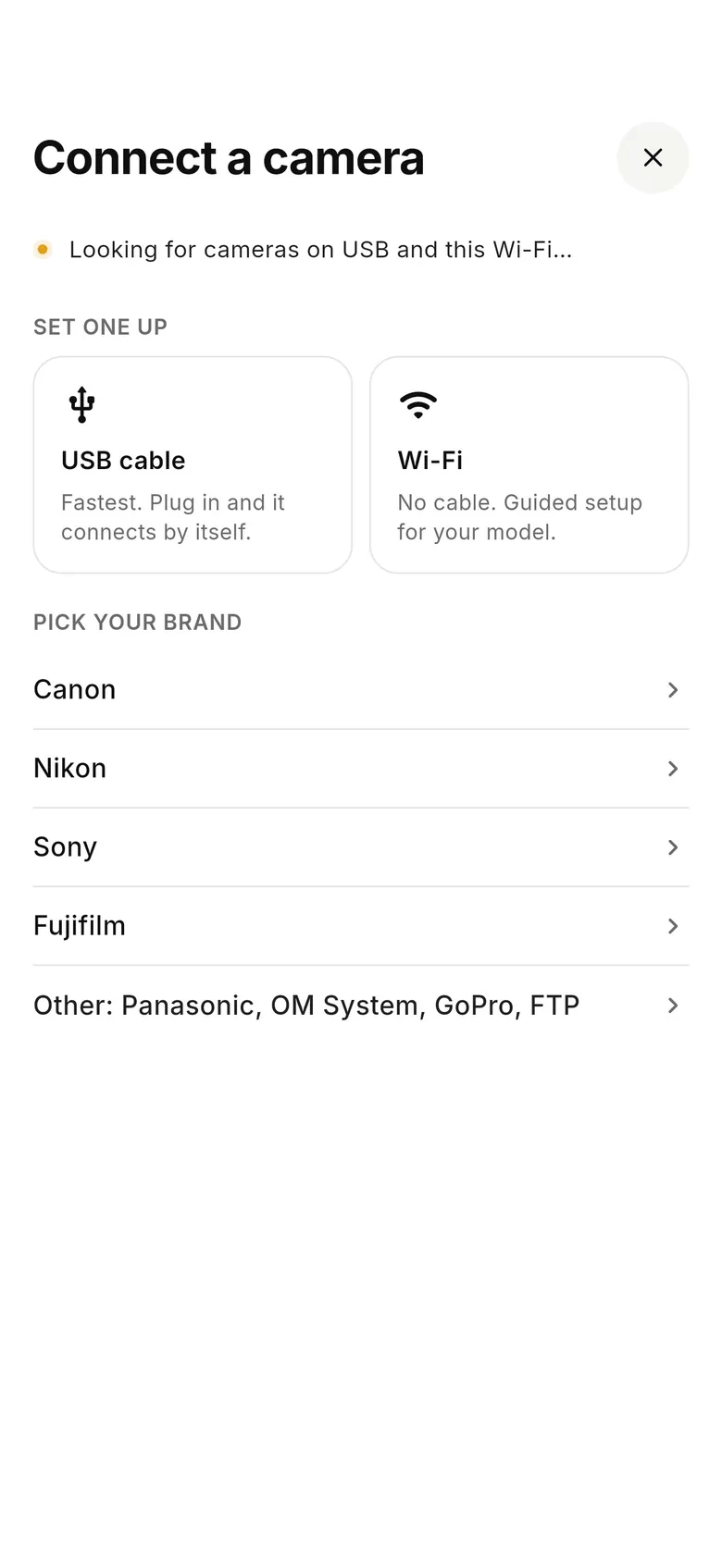
Connect the camera to your phone with a USB-C cable, switch it on and tap “Connect a camera”. Turn off the camera's own Wi-Fi or Bluetooth connection functions if the phone doesn't see it.
- 2
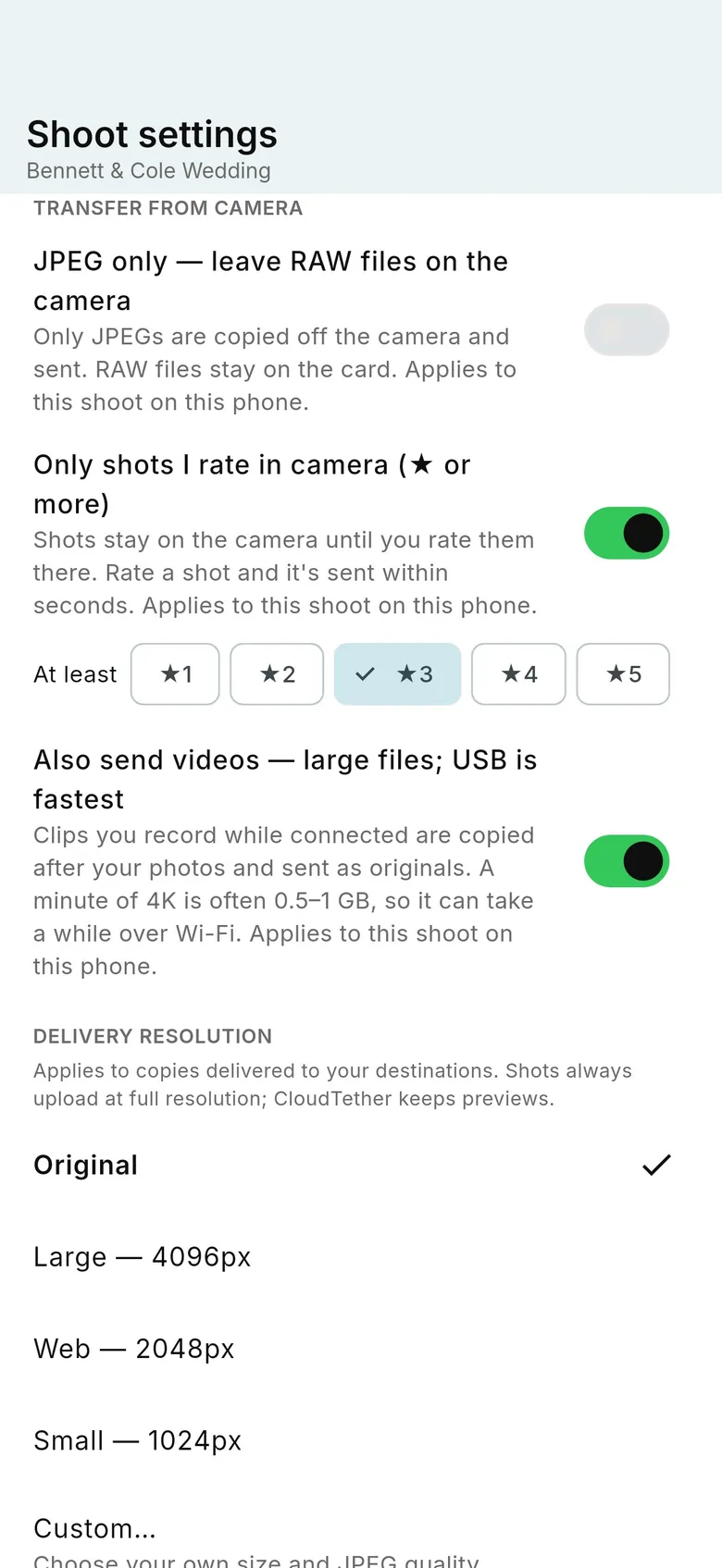
Choose what leaves the camera
Send every frame, or switch on “Only shots I rate in camera” so only frames you rate on the Nikon are delivered — useful when an editor wants selects, not the whole take.
- 3
Shoot
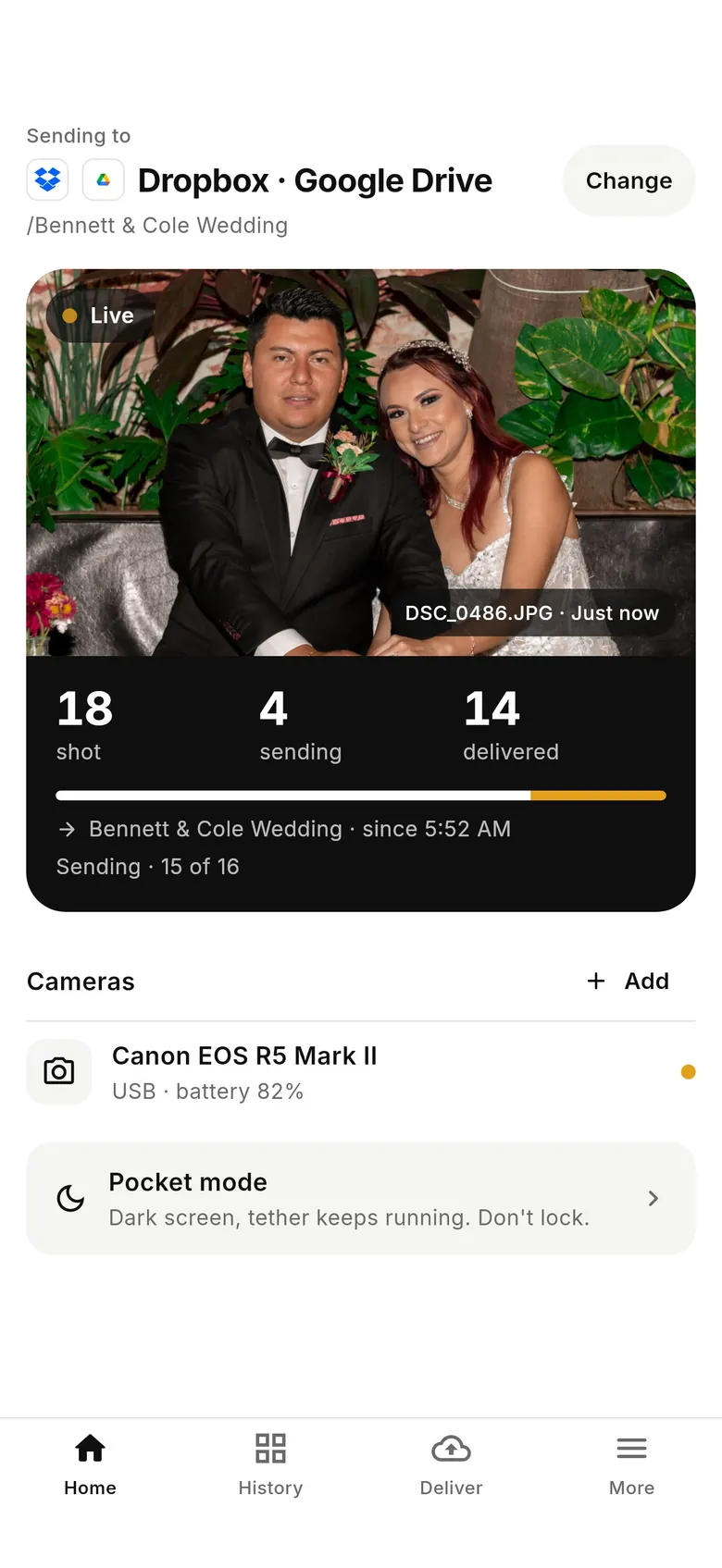
Each frame files itself to your FTP server and any cloud folder or gallery on the shoot. Keep NX MobileAir for jobs that need captions — one app on the camera's connection at a time.
Why photographers choose CloudTether
- Auto-delivers every shot to the cloud — Dropbox, Google Drive, SmugMug, ShootProof, FTP and more — seconds after the shutter.
- Runs on the iPhone, iPad or Android you already own — nothing extra to set up or power on location.
- Works across Canon, Sony, Nikon and Fujifilm from a single app.
- Upload once, fan out to multiple destinations in one session.
- Uploads over your phone's mobile data — no venue Wi-Fi required.
- Shoot into an album on your phone with no signal — uploads catch up automatically when you're back online.
Nikon NX MobileAir alternative FAQ
What is the best alternative to NX MobileAir?
For captioning and filing selected Nikon frames to FTP, NX MobileAir itself is hard to beat. For delivering every frame to Dropbox, Google Drive, a client gallery or FTP automatically as you shoot — from Nikon, Canon, Sony or Fujifilm on one phone — CloudTether is the alternative.
Which cameras work with NX MobileAir?
Nikon lists professional and enthusiast bodies including the Z9, Z8, Z6III, Zf, Z5II and D6, with others added by firmware update. Check Nikon's current list for your body. CloudTether connects Nikon Z and DSLR bodies over USB; it's verified on a Nikon Z6.
Can CloudTether crop or caption photos like NX MobileAir?
No. CloudTether doesn't edit. It delivers the original file (or a JPEG-only or resized copy per destination). Crop, straighten and IPTC captioning on the phone are NX MobileAir's strengths.
Can CloudTether send only some pictures, like NX MobileAir's protected-images import?
Yes, in a different way: rate shots on a Nikon (or Canon) and CloudTether can send only the rated ones. Otherwise it sends every frame automatically.
Does CloudTether upload to FTP and the cloud at the same time?
Yes. The phone uploads each photo once and CloudTether delivers it to every destination on the shoot, so one frame can reach an agency FTP server and a client's Dropbox together.
Does NX MobileAir work with other camera brands?
Nikon's app is built around Nikon cameras, though it can also upload pictures taken on the phone. CloudTether tethers Canon, Nikon, Sony and Fujifilm, and up to three cameras on one phone.
See it for yourself
Install CloudTether, connect your camera and take a test shot — it'll be on your phone and on its way before you lower the camera.
Read next
- Nikon camera tethering with CloudTether
- Send only the shots you rate in camera
- Tether to your own SFTP or FTP server
- Nikon SnapBridge alternative
- NX Tether: Nikon's desktop tethering software
Comparing more tools? See the best camera tethering software roundup.
More comparisons