The best Apple Image Capture alternative when there's no Mac on the shoot
Short answer: if you're at your Mac and want a camera's or card's photos copied into a folder, Image Capture is free, built in and does it well — keep using it. If you want photos off the camera while you're still shooting, away from a computer, CloudTether is the alternative: it tethers a Canon, Nikon, Sony or Fujifilm to your iPhone, iPad or Android phone over USB-C or Wi-Fi and copies every full-resolution frame as it's taken, then sends it to Dropbox, Google Drive, a gallery or an FTP server — including folders that sync back to your Mac.
Here's what Image Capture does well, where it stops, a side-by-side table and how to switch in three steps.
iPhone, iPad and Android · facts checked November 2026
Cloud storage

Galleries & proofing



Messaging
Transfer & servers
What Apple Image Capture is
Image Capture is the free utility built into macOS for importing pictures from cameras, iPhones, iPads, SD cards and scanners connected to a Mac. You choose where files go, whether to keep or delete the originals on the device, and which app opens when a device connects — and it can import automatically when a camera is plugged in.
Where CloudTether is different
Image Capture is an import tool on a Mac: connect a camera or card after the shoot and copy files to a folder. CloudTether works during the shoot, on a phone: every frame is copied off the camera as it's taken and delivered to cloud storage, galleries or FTP — no Mac, no import step, no card reader.
What Apple Image Capture does well
- Built into every Mac: import from cameras, iPhones, iPads and SD cards to any folder or app you choose, with no extra software.
- Choose whether to keep the originals on the device or delete them after import, and pick which app opens when a camera connects.
- It can also make a PDF or a simple web page from imported pictures, and works with scanners — including multipage scans from a document feeder.
- Handy for one-off jobs: grabbing a few files, checking what's on a card, or importing from a camera without opening a photo library.
Why people look for a Apple Image Capture alternative
These are the issues photographers most often search for — common, well-documented ones, not a verdict on the app. Many have fixes, and it's worth trying them first.
It needs a Mac
Image Capture runs only on macOS, so it's no help on location unless you carry a laptop.
After the shoot, not during
It copies what's already on the camera or card. It doesn't tether, so nothing arrives while you're shooting.
A folder, not delivery
Imports land in a local folder or app. Sending them on to a client, gallery or server is another step.
Large imports can stop
Apple notes an import can be interrupted if the device switches itself off part-way — so set the camera's auto power-off for long transfers.
Apple Image Capture vs CloudTether, side by side
| Feature | Apple Image Capture | CloudTether |
|---|---|---|
| What it is | macOS utility for importing pictures and scanning | Phone app that tethers the camera and delivers every frame |
| Runs on | Mac | iPhone, iPad, Android |
| When photos move | After the shoot, when you connect a camera or card | During the shoot, as each frame is written |
| Connection | Cable or SD card slot on the Mac | USB-C cable, or Wi-Fi (verified on Canon) |
| Where photos go | A folder or app on the Mac | Dropbox, Google Drive, galleries, FTP/SFTP, S3 or the phone — several at once |
| Live view and remote shutter | No | New: yes, on Canon, Nikon, Sony and Fujifilm — no exposure control |
| Made by | Apple (free, built in) | CloudConcur |
Based on vendor pages, app-store listings and press coverage as of November 2026. Features vary by camera and app version — check Apple Image Capture's own documentation for your model. Product names are trademarks of their owners.
Should you switch?
Switch to CloudTether if…
- You want photos off the camera and backed up as you shoot, not when you get back to the desk.
- Clients or editors need photos during the shoot, in Dropbox, Google Drive, a gallery or on an FTP server.
- You don't want a laptop on location — the phone does the work.
- You'd like photos waiting in a synced folder on your Mac when you get home, with nothing to import.
Stick with Apple Image Capture if…
- You're at your Mac importing a card or camera — Image Capture is free and already there.
- You need to scan documents or prints.
- Your camera isn't Canon, Nikon, Sony or Fujifilm and you can't test it over USB first.
Plenty of photographers keep both: Apple Image Capture for what it's best at, CloudTether for getting every frame delivered.
How to switch in 3 steps
Install CloudTether, then:
- 1
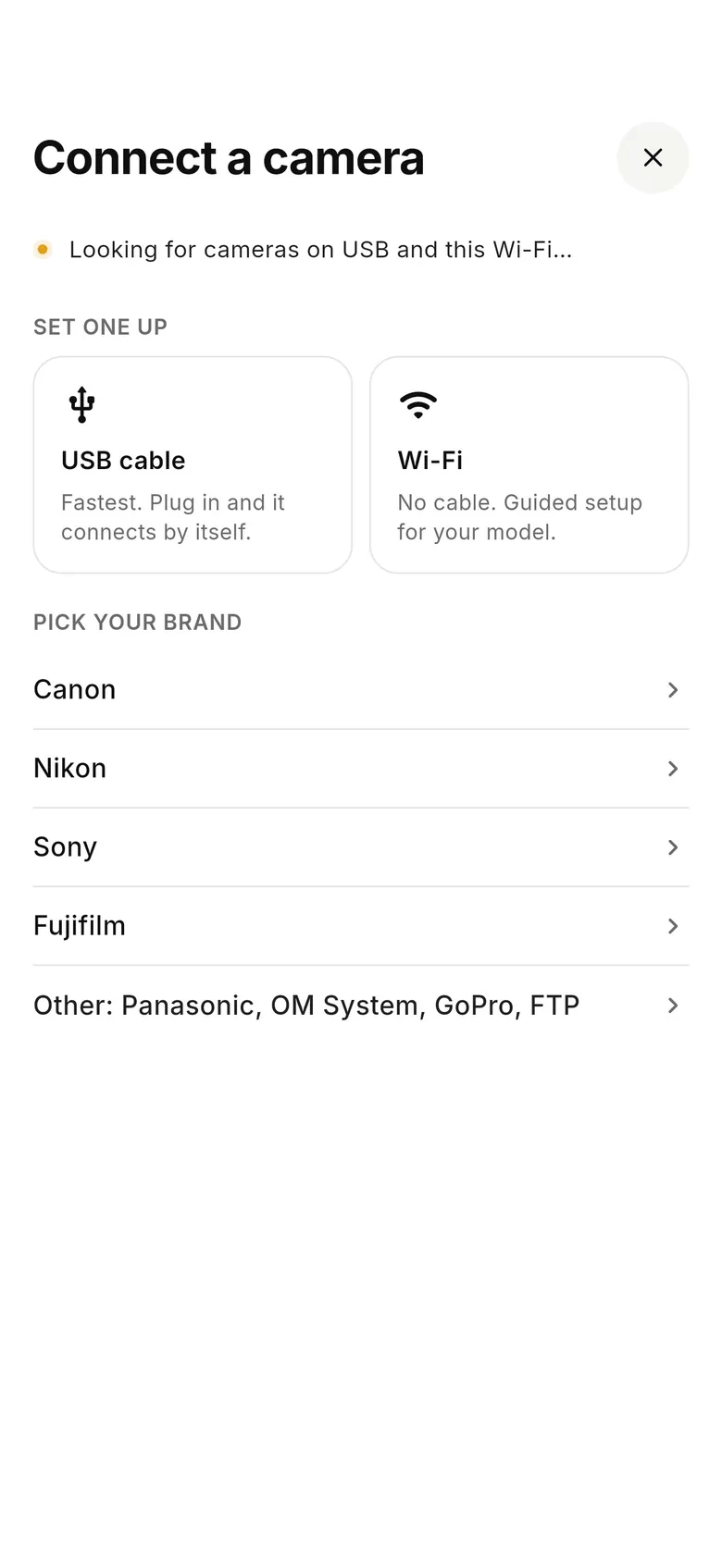
Connect the camera to your phone
Plug the camera into your iPhone, iPad or Android phone with a USB-C cable (or use Wi-Fi on a Canon) and tap “Connect a camera”.
- 2
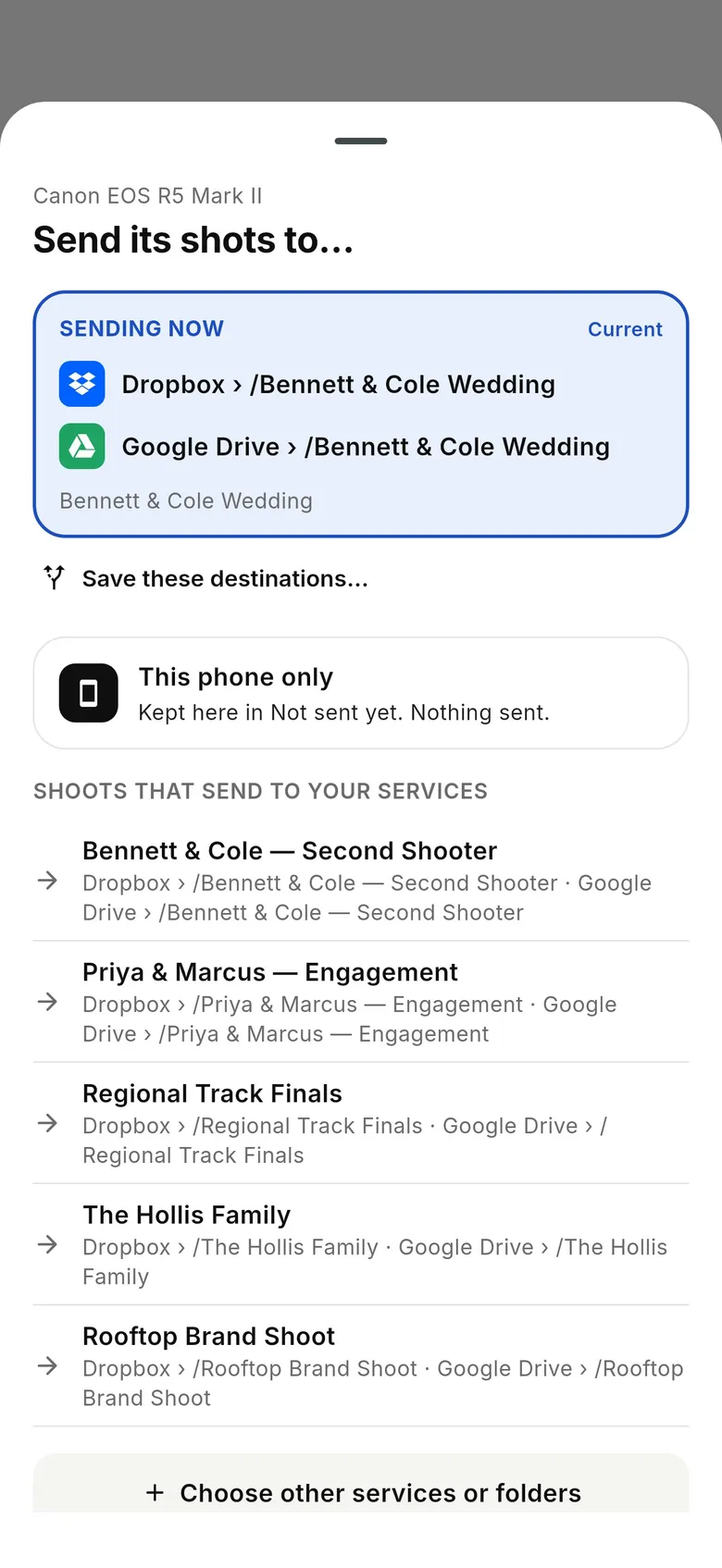
Send to a folder that syncs to your Mac
Pick a Dropbox or Google Drive folder that syncs to your Mac — or keep shots on the phone — and add a client folder or gallery if needed.
- 3
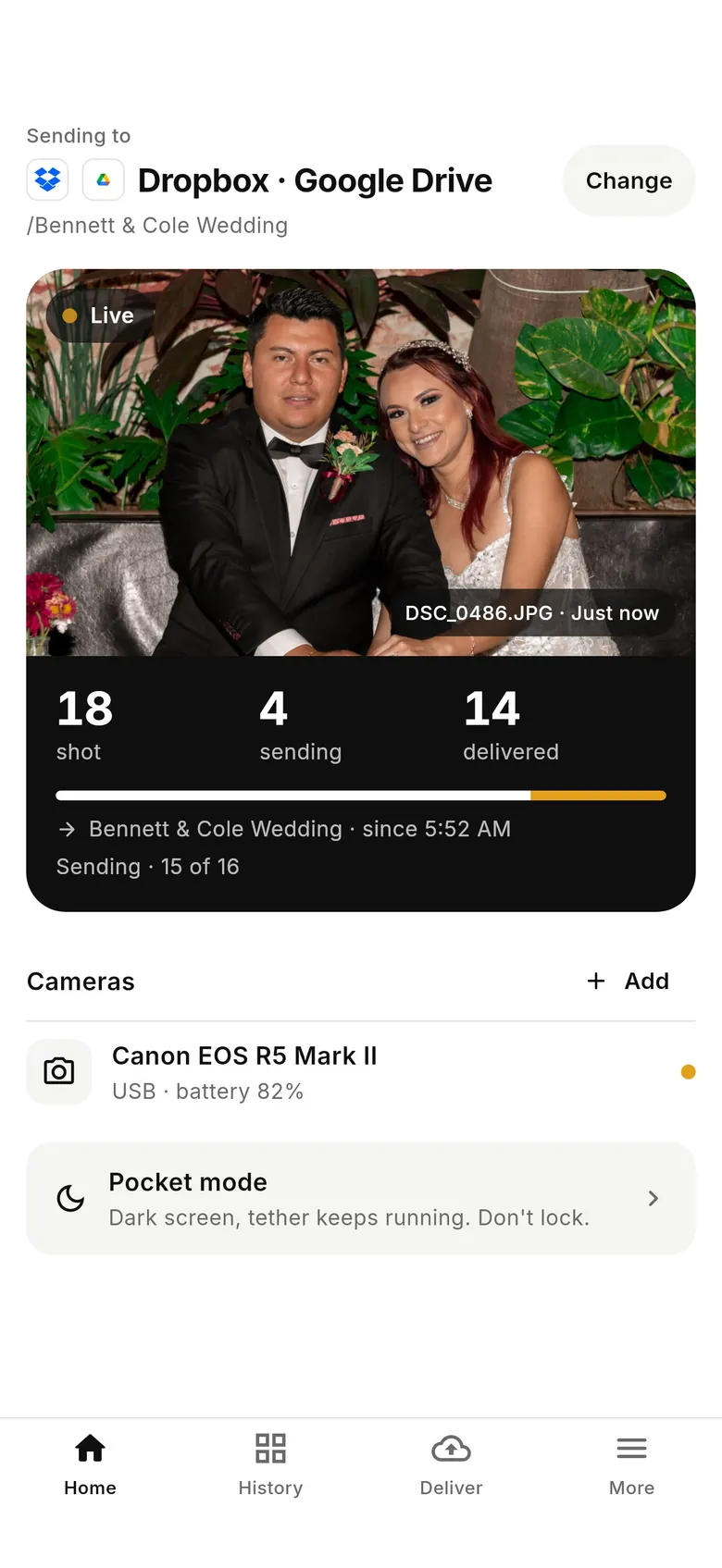
Shoot
Every frame comes off the camera and is delivered as you shoot; by the time you're home, it's already on the Mac.
Why photographers choose CloudTether
- Auto-delivers every shot to the cloud — Dropbox, Google Drive, SmugMug, ShootProof, FTP and more — seconds after the shutter.
- Runs on the iPhone, iPad or Android you already own — nothing extra to set up or power on location.
- Works across Canon, Sony, Nikon and Fujifilm from a single app.
- Upload once, fan out to multiple destinations in one session.
- Uploads over your phone's mobile data — no venue Wi-Fi required.
- Shoot into an album on your phone with no signal — uploads catch up automatically when you're back online.
Apple Image Capture alternative FAQ
Is there an Image Capture for iPhone?
Not as a separate app. On iPhone and iPad, the Photos app imports from a connected camera or card, and the Files app can copy from a card. To have every frame come off the camera automatically as you shoot, use a tethering app such as CloudTether.
Can Image Capture import automatically when I plug in a camera?
It can open when a device connects: in Image Capture's options for that camera, choose what opens when it's connected. Apple's guide also describes an automatic-import option. Either way it copies what's already on the camera after the shoot.
Does Image Capture tether a camera?
No. It imports pictures already on the camera or card; it doesn't capture as you shoot. For tethered shooting to a Mac, use the camera maker's software or Lightroom Classic, Capture One or similar; for tethering to a phone, CloudTether.
Can CloudTether replace Image Capture on my Mac?
No — CloudTether runs on iPhone, iPad and Android, not a Mac. It can deliver to a Dropbox or Google Drive folder that syncs to your Mac, so photos are on the Mac without an import.
Does CloudTether keep RAW files?
Yes. It copies the full-resolution RAW or JPEG the camera recorded — CR3, NEF, ARW, RAF and others — and you can send JPEGs only or resized copies to a destination where that suits better.
Do I still need a card reader with CloudTether?
Not for getting photos off the camera: they come over the USB cable or Wi-Fi as you shoot. Keep shooting to the card too, so you always have the camera's own copy.
See it for yourself
Install CloudTether, connect your camera and take a test shot — it'll be on your phone and on its way before you lower the camera.
Read next
- Get photos off the camera without a card reader
- How to tether without a laptop
- iPhone camera tethering
- How to back up photos while shooting
Comparing more tools? See the best camera tethering software roundup.
More comparisons