
The best Pixieset Mobile alternative for getting photos to clients during the shoot
Short answer: there's no Pixieset app that uploads photos from your camera as you shoot — Pixieset's photographer app, Studio Manager, runs the business side, and collections are uploaded through Pixieset's mobile-optimised website. And no third-party app can fill a Pixieset collection live either, because Pixieset doesn't offer an upload connection for other apps. If you need photos in front of clients during the shoot, CloudTether sends every frame from your camera, via your phone, to a gallery or folder that does accept live uploads — SmugMug, ShootProof, Dropbox or Google Drive — and you deliver the final collection in Pixieset afterwards.
Here's what Pixieset's apps do well, where the gap is, and a three-step workflow that uses both.
iPhone, iPad and Android · facts checked November 2026
Cloud storage

Galleries & proofing



Messaging
Transfer & servers
What Pixieset Mobile is
There isn't one app called Pixieset Mobile. Pixieset's photographer app is Studio Manager (free, iPhone and Android) for bookings, invoices, payments, contracts and client messages. The Mobile Gallery App is a client-facing app you create so clients can preview a gallery on their phone. Uploading and editing Client Gallery collections from a phone happens in Pixieset's mobile-optimised website.
Where CloudTether is different
Pixieset's apps run the business and present finished galleries. CloudTether works earlier, during the shoot: it gets every frame off the camera and delivers it as you shoot. It can't deliver into Pixieset, because Pixieset doesn't offer an upload connection other apps can use, so the two work side by side rather than together.
What Pixieset Mobile does well
- Studio Manager (free, iPhone and Android) puts bookings, calendar, invoices, payments, contracts, questionnaires, projects and client email in your pocket, with notifications for new bookings and payments.
- Tap to Pay in Studio Manager takes in-person card, phone or watch payments in the US and Canada.
- The Mobile Gallery App lets you turn a gallery into an app clients install on their phone for sneak peeks and sharing — a few on the free plan, unlimited on paid Client Gallery plans.
- Client Gallery itself is widely used for clean, fast galleries, with favourites, download PINs, watermarks, a print store and a Lightroom Classic plug-in.
Why people look for a Pixieset Mobile alternative
These are the issues photographers most often search for — common, well-documented ones, not a verdict on the app. Many have fixes, and it's worth trying them first.
No live upload from a camera
Pixieset doesn't offer an upload connection other apps can use, so neither CloudTether nor any other tethering app can put frames into a collection as you shoot.
Gallery work happens on the web
Pixieset said a dedicated Client Gallery app was in development; for now you upload and manage collections in the mobile-optimised site, a batch at a time.
Phone uploads need the photos on the phone
Uploading from your phone first means getting files off the camera — a card reader or the camera maker's app, often with reduced-size copies.
RAW depends on the plan
RAW photo upload is listed on Pixieset's Pro and Ultimate Client Gallery plans; full-resolution download starts on Basic.
Pixieset Mobile vs CloudTether, side by side
| Feature | Pixieset Mobile | CloudTether |
|---|---|---|
| What it is | Studio Manager (business app), Mobile Gallery App (client-facing), Client Gallery on the web | A phone app that gets every frame off the camera and delivers it |
| Gets photos off the camera | No — upload files already on your phone or computer | Yes — over USB-C, or Wi-Fi (verified on Canon), as each frame is written |
| Live delivery during the shoot | Not into Pixieset collections | Yes — to SmugMug, ShootProof, Dropbox, Google Drive, Photohawk and more |
| Client galleries and print store | Yes — its core strength | No — delivers into galleries you already use |
| Bookings, invoices, contracts | Yes, in Studio Manager | No |
| Platforms | iPhone and Android apps; web | iPhone, iPad, Android |
Based on vendor pages, app-store listings and press coverage as of November 2026. Features vary by camera and app version — check Pixieset Mobile's own documentation for your model. Product names are trademarks of their owners.
Should you switch?
Switch to CloudTether if…
- Clients, planners or a social team need photos during the event, not days later.
- You want every frame backed up off the camera while you shoot.
- You'd rather have the full-resolution files on your phone without a card reader, ready to upload selects to Pixieset later.
- A second shooter should feed the same live folder or gallery.
Stick with Pixieset Mobile if…
- You need client galleries, proofing, print sales or a website — keep Pixieset; CloudTether doesn't host galleries.
- You run bookings, invoices and contracts from Studio Manager.
- Your clients only ever see the final, edited collection.
Plenty of photographers keep both: Pixieset Mobile for what it's best at, CloudTether for getting every frame delivered.
How to switch in 3 steps
Install CloudTether, then:
- 1
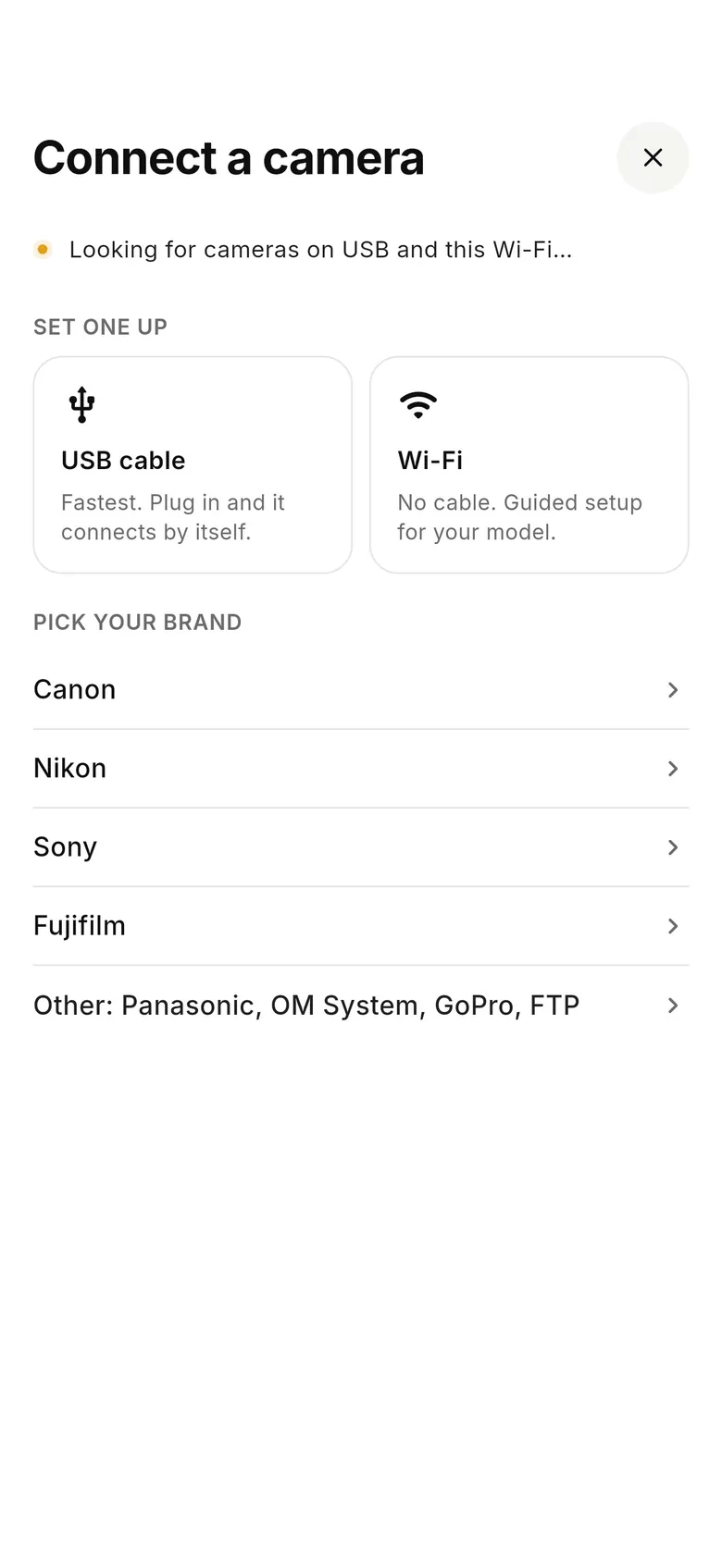
Connect the camera
Plug the camera into your phone with a USB-C cable (or use Wi-Fi on a Canon) and tap “Connect a camera”.
- 2
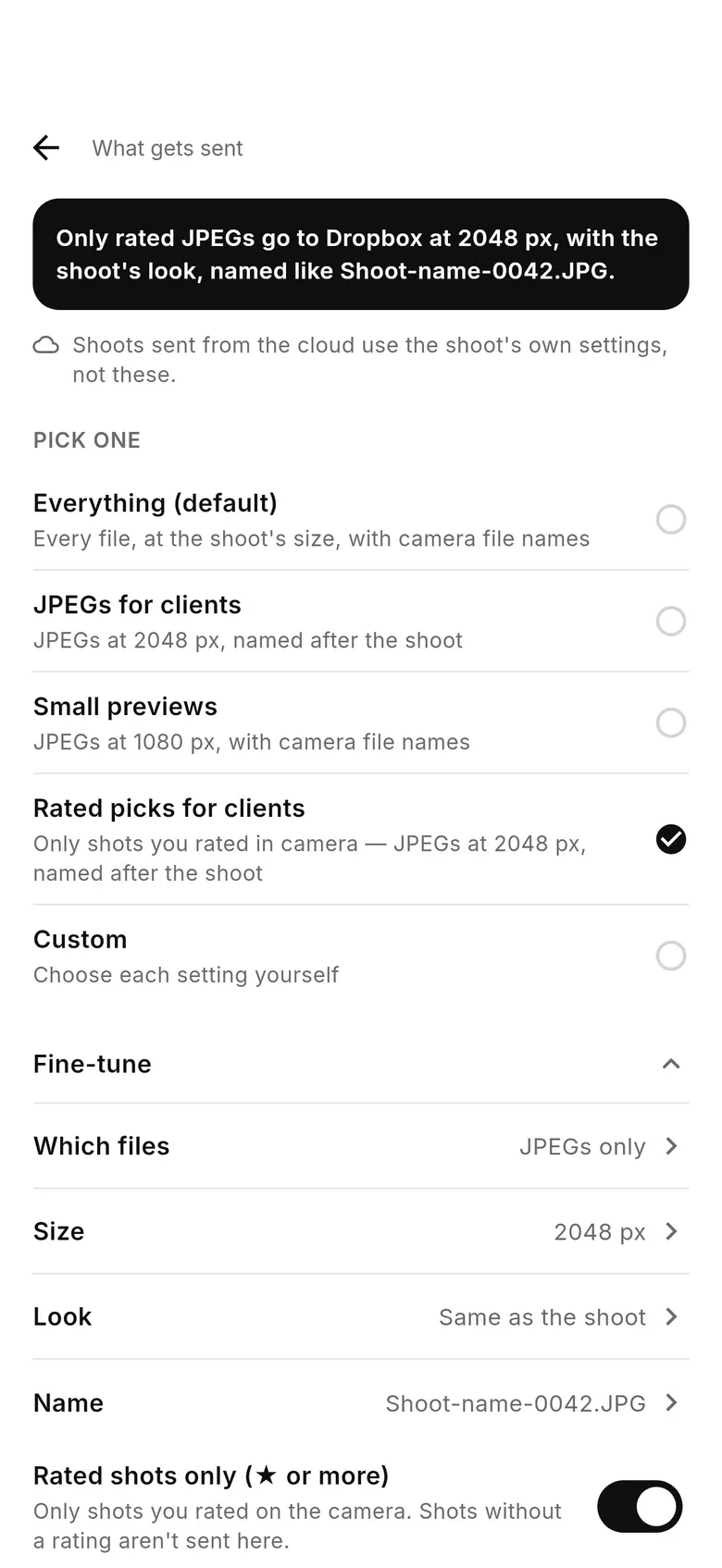
Pick a live destination
In the Deliver tab connect a SmugMug or ShootProof gallery, or a shared Dropbox or Google Drive folder. Set it to JPEGs only or 2048 px copies for fast viewing on phones.
- 3
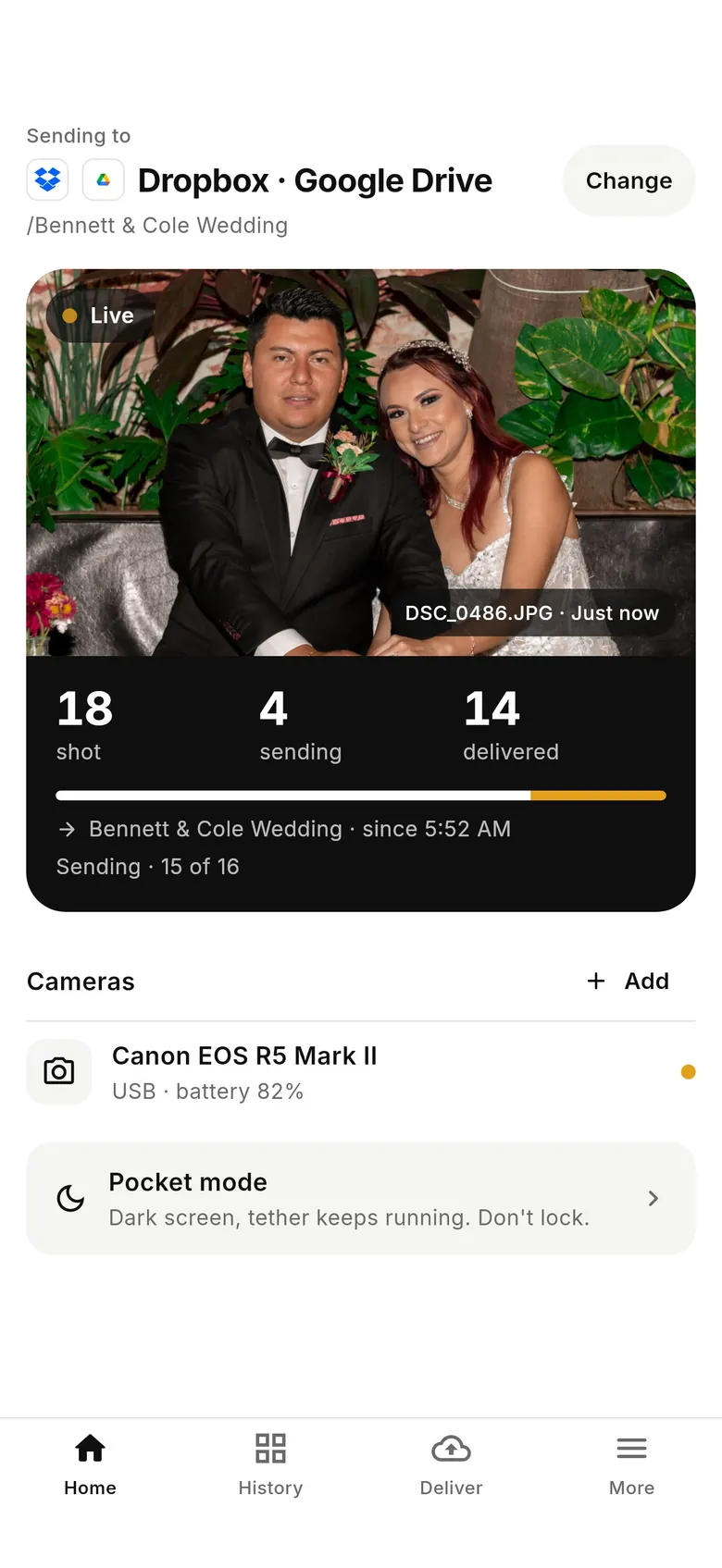
Deliver the final set in Pixieset
Clients watch selects arrive during the day. Afterwards, edit as usual and deliver the finished collection through Pixieset.
Why photographers choose CloudTether
- Auto-delivers every shot to the cloud — Dropbox, Google Drive, SmugMug, ShootProof, FTP and more — seconds after the shutter.
- Runs on the iPhone, iPad or Android you already own — nothing extra to set up or power on location.
- Works across Canon, Sony, Nikon and Fujifilm from a single app.
- Upload once, fan out to multiple destinations in one session.
- Uploads over your phone's mobile data — no venue Wi-Fi required.
- Shoot into an album on your phone with no signal — uploads catch up automatically when you're back online.
Pixieset Mobile alternative FAQ
Does Pixieset have a mobile app for photographers?
Yes: Studio Manager, free on iPhone and Android, for bookings, invoices, payments (including Tap to Pay in the US and Canada), contracts and client messages. Pixieset said a dedicated Client Gallery app was in development; meanwhile collections are uploaded and managed in its mobile-optimised website.
Can I upload to Pixieset from my camera while I shoot?
Not automatically. Pixieset doesn't offer an upload connection other apps can use, so no tethering app can send frames into a collection as you shoot. Upload your edited set to Pixieset after the shoot.
Does CloudTether support Pixieset?
No. CloudTether tested an experimental Pixieset connection and retired it because Pixieset has no public upload interface. It delivers live to SmugMug, ShootProof, Photohawk, Dropbox, Google Drive and others.
What's the Pixieset Mobile Gallery App?
A client-facing app you create from a gallery so the client can install it and browse photos on their phone. Free accounts can create a few; paid Client Gallery plans allow unlimited apps.
How do I show clients photos during a wedding if I use Pixieset?
Send JPEGs or 2048 px copies to a shared Dropbox or Google Drive folder, or a SmugMug or ShootProof gallery, with CloudTether as you shoot; deliver the final edited collection in Pixieset afterwards.
Can CloudTether save photos straight to my phone instead?
Yes. A shoot can keep every frame on the phone in an album named after it, so you can upload selects to Pixieset's mobile site from the phone without touching a card reader.
See it for yourself
Install CloudTether, connect your camera and take a test shot — it'll be on your phone and on its way before you lower the camera.
Read next
- Pixieset live upload from your camera: what works
- Best client gallery platform for photographers
- Pixieset vs ShootProof
- Live client gallery while you shoot
Comparing more tools? See the best camera tethering software roundup.
More comparisons