An OM Image Share alternative for sending every shot to the cloud (and when to keep OI.Share)
Short answer: for most OM System and Olympus owners, OM Image Share is the right app — free, wireless, with live view, remote shutter, geotagging and quick imports. If you need every full-resolution ORF or JPEG delivered to Dropbox, Google Drive, a gallery or FTP while you're still shooting, CloudTether can copy each frame over a USB cable as the camera writes it. It connects OM System bodies through its Other option, which we haven't tested ourselves, so try your camera first.
Here's what OM Image Share does well, where it stops, a side-by-side table and how to try CloudTether in three steps.
iPhone, iPad and Android · facts checked November 2026
Cloud storage
Galleries & proofing



Messaging
Transfer & servers
What OM Image Share is
OM Image Share (OI.Share) is OM Digital Solutions' free app for iPhone, iPad and Android. It imports pictures from OM System and Olympus cameras over Wi-Fi, gives you live view and remote shutter control, adds your phone's location to photos, and on some models shows track data and helps with firmware. Pictures marked with Share Order on the camera import automatically when the phone connects.
Where CloudTether is different
OM Image Share is a companion app: browse the card, pick pictures, shoot remotely. CloudTether is a delivery app: over a USB cable it copies each new full-resolution file as the camera writes it and sends it on to cloud storage, galleries or FTP. For OM System and Olympus bodies, CloudTether works over USB through its Other option and hasn't been tested by us yet.
What OM Image Share does well
- Wi-Fi import from the card: browse by date, pick single pictures, a day or everything, and pictures marked with Share Order on the camera import automatically when the phone connects.
- Live View and Remote Shutter modes for shooting and changing settings from the phone.
- Geotagging from the phone's GPS — over Bluetooth during shooting on supported models — plus track data, Activities and camera how-to guides on some bodies.
- Register up to 10 cameras by scanning the QR code on the camera's screen; free on iPhone, iPad and Android.
Why people look for a OM Image Share alternative
These are the issues photographers most often search for — common, well-documented ones, not a verdict on the app. Many have fixes, and it's worth trying them first.
RAW only from some cameras
OM System lists the bodies that can send RAW (including the OM-1 Mark II, OM-1, OM-5, E-M1X and TG-7). On others RAW files aren't shown, and you develop them to JPEG in camera first.
Slow over Wi-Fi
App Store reviewers describe slow transfers, and OM System warns that Wi-Fi drains the battery quickly and large videos take a long time.
Picking, not streaming
You choose what to import, or mark Share Order in advance. There's no rule that sends every new frame on to a client while you keep shooting.
Photos stop at the phone
Sending pictures on to a client folder, gallery or FTP server is a separate step for each batch.
OM Image Share vs CloudTether, side by side
| Feature | OM Image Share | CloudTether |
|---|---|---|
| Made by | OM Digital Solutions (free) | CloudConcur |
| Cameras | OM System and Olympus Wi-Fi cameras | Canon, Nikon, Sony, Fujifilm; OM System over USB via Other (not yet tested by us) |
| Connection | Wi-Fi (Bluetooth on some models) | USB cable for OM System bodies |
| What transfers | Pictures you pick or mark with Share Order; RAW on listed models | Every full-resolution ORF or JPEG, or JPEGs only |
| Where photos go | The phone | The phone, plus cloud storage, galleries, FTP/SFTP or S3 — several at once |
| Live view and remote shutter | Yes | No — on Canon, Nikon, Sony and Fujifilm only, not OM System |
| Geotagging | Yes, from the phone | No |
| Platforms | iPhone, iPad, Android | iPhone, iPad, Android |
Based on vendor pages, app-store listings and press coverage as of November 2026. Features vary by camera and app version — check OM Image Share's own documentation for your model. Product names are trademarks of their owners.
Should you switch?
Switch to CloudTether if…
- You need every frame off the camera and backed up while you shoot, not a selection afterwards.
- Photos must reach Dropbox, Google Drive, SmugMug, ShootProof or an FTP/SFTP server during the shoot.
- You can shoot with a USB cable to the phone.
- A second shooter on Canon, Nikon, Sony or Fujifilm should use the same routine.
Stick with OM Image Share if…
- You want wireless transfer, live view or remote shutter — CloudTether has none of these for OM System (its live view and remote shutter cover Canon, Nikon, Sony and Fujifilm).
- You rely on geotagging, track data or the camera how-to guides.
- You can't test your body before a paid job: OM System support in CloudTether is untested by us.
Plenty of photographers keep both: OM Image Share for what it's best at, CloudTether for getting every frame delivered.
How to switch in 3 steps
Install CloudTether, then:
- 1
Set the USB mode
On the camera choose its computer or tether USB option rather than Storage, and connect a USB-C cable to your phone.
- 2
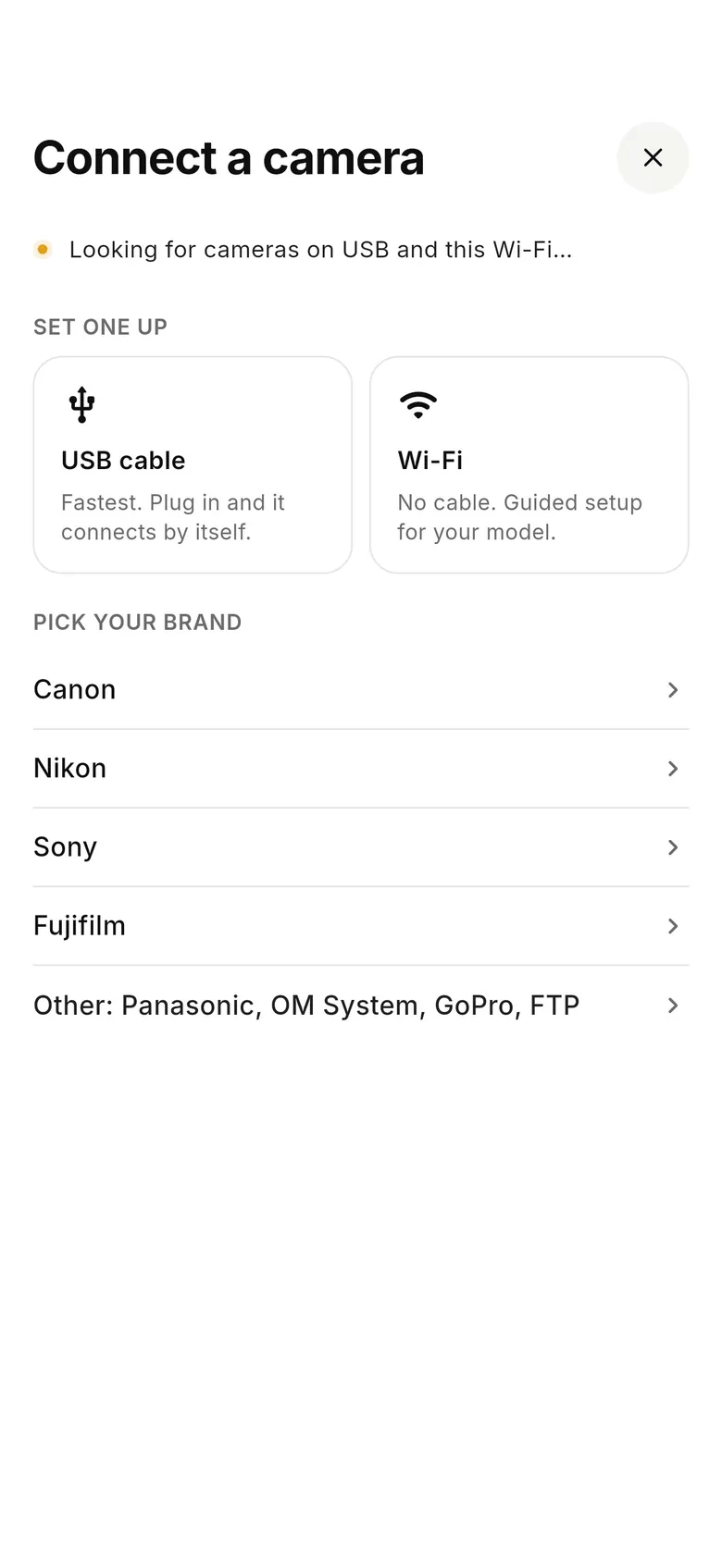
Choose Other and test
Tap “Connect a camera”, choose Other and take a test shot. If it arrives, pick where shots go; if not, tell us your model.
- 3
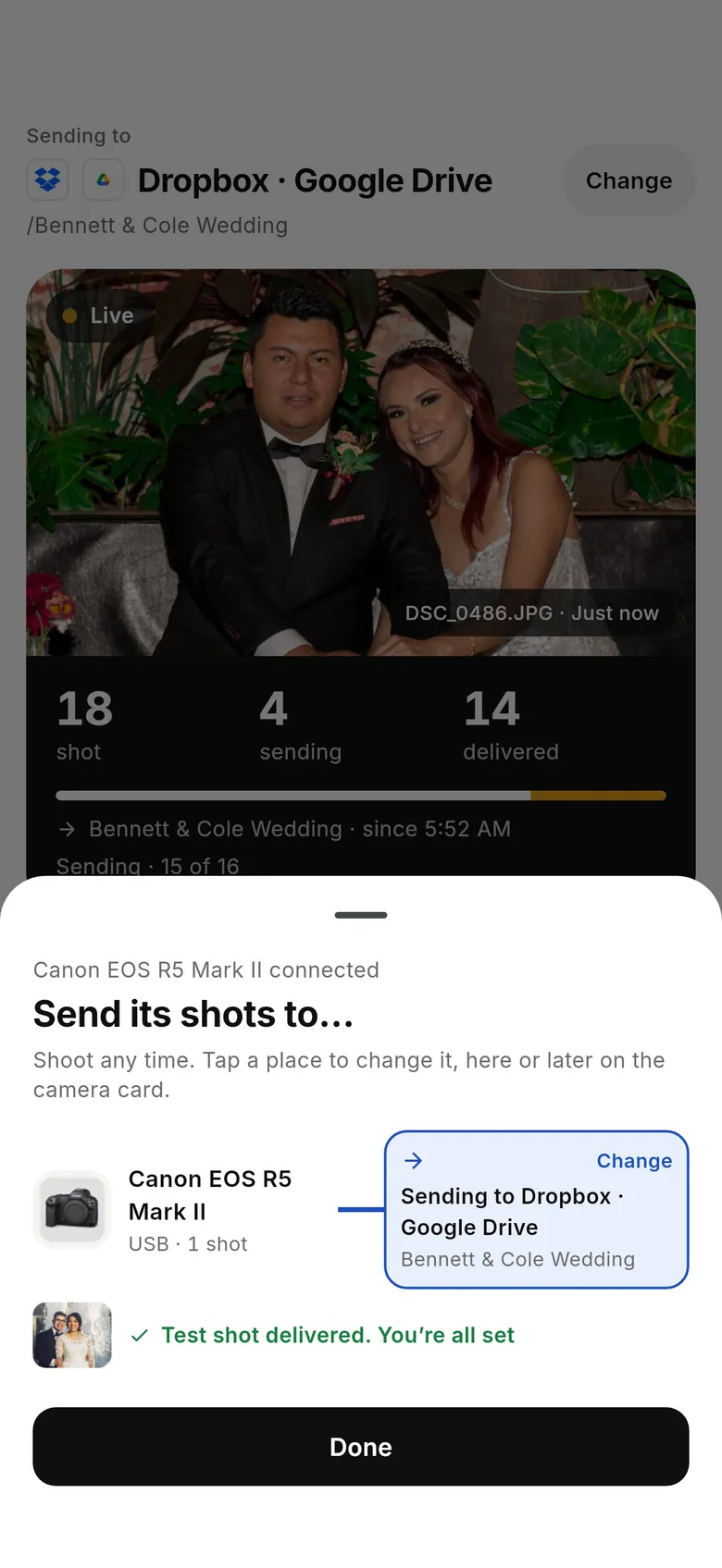
Shoot
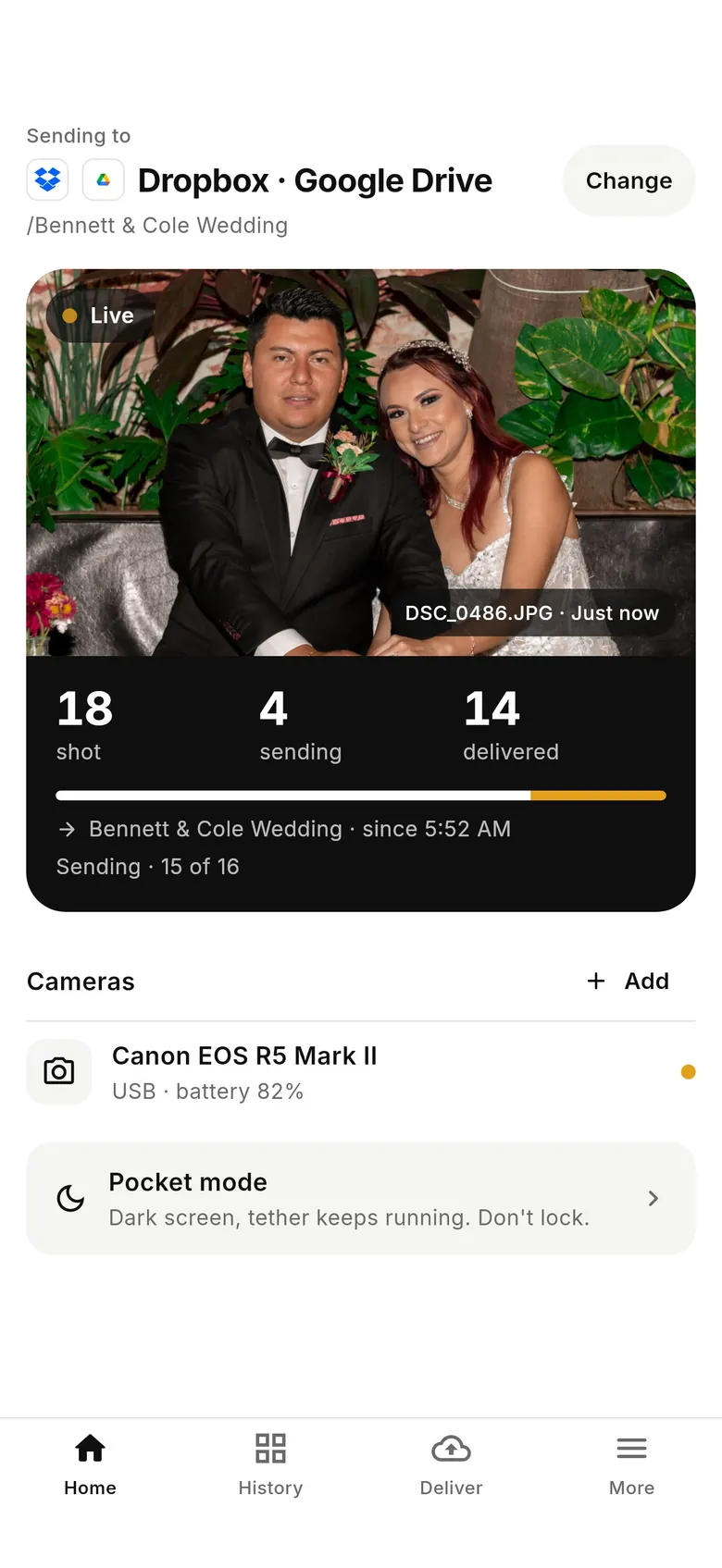
Each frame is copied as the camera writes it and delivered; Home shows the counts. Use OM Image Share for wireless and remote work.
Why photographers choose CloudTether
- Auto-delivers every shot to the cloud — Dropbox, Google Drive, SmugMug, ShootProof, FTP and more — seconds after the shutter.
- Runs on the iPhone, iPad or Android you already own — nothing extra to set up or power on location.
- Works across Canon, Sony, Nikon and Fujifilm from a single app.
- Upload once, fan out to multiple destinations in one session.
- Uploads over your phone's mobile data — no venue Wi-Fi required.
- Shoot into an album on your phone with no signal — uploads catch up automatically when you're back online.
OM Image Share alternative FAQ
Is there an OM Image Share alternative that sends every photo automatically?
Over a USB cable, CloudTether copies each new frame as the camera writes it and sends it to Dropbox, Google Drive, a gallery or FTP. It connects OM System and Olympus bodies through its Other option, which we haven't tested ourselves, so try your camera before relying on it.
Can OM Image Share transfer RAW files?
Only from some cameras. OM System lists models including the OM-1 Mark II, OM-1, OM-5, E-M1X, E-M1 Mark III and TG-7 as able to send RAW; on others RAW files aren't shown and you develop them to JPEG in camera first.
Does CloudTether connect to OM System cameras over Wi-Fi?
Not that we've tested. Use USB with the camera's USB mode set to its computer or tether option rather than Storage.
Does OM Image Share do remote shooting?
Yes. Live View mode shows the camera's feed on the phone, and Remote Shutter mode lets you change settings and fire. CloudTether's live view and remote shutter cover Canon, Nikon, Sony and Fujifilm, not OM System — with an OM body you shoot on the camera.
What happened to OI.Share?
OM Image Share is the current name of the app, published by OM Digital Solutions, the company that took over Olympus's camera business. It still shows as OI.Share in places.
Will CloudTether recognise ORF RAW files?
Yes. ORF files are recognised and can be delivered as they are, or you can send JPEGs only to a destination.
See it for yourself
Install CloudTether, connect your camera and take a test shot — it'll be on your phone and on its way before you lower the camera.
Read next
- Camera compatibility checker
- Which tether cable do I need?
- How to transfer photos from camera to phone
- Camera makers' apps vs one app for mixed teams
Comparing more tools? See the best camera tethering software roundup.
More comparisons