Home: your live shoot first
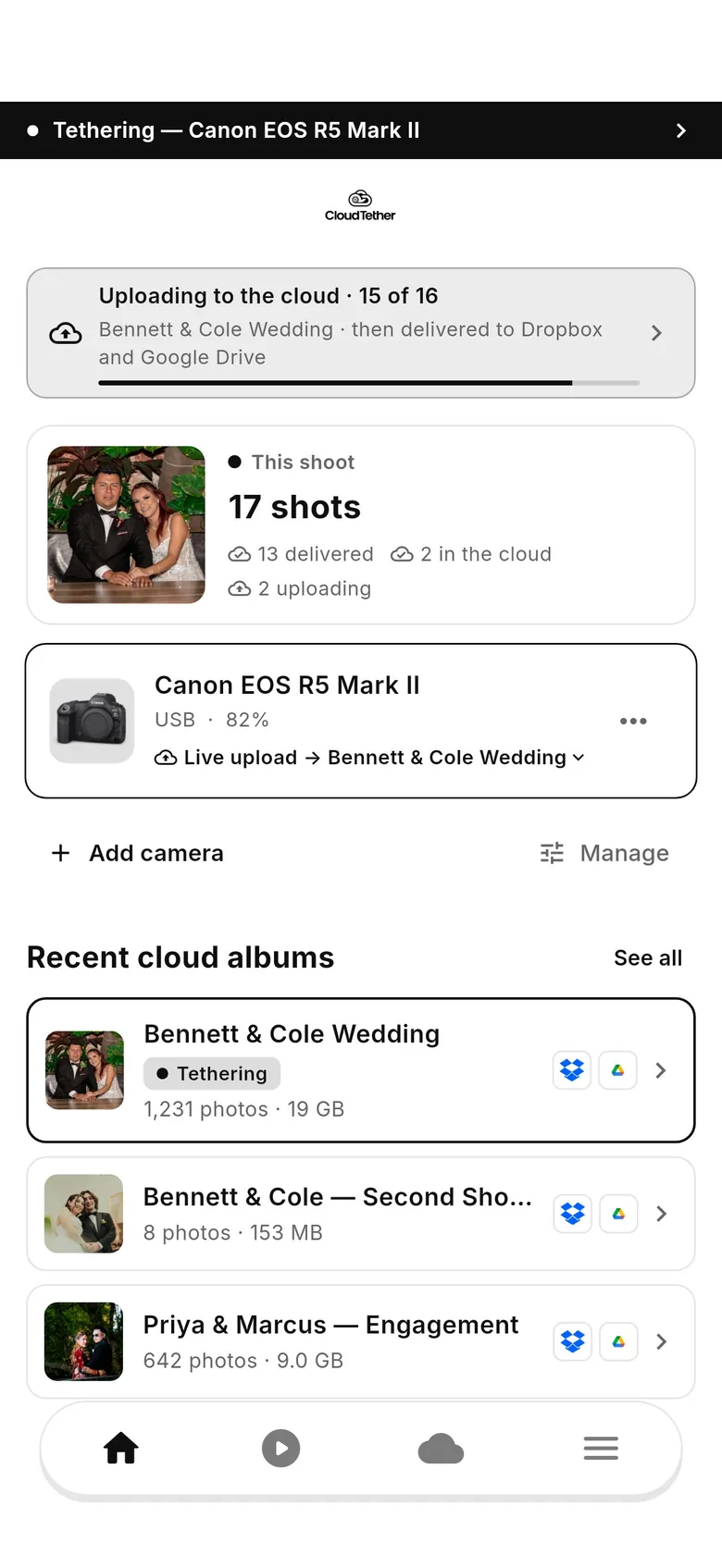
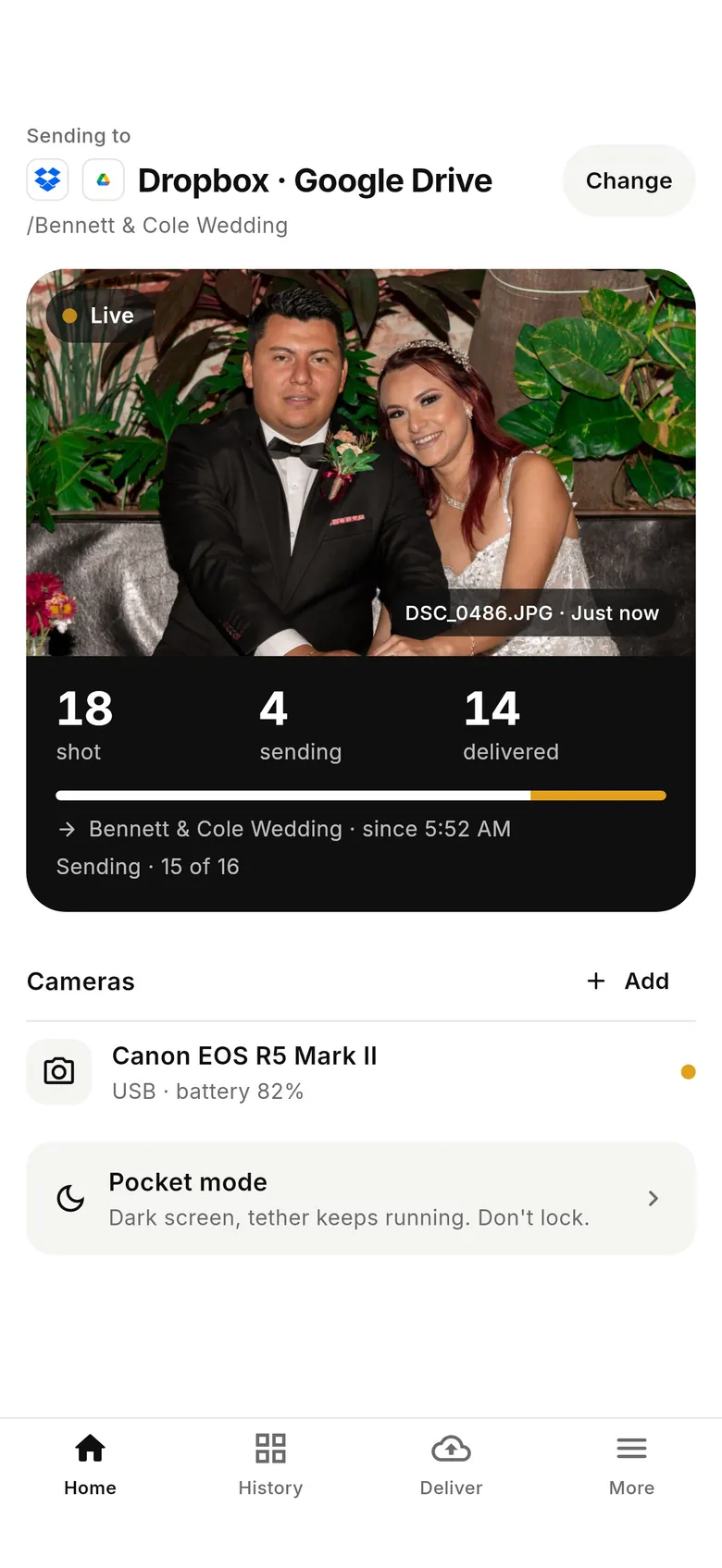
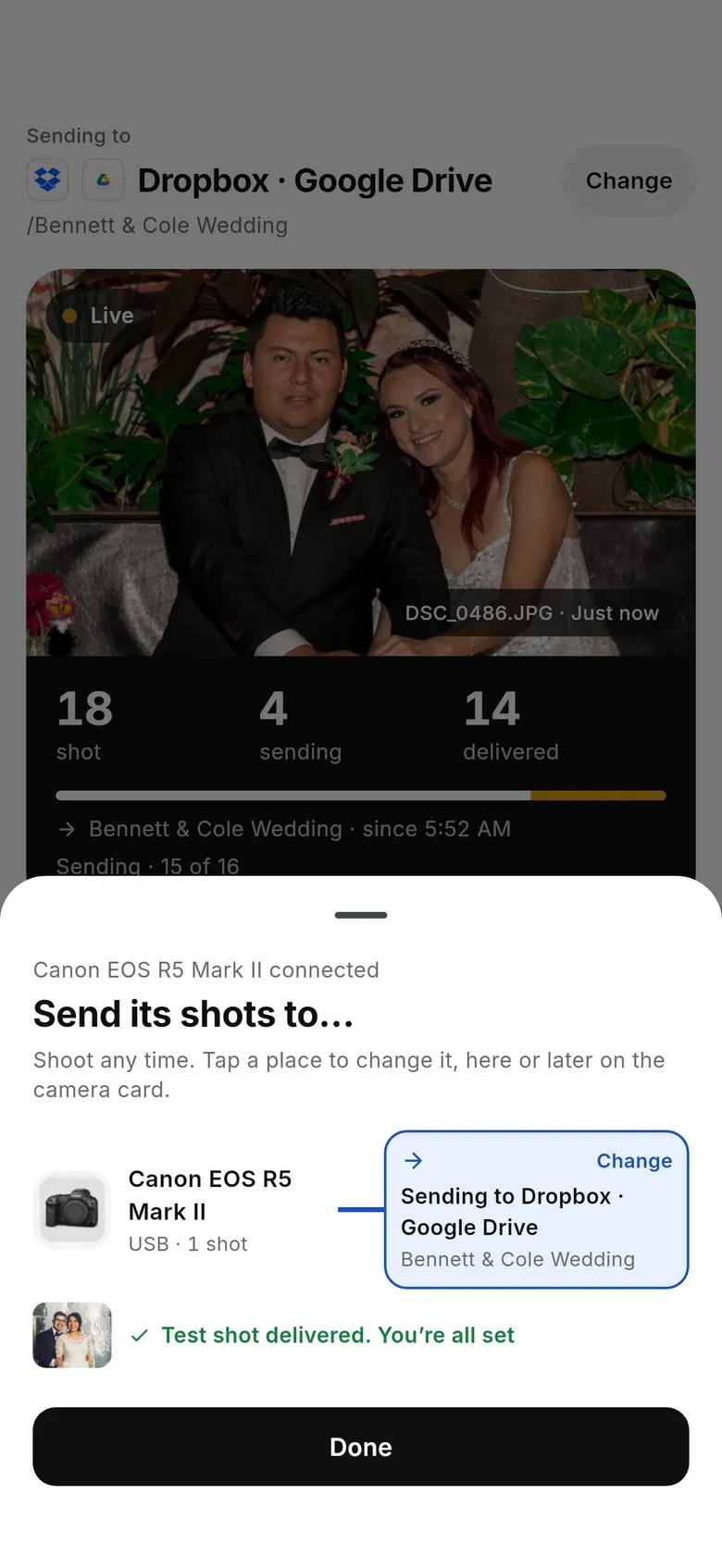
1.1's Home leads with where shots are going and a live panel of shot, sending and delivered counts. Past work moved to History.
CloudTether 1.1.0
A cleaner, simpler CloudTether. Home shows your live shoot; History, Deliver and More hold everything else. “Sessions” and “cloud albums” are now shoots, and you choose where each camera's shots are sent — with saved destinations and per-service settings.
CloudTether 1.1 is out now on the App Store and Google Play. Still on 1.0.x? It keeps working — and every guide shows both versions.
Everything carries over: your albums (now shoots), connected destinations, saved cameras and settings. Which one do you have? 1.1's tab bar reads Home · History · Deliver · More; 1.0's reads Home · Playback · Destinations · More.
Real screens from both versions of the app, with the same demo shoot.
1.1's Home leads with where shots are going and a live panel of shot, sending and delivered counts. Past work moved to History.
“Where should shots go?” became “Send shots to…”. You choose services, not albums: a past shoot, a saved set of destinations, “This phone only”, or new services.
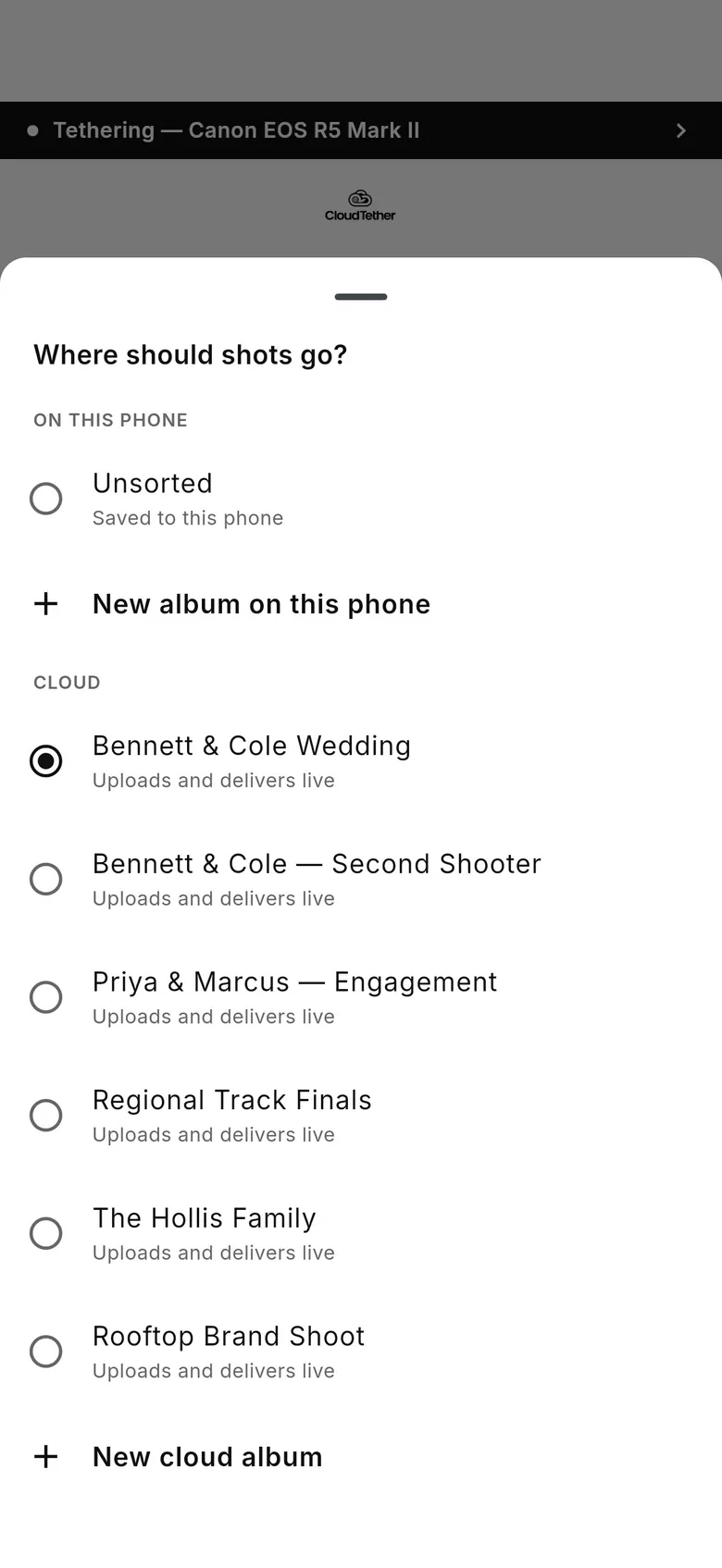
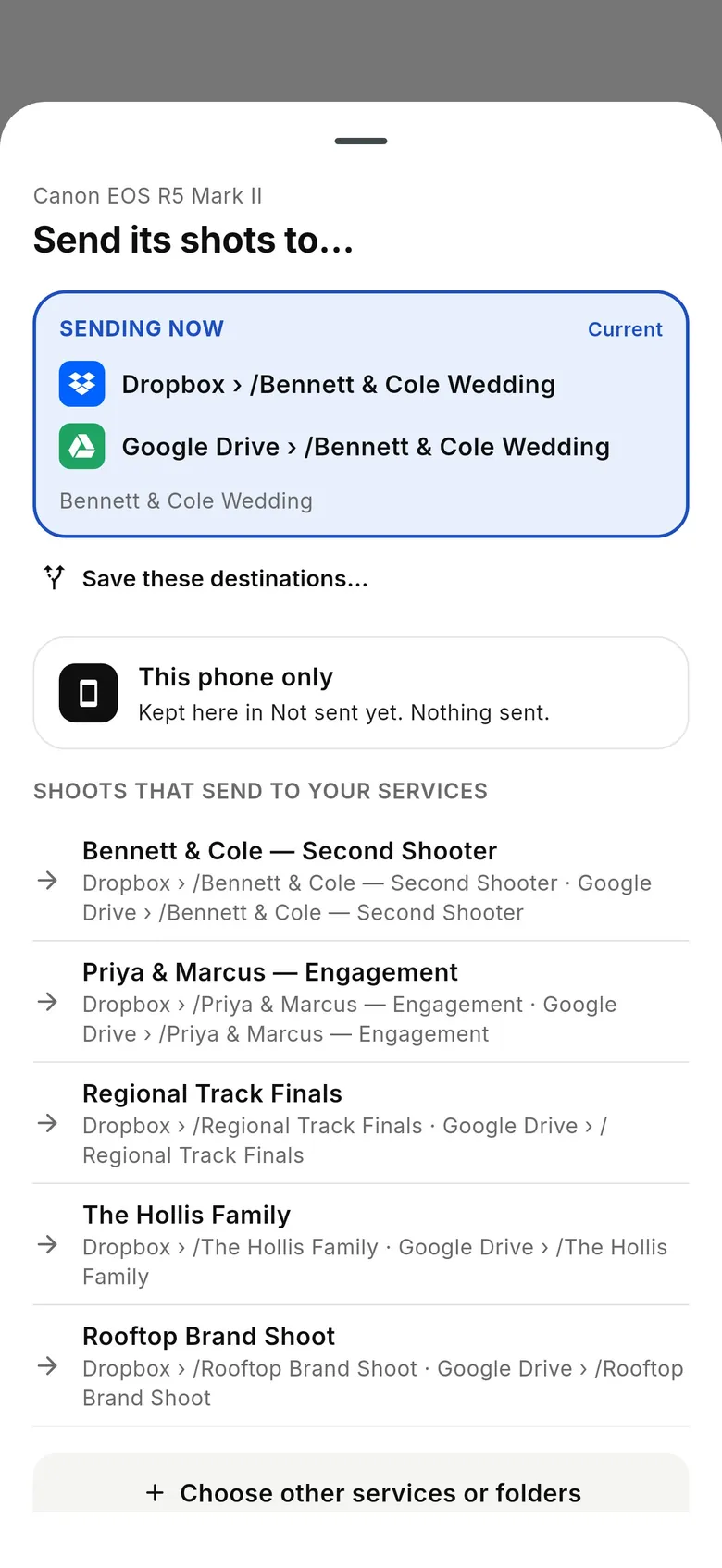
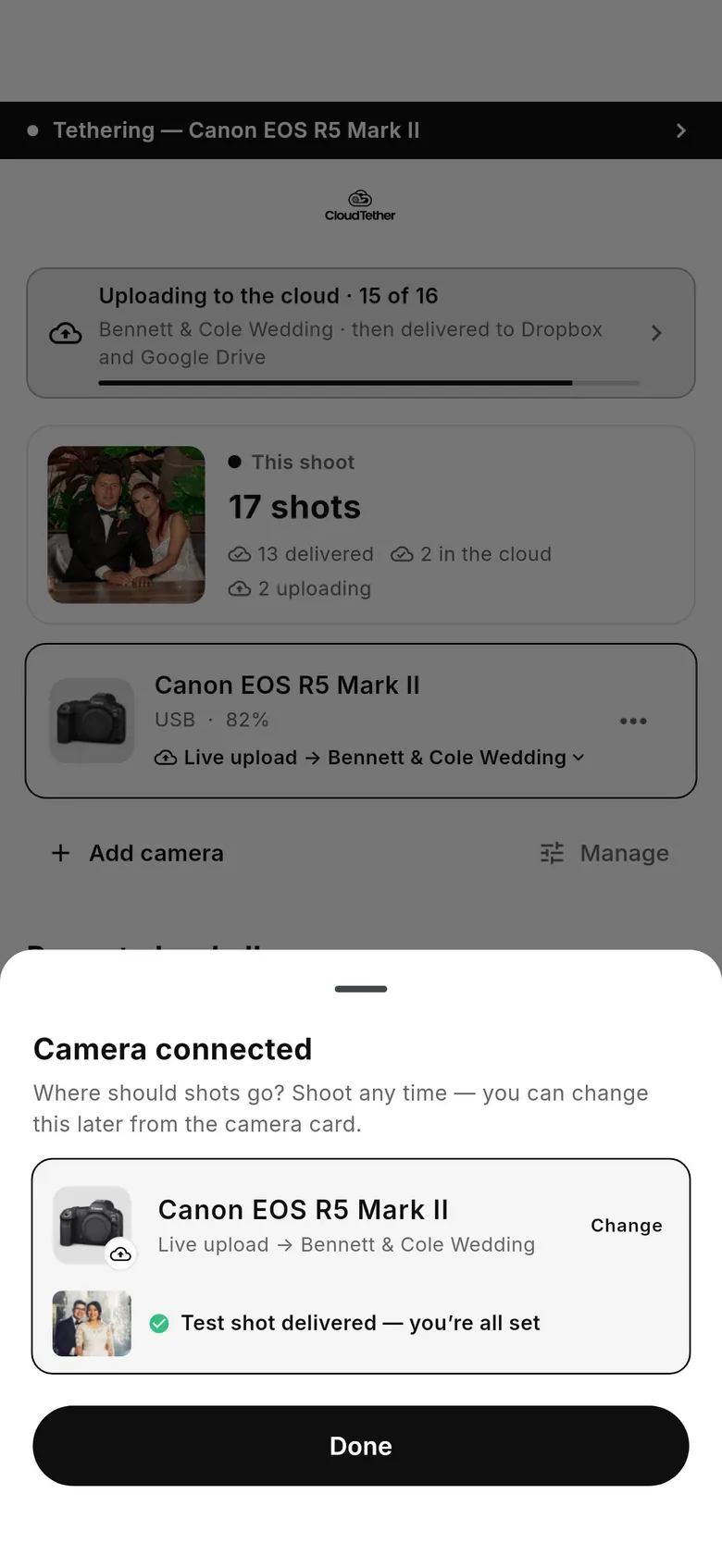
Both versions ask where the new camera's shots should go and confirm with a test shot. 1.1 shows the services by name.
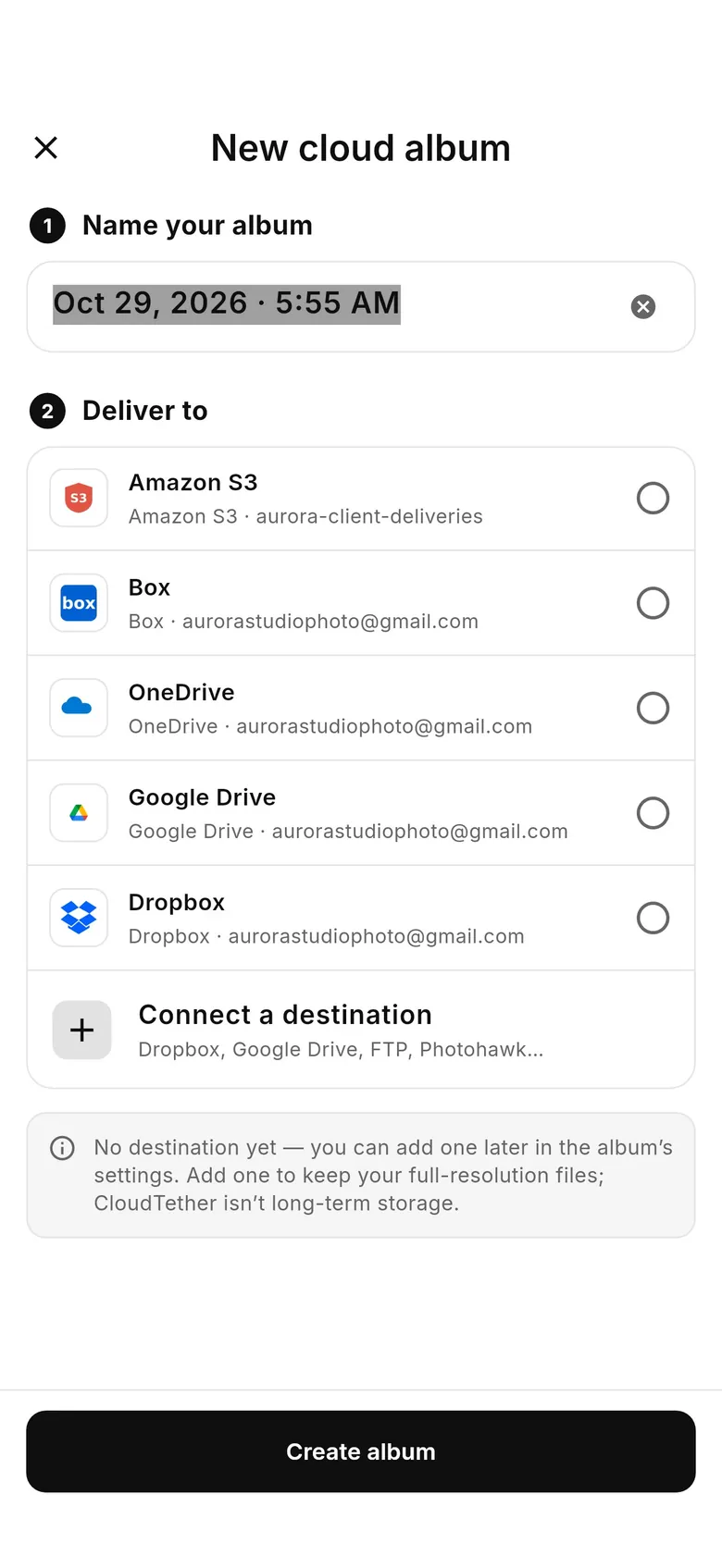
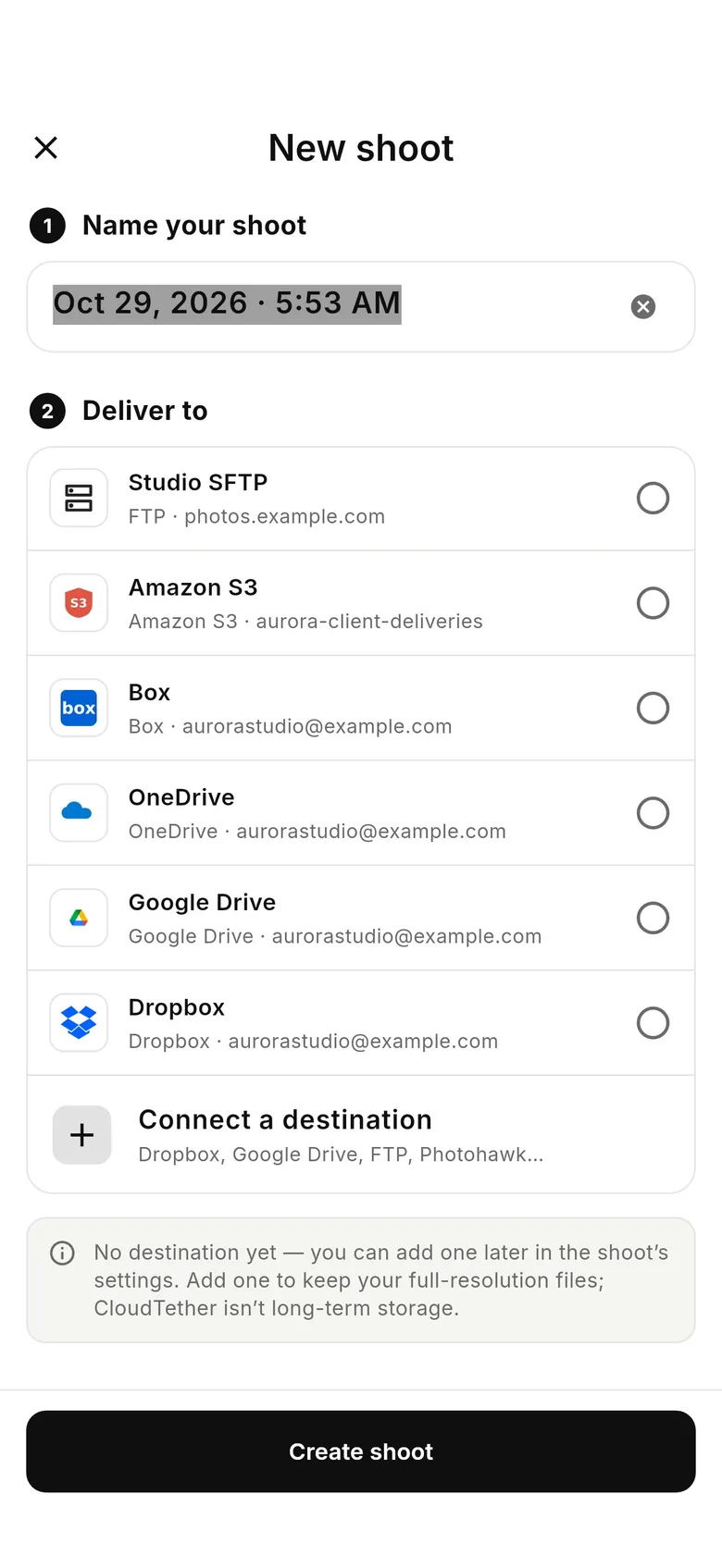
Same two steps — name it, pick where it delivers — now called a shoot. Reach it from “Send shots to…” › “Choose other services or folders”.
Your connected services carry over. The Deliver tab adds Saved destinations and Copies on this phone, and each service gets its own “What gets sent”.
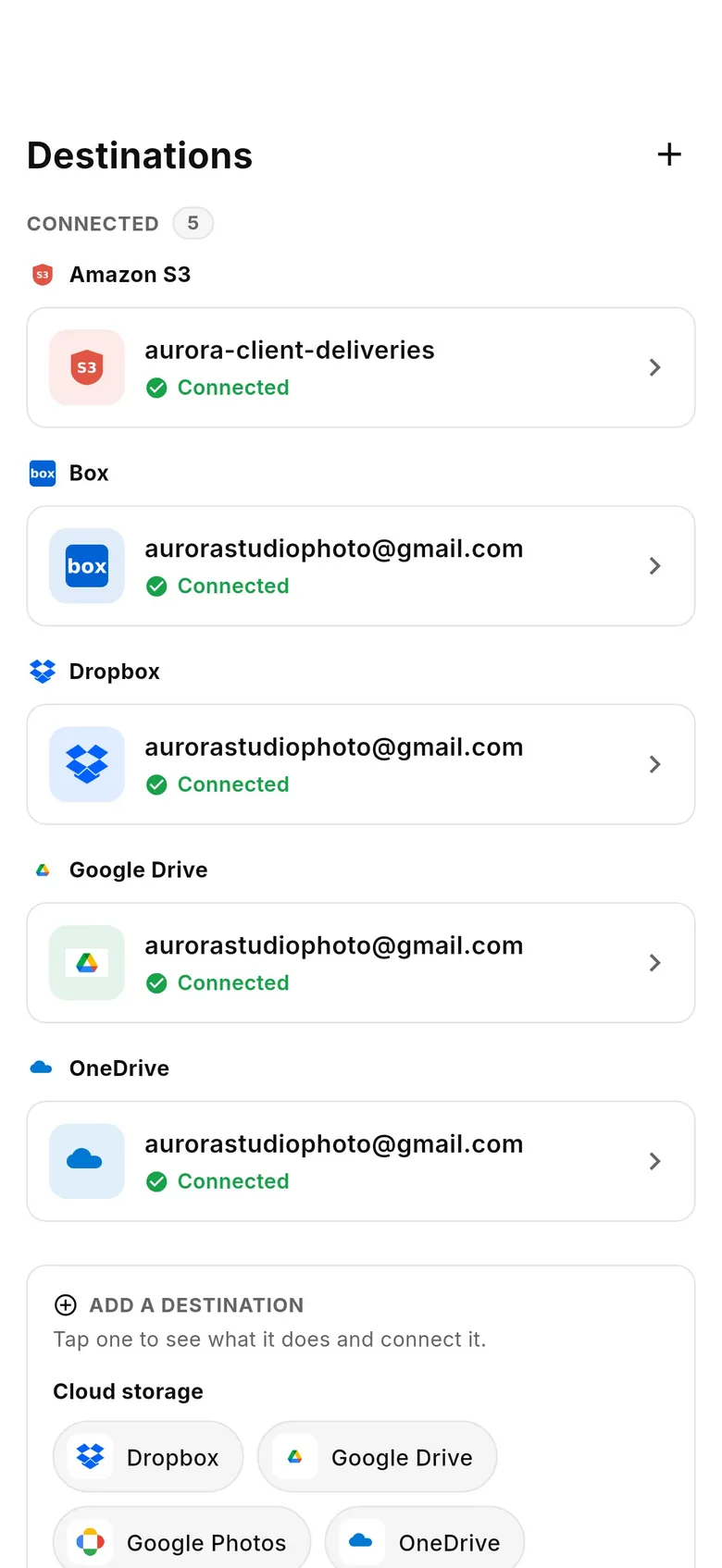
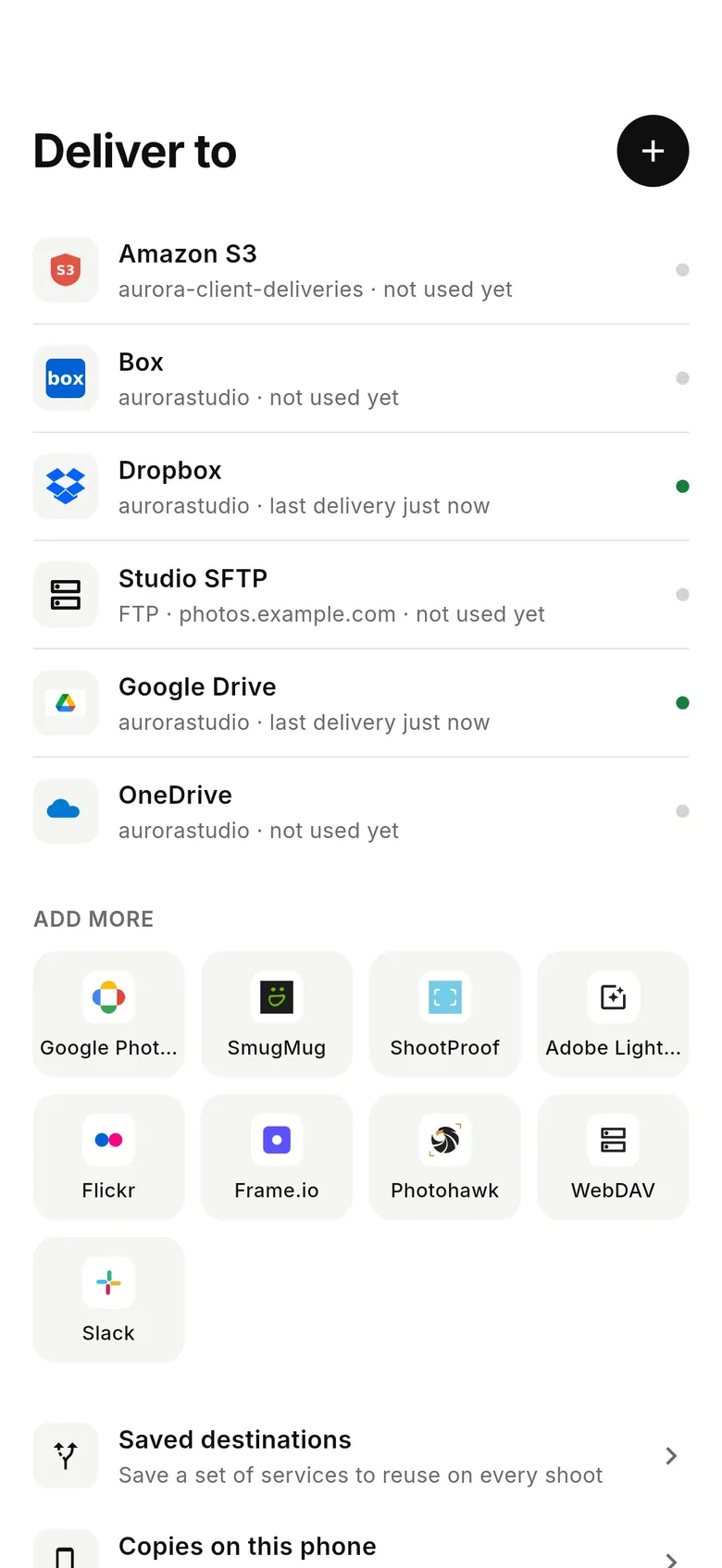
Know your way around 1.0? Here's where each thing lives in 1.1.
| In 1.0 | In 1.1 |
|---|---|
| Cloud album (called a “session” in older help and on the web) | ShootSame thing, new name. Past shoots appear in History as receipts. |
| Playback tab (Device | Cloud) | History tabOne list, newest first: every shoot with date, place, shot count and where it was delivered. |
| Destinations tab | Deliver tabConnected services, plus Saved destinations and Copies on this phone. |
| “Where should shots go?” (camera picker) | “Send shots to…”Pick a past shoot, a saved set of destinations, “This phone only”, or new services. |
| “New cloud album” | “Choose other services or folders” → “New shoot” |
| Camera card: “Live upload → album” | Home: “Sending to Dropbox · Google Drive” with “Change” |
| Destinations chosen per album | Destinations per shoot + Saved destinationsSave a set (e.g. Dropbox + Drive) once and start each new shoot on it in one tap. |
| Delivery size / look per album | Still in the shoot's settings — plus “What gets sent” per destinationJPEGs only, smaller sizes and renaming for each service. |
| Unsorted | Not sent yetOnly shots with no copy outside the app. Shots already saved to Photos count as sent. |
| “Move to album” | “Send these to…” |
| “New album on this phone” | “This phone only”Existing albums on the phone stay in History, untouched. |
| Playback › Device › Sync | Deliver › Copies on this phonePhotos library, Files or USB. |
| More: Subscription, Settings, Help | More: unchanged |
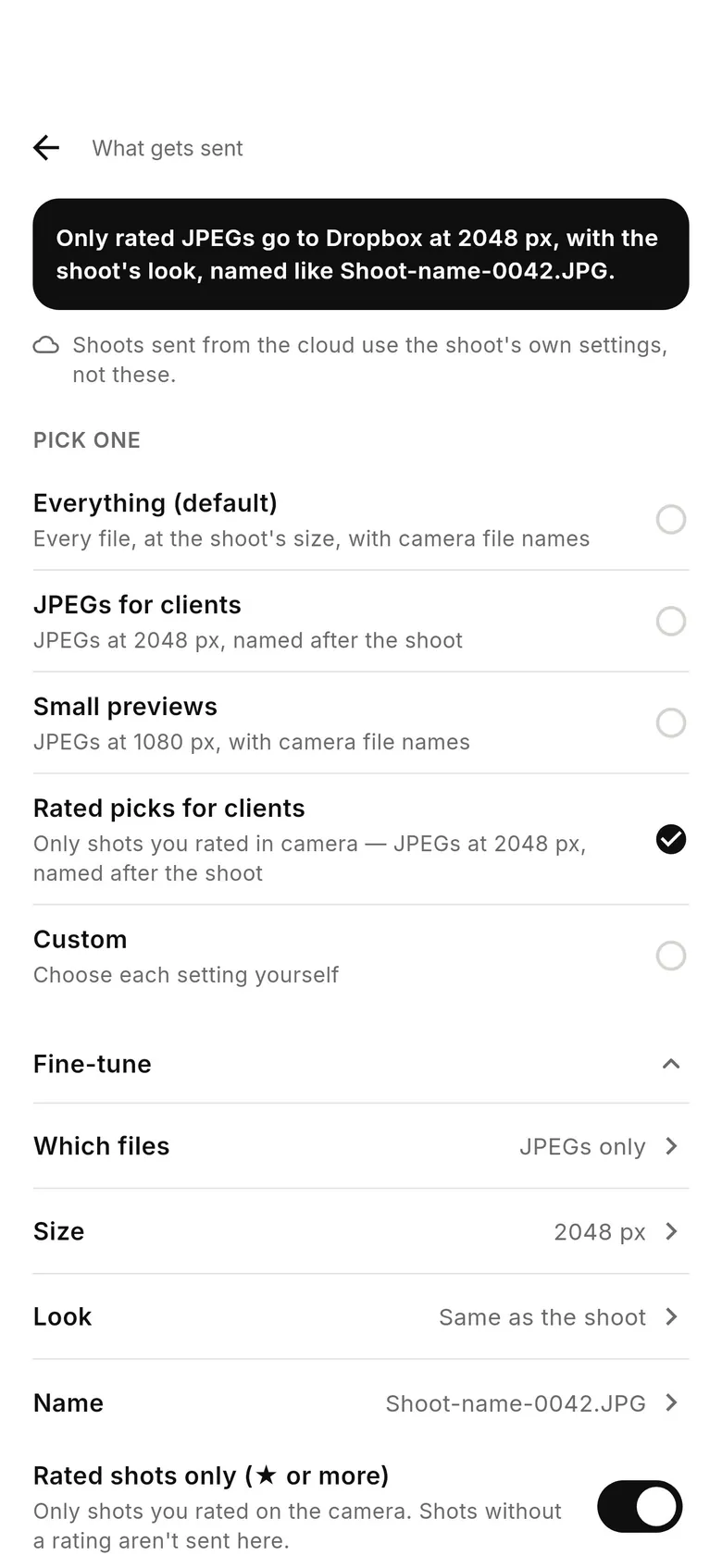
Tap a service in Deliver › “What gets sent”: Everything, JPEGs for clients (2048 px, named after the shoot), Small previews (1080 px) or your own mix of files, size, look and file name.
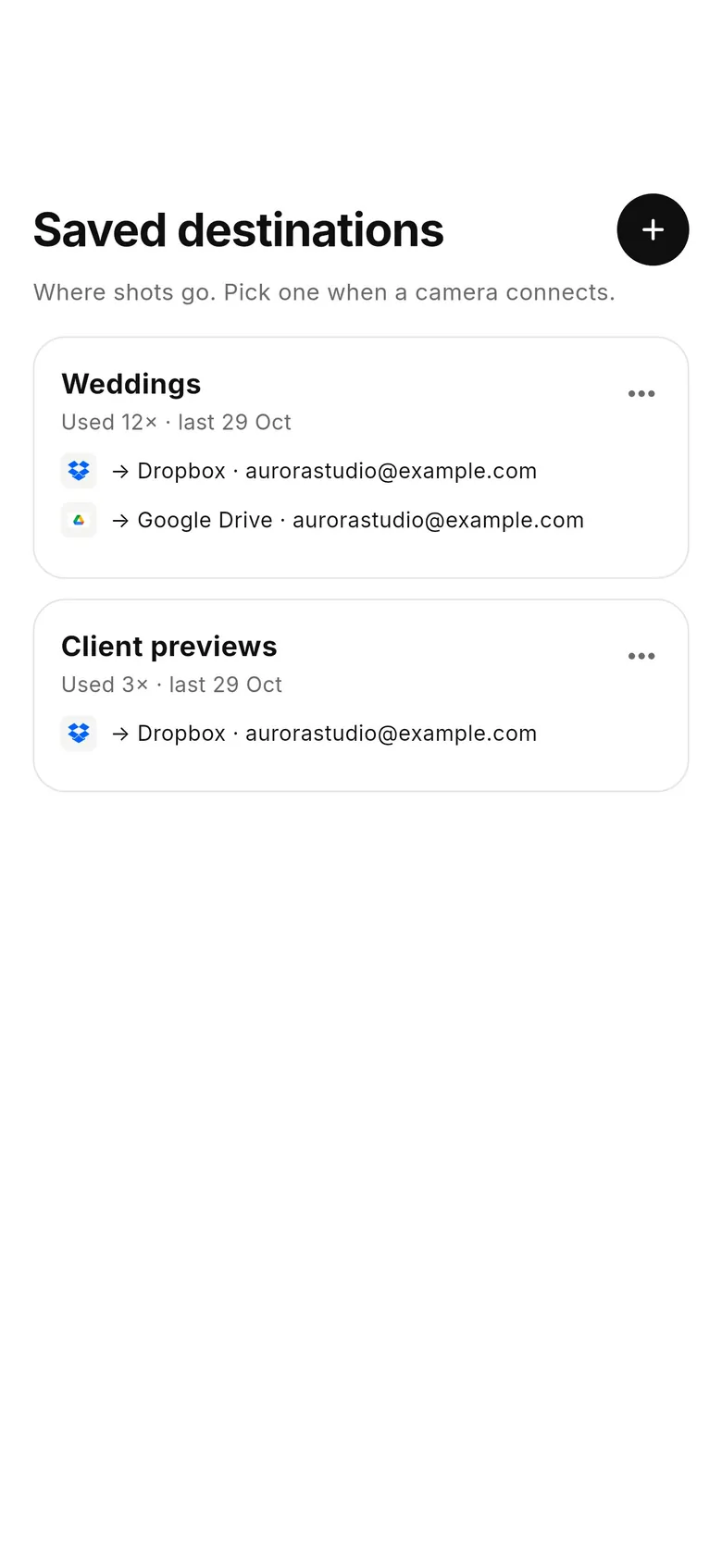
Save a set of services — “Weddings: Dropbox + Google Drive” — and start each new shoot on it in one tap when a camera connects.
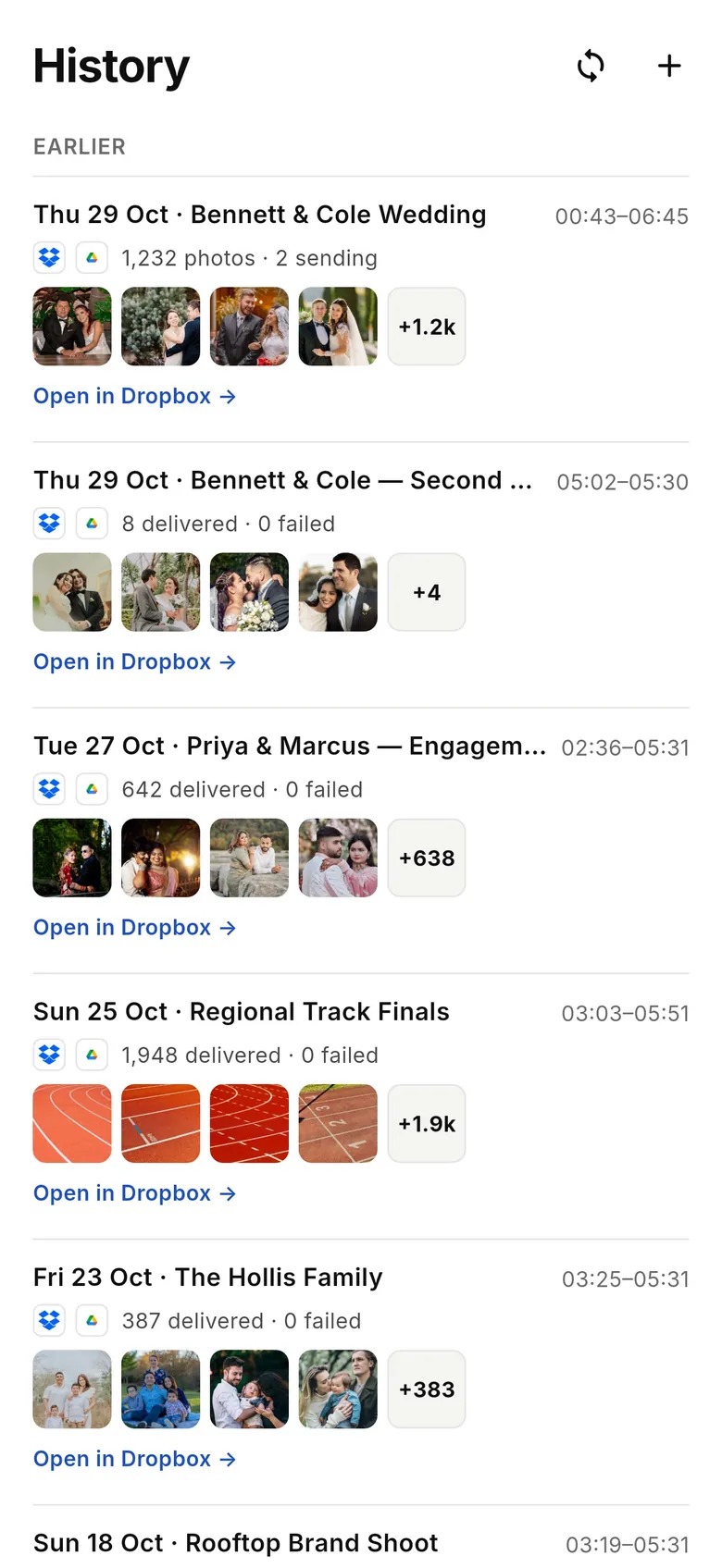
Every shoot in one list, newest first: date, place and name, how many shots, which services they reached — with “Open in Dropbox” links.
Darkens the screen while the tether keeps running — tap Pocket mode on Home, double-tap to wake. Don't lock the phone.
End a shoot and get a delivery receipt: shots per service with Open links, and “Share receipt”.
Shoots are labelled with the date and where you shot — “Thu 22 Oct · Hall Farm” — when the app already has location access. It never asks just for this.
Shots with no destination wait here — select them and “Send these to…”. Shots already saved to Photos count as sent.
Shooting RAW+JPEG? A shoot setting copies only the JPEGs off the camera and sends them; RAW files stay on the card.
Resized JPEGs come out sharper, and shoot settings › Delivery resolution › “Custom…” sets your own size and JPEG quality. RAW files are always sent full size.
1.1 is the current version on the App Store and Google Play, and we recommend updating. 1.0.x keeps working, and our guides still show both versions.
No. Everything carries over: your albums (now called shoots), connected destinations, saved cameras and settings. Albums you kept on the phone stay readable in History.
Look at the tab bar. 1.1 shows Home · History · Deliver · More; 1.0 shows Home · Playback · Destinations · More. The exact number is in More › Settings › About.
They're the same thing. Older help and the web dashboard said “session”, the 1.0 app says “cloud album”, and 1.1 says “shoot”: a run of shots sent to the destinations you chose.
Playback is now History, and Destinations is now Deliver. Copies to Photos, Files or USB moved from Playback › Device › Sync to Deliver › Copies on this phone.
Yes, in 1.1. Set a destination's “What gets sent” to “JPEGs for clients” or “JPEGs only”. To leave RAW files on the camera entirely, turn on “JPEG only — leave RAW files on the camera” in the shoot's settings (shoot RAW+JPEG).
Screens are the real app with demo data.