Keep the camera's original file names when photos upload
By default, every photo CloudTether delivers keeps the camera's own file name — IMG_0042.JPG in Dropbox is IMG_0042.JPG on your card. That keeps RAW and JPEG pairs, card backups and later imports lined up. When a client needs friendlier names, each destination can switch to the shoot name plus the frame number instead, while your archive keeps the originals.
- Camera file names by default
- Files match the originals on your card
- Or shoot name + number, per destination
- RAW and JPEG pairs stay matched
Why original names matter
A file name is the thread that ties a shot together across its copies: the JPEG in the client folder, the RAW on the card, the backup on your drive and the catalogue entry in Lightroom. Keep the camera's name and you can find the RAW for any delivered JPEG in seconds, re-import a card without duplicates, and answer “can I have 0042 in colour?” without hunting. Some platforms rely on it too — Zenfolio, for example, matches stored RAW files to gallery photos by file name. More in file naming.
The three naming choices
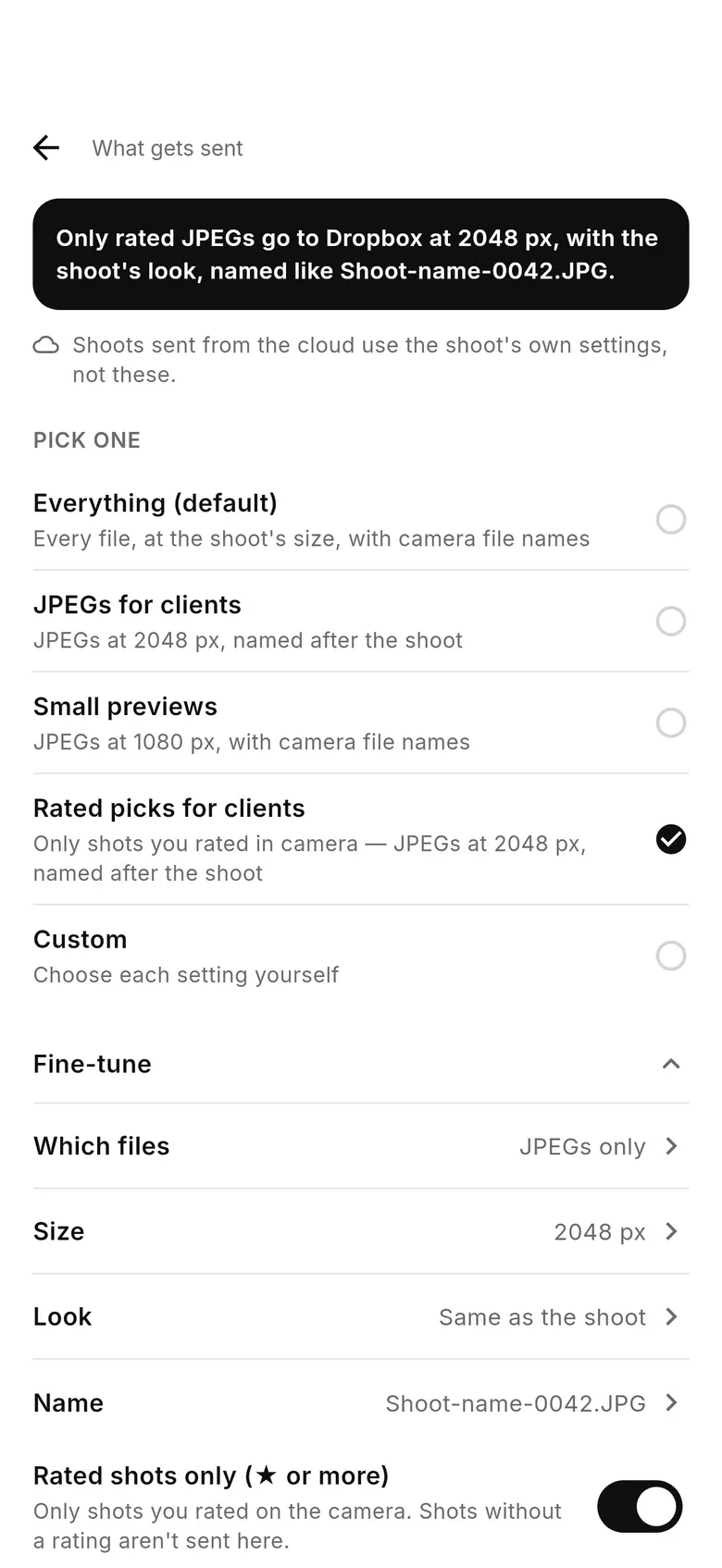
In the Deliver tab, tap a destination, open What gets sent › Fine-tune and choose a file name. “Keep camera file names” is the default (IMG_0042.JPG). “Shoot name + number” uses the shoot's name and the camera's frame number (Bennett-Cole-0042.JPG). “Shoot name + file name” puts the shoot name in front of the camera's own name (Bennett-Cole_IMG_0042.JPG). The “JPEGs for clients” and “Rated picks for clients” presets use shoot-name naming for you.
One limit: services CloudTether delivers from its servers use the shoot's own settings, and the What gets sent screen says so where that applies. Gallery destinations such as SmugMug receive the camera's own names.
Two cameras, one folder
Two bodies of the same brand can both reach IMG_0042. If two cameras send to one folder, give each its own file-name prefix in the camera's menu, or use “Shoot name + file name” together with distinct prefixes. Tools that watch a folder, such as Photo Mechanic's Live Ingest, can then rename on ingest without collisions.
How to choose file names for delivered photos
Open the destination
In the Deliver tab, tap the destination you want to change.
Open What gets sent › Fine-tune
Find the file name option; “Keep camera file names” is the default.
Pick a pattern
Keep camera names, or choose “Shoot name + number” or “Shoot name + file name” for client-friendly names.
FAQ
Do uploaded photos keep the camera's file names?
Yes, by default. CloudTether delivers each file with the camera's own name, matching the card.
Can I rename photos to the shoot name?
Yes, per destination: “Shoot name + number” or “Shoot name + file name” under What gets sent › Fine-tune.
Can my archive keep originals while the client gets renamed files?
Yes. Naming is set per destination, and each shot uploads from the phone once.
What about two cameras writing the same name?
Set a different file-name prefix on each camera, or add the shoot name to deliveries, so files can't collide.
Original file names is part of the one CloudTether plan
Every feature and every destination is included. Download CloudTether for iPhone, iPad or Android; the price for your country is shown in the app before you subscribe.