Same-day wedding delivery: what to shoot, cull and send
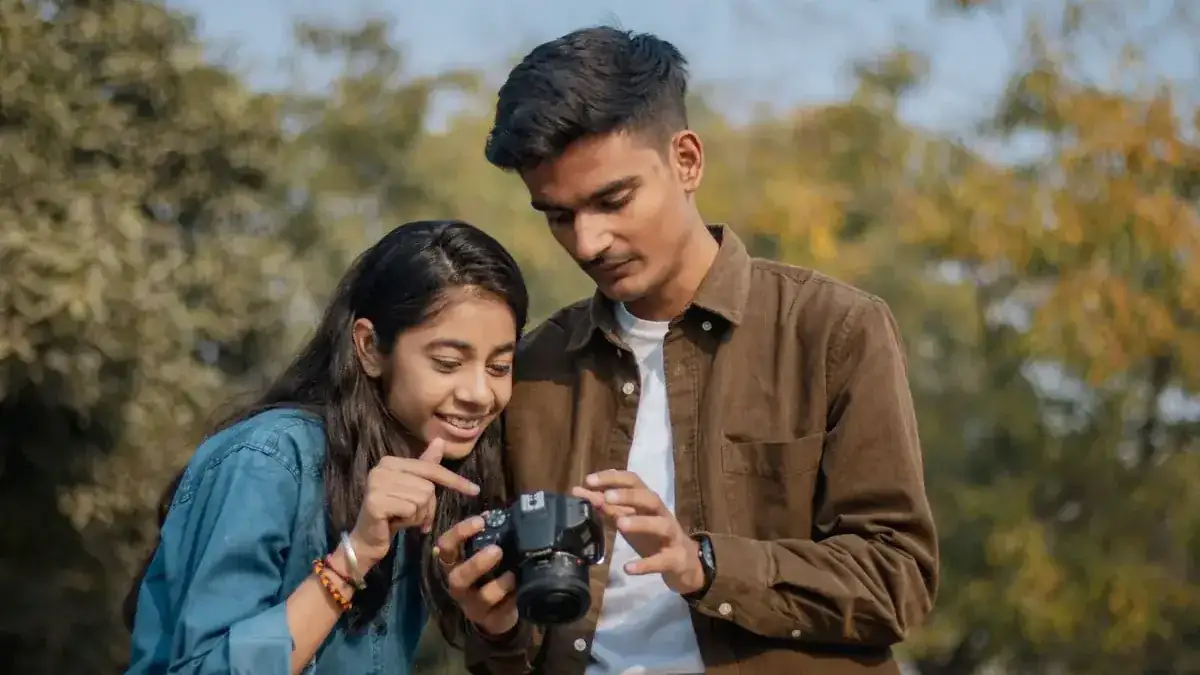
Short answer: decide what you're promising (say, 15 to 25 edited frames by the first dance), set the camera to write a JPEG you'd be happy to send, shoot the moments that make strong sneak peeks, mark your keepers in camera as you go, and let a phone tethered to the camera move them into the couple's gallery while you keep working. Do the light edit and the curation on the phone during the meal, not on a laptop in the car.
Same-day delivery used to mean a same-day slideshow: pull cards during the reception, import, pick and edit on a laptop, and play a loop on a screen. Fstoppers' step-by-step version runs the edit through Lightroom on an iPad and reuses the slideshow frames as the online marketing gallery. That still works. What's changed is that the import step can disappear.
Step 1: set the promise before the day
Put it in the contract and say it at the consultation: how many images, roughly when, and where they'll appear. A small, dependable promise beats an ambitious one you miss. Agree where the couple wants them: a gallery link, a shared album, or a few frames sent directly so they can post before the speeches. Ask the planner when there's a natural lull, usually the meal.
Step 2: set up the camera for deliverable JPEGs
- RAW+JPEG. The JPEG is the sneak peek; the RAW is the final edit. Send only the JPEGs on the day.
- Picture profile and white balance. Dial in a profile close to your edited look and avoid auto white balance swinging between frames under mixed light.
- Sync the clocks. If a second shooter is delivering too, match camera times so frames sort in order.
- Two cards. Record to both slots where your body allows, so the card in the camera is a backup and the tether is a third copy.
- Stay awake. Lengthen the camera's auto power-off so it doesn't sleep and drop the connection.
Step 3: shoot the sneak-peek list
| Time of day | Moment | Frame that works as a sneak peek |
|---|---|---|
| Getting ready | Dress, details, rings | One clean detail and one emotional reaction |
| First look | The reaction | Tight on the face that reacts |
| Ceremony | Vows, the kiss, the exit | The kiss, wide enough to show the place |
| Portraits | The couple alone | Two or three of your strongest portraits |
| Reception | Entrance, first dance | A wide of the room and one close dance frame |
Shoot these the way you always would. Know which frames you're hunting, and when you get one, mark it.
Step 4: cull in camera, as you go
The fastest cull happens seconds after the shot. On Canon and Nikon, CloudTether can send only the shots you rate in camera: give a frame a star during a quiet moment and only rated frames leave the camera. On Sony and Fujifilm every frame is sent, so cull on the phone instead. If you'd rather approve each picture before the couple sees it, Quality Control holds every upload until you approve it. Another common pattern is to deliver everything to your own Dropbox and only your picks to the couple's gallery.
Step 5: let the files move while you work
Tether the camera to your phone over USB-C or the camera's Wi-Fi with CloudTether and each frame is copied off at full resolution as you shoot, then uploaded over the phone's mobile data, so a barn or a beach with no venue Wi-Fi still works. With no signal at all, shots wait on the phone and send themselves when it returns. Turn on JPEG only and resized delivery, for example 2048 px for the gallery, so uploads stay quick while the RAW files stay on the card. A short USB-C cable, a phone mount on the camera and a USB-PD power bank are the whole kit.
Step 6: a light edit during the meal
Pick your selects on the phone, apply your preset or a quick correction, and publish. If you deliver to Adobe Lightroom, frames are already in Lightroom on your phone or iPad, ready for your mobile presets. Keep the edit light: exposure, white balance, a crop. The full edit comes later from the RAW files.
Step 7: deliver where the couple will look
Send selects to the couple's gallery on SmugMug, ShootProof or Photohawk, a shared Google Photos album, or a handful straight to their phones. SLR Lounge describes photographers running the same-day slideshow on a loop at the reception with business cards beside it, and it's still a strong move with the venue's permission.
The timeline
| When | You | Your phone |
|---|---|---|
| Morning | Shoot getting ready, star two or three frames | Copies every frame, uploads the rated ones |
| Afternoon | Ceremony and portraits | Uploads as you go, or queues with no signal |
| Meal | Pick selects, light edit, publish | Gallery fills; couple gets the link |
| Evening | Dance floor | Optional late frames join the gallery |
| Next days | Full edit from RAW | Backups already in your cloud storage |
What usually goes wrong
Batteries die first: carry a power bank for the phone and spare camera batteries. Second shooters forget to start their own shoot: set theirs up before the ceremony. And the promise creeps: if the couple asks for more, add it to the next contract rather than to tonight. One more check before you publish anything: ask whether the couple is happy for sneak peeks to go public on the day, or would rather share them first. Some want to post before anyone else; others would rather their guests didn't see the dress online before the evening reception. More detail on sneak peeks in our guide and on weddings with CloudTether.
Sources
Checked on 15 November 2026. Specifications and prices change; confirm with the maker before you buy.
- Ten easy steps for creating a same-day wedding slideshow — Fstoppers
- Same-day wedding photography: how to wow your clients — Fstoppers
- The power of same-day slideshows at weddings — SLR Lounge
Product names are trademarks of their owners and are used to identify products only; no affiliation or endorsement is implied.
Get every shot off the camera as you shoot
CloudTether tethers Canon, Nikon, Sony and Fujifilm cameras to an iPhone, iPad or Android phone over USB or Wi-Fi and delivers each photo to your cloud storage, galleries or FTP server while you work.