Fujifilm X-T5 Tethering App for iPhone & Android
Yes — you can tether the Fujifilm X-T5 to an iPhone, iPad or Android phone. With CloudTether it connects over a USB cable or Wi-Fi, and every full-resolution photo — JPEG or RAF RAW — copies to the phone seconds after you take it, then uploads to Dropbox, Google Drive, a client gallery or your own server while you keep shooting. Wedding, street and travel shooters who love the film look.
7-day free trial · iPhone, iPad and Android
By the CloudTether team · Updated
Fujifilm X-T5 tethering at a glance
| Tested by us | Supported by the protocol, not yet tested by us |
|---|---|
| USB | Expected to work — same code as our verified Fujifilm body |
| Wi-Fi | Experimental |
| Rated send | No — every shot is sent |
| Files | RAF RAW, JPEG (and HEIF where the camera makes it) |
“Verified” means we've run that body on real hardware. Every Fujifilm camera runs the same CloudTether code, so a verified Fujifilm body proves its siblings over USB; Wi-Fi is checked model by model. See all supported cameras.
Camera settings for tethering the X-T5
Network/USB setting menu → CONNECTION MODE → USB TETHER SHOOTING AUTO, and USB POWER SUPPLY/COMM SETTING → AUTO (or POWER SUPPLY OFF/COMM ON).
Use a data cable: USB-C to USB-C for a USB-C iPhone or Android phone, or Apple's Lightning to USB 3 Camera Adapter for a Lightning iPhone. On Android, accept the USB permission prompt.
Fujifilm Wi-Fi tethering is experimental in CloudTether — use a USB cable for paid work.
How to tether the Fujifilm X-T5 to your phone
- 1
Set up the X-T5
Network/USB setting menu → CONNECTION MODE → USB TETHER SHOOTING AUTO, and USB POWER SUPPLY/COMM SETTING → AUTO (or POWER SUPPLY OFF/COMM ON). Lengthen auto power-off so the camera stays awake while tethered.
- 2
Connect it to your phone
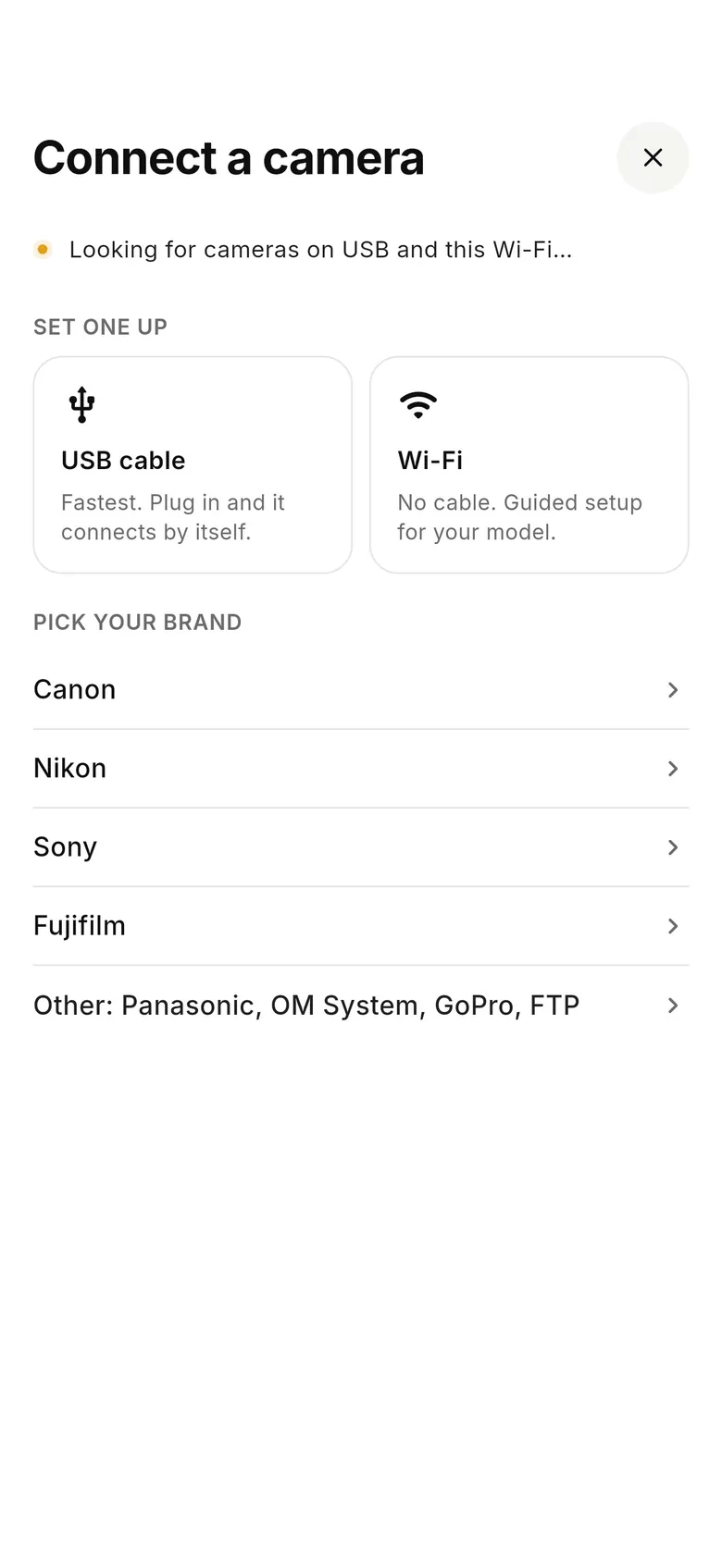
Open CloudTether, tap “Connect a camera” and plug a USB-C cable from the X-T5 into your iPhone, iPad or Android phone (a Lightning iPhone needs Apple's camera adapter). For Wi-Fi instead: Fujifilm Wi-Fi tethering is experimental in CloudTether — use a USB cable for paid work.
- 3
Choose where the shots go
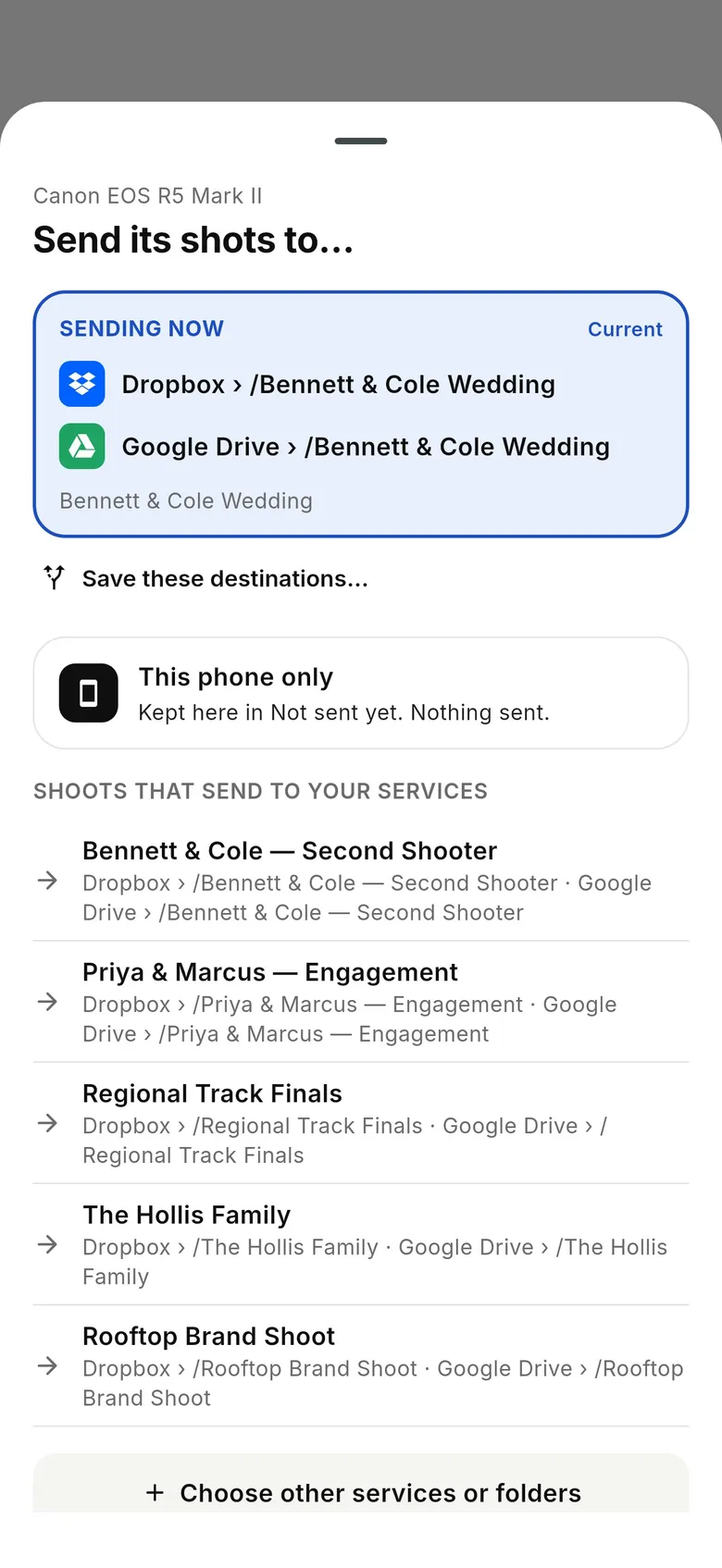
The “Send its shots to…” sheet shows where the camera is sending. Keep shots on the phone, or add Dropbox, Google Drive, a client gallery or an FTP/SFTP server — a shoot can send to several at once. Take a test shot.
- 4
Shoot as normal
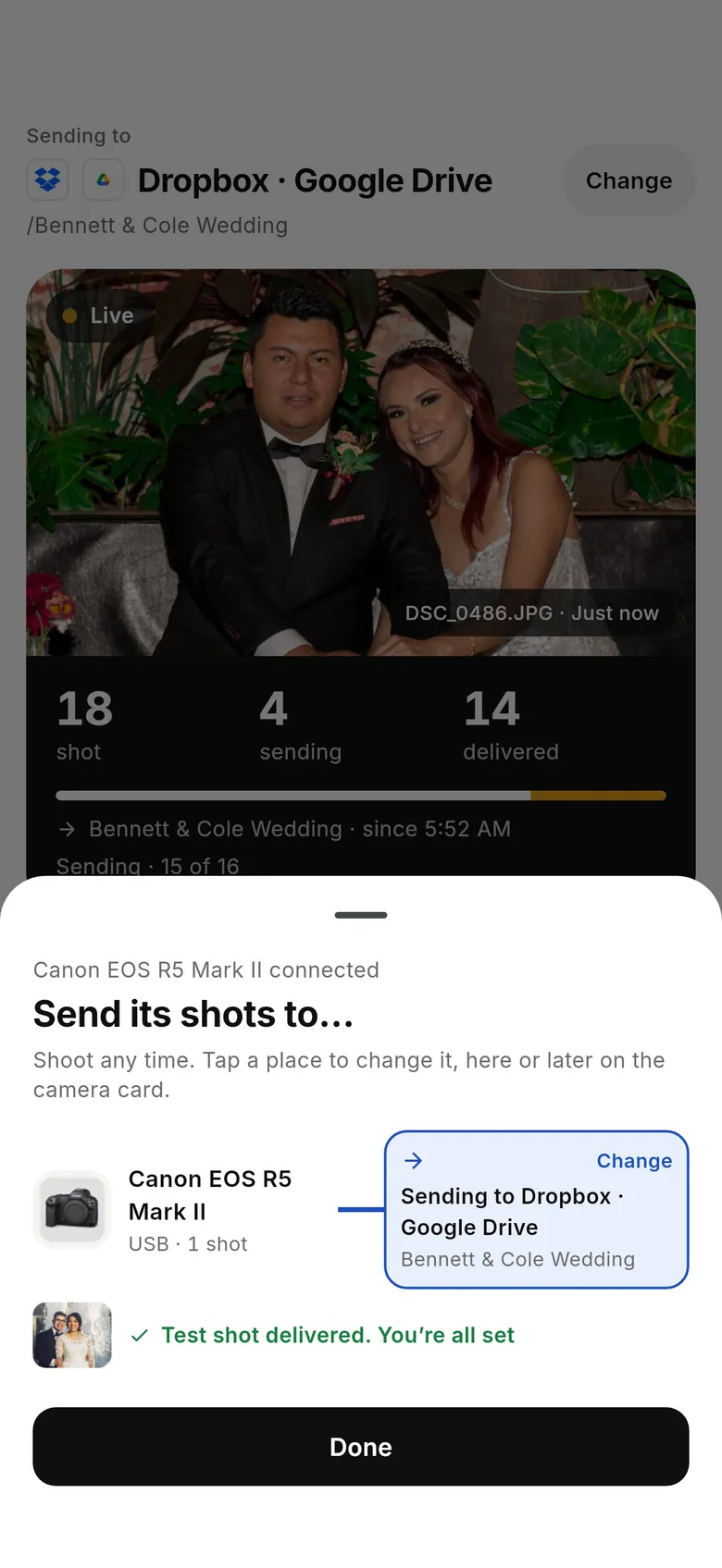
Every frame your X-T5 captures is copied to the phone at full resolution — JPEG or RAF RAW — and delivered while you keep shooting. Each photo uploads from the phone once and goes to every destination.
What to know about the X-T5

- Fujifilm bodies use CloudTether's standard PTP code, which we've verified over USB on an X-T3.
- Check how the camera saves while tethered: some Fujifilm bodies send shots over the cable instead of writing them to the card in tether mode. Take a test shot and look at the card before relying on it as your backup.
- Rated send isn't available over Fujifilm tethering, so every shot is sent.
Every X-T5 frame at full resolution — RAF, JPEG or both
JPEG only: leave RAW on the card to save mobile data
Every shot is sent (no rated send over this brand)
Several destinations at once, each photo uploaded once
Keeps working with no signal; uploads catch up later
Run a second body on the same phone (up to three)
Send X-T5 photos where they're needed
Each shot uploads from the phone once and goes to every destination on the shoot. Storage gets every file; gallery services such as SmugMug, ShootProof and Photohawk get the JPEGs.
All destinations · how delivery works in camera to cloud.
Fujifilm X-T5 tethering FAQ
Can I tether the Fujifilm X-T5 to my iPhone or Android phone?
Yes. The Fujifilm X-T5 connects to CloudTether on iPhone, iPad or Android with a USB cable or over Wi-Fi, and every photo copies to the phone and on to your destinations as you shoot. It's supported by the protocol but we haven't tested this exact body yet — every Fujifilm camera runs the same CloudTether code, which is verified on other Fujifilm bodies, so try it before a paid job.
Which USB setting does the X-T5 need for tethering?
Network/USB setting menu → CONNECTION MODE → USB TETHER SHOOTING AUTO, and USB POWER SUPPLY/COMM SETTING → AUTO (or POWER SUPPLY OFF/COMM ON).
Can the X-T5 tether over Wi-Fi?
Fujifilm Wi-Fi tethering is experimental in CloudTether. Use a USB cable for paid work.
Does CloudTether transfer RAF RAW files from the X-T5?
Yes. CloudTether copies the original RAF RAW, JPEG or both, exactly as the camera writes them. Shooting RAW+JPEG? Turn on JPEG only to leave the RAF files on the card and send just the JPEGs — the fastest option over mobile data.
Can I send only the shots I rate on the X-T5?
No. Rated send works over Canon and Nikon tethering only; over Fujifilm tethering every shot is sent. Use JPEG only to keep uploads light.
How fast does the X-T5 tether to a phone?
We don't have enough X-T5 transfers in our logs to publish a figure. As a guide, a Canon EOS R5 Mark II JPEG took a median 0.06 s over USB and 0.20 s over Wi-Fi; RAW files take longer in proportion to their size.
Where do my X-T5 photos go?
Wherever you choose: Dropbox, Google Drive, OneDrive, SmugMug, ShootProof, an FTP/SFTP server and more — several at once — or just the phone. Gallery destinations such as SmugMug and ShootProof take the JPEGs; storage takes RAW too.
Does CloudTether offer live view or remote shutter for the X-T5?
No. CloudTether is built for capture and delivery: you shoot on the X-T5 as normal and every frame comes off it automatically. Keep Fujifilm's own app for remote control.
Tether your X-T5 today
Install CloudTether, set the camera as above and take a test shot. One plan with everything included, starting with a 7-day free trial.
More Fujifilm cameras