Canon EOS R5 Mark II vs Sony α1: connectivity and tethering compared
High-resolution flagships for wedding, event and commercial shooters who deliver during the job. This comparison is about one thing: how fast each body gets a finished frame to where it's needed — its USB-C port, Wi-Fi, built-in FTP, Ethernet and card slots, and how it tethers to a phone with CloudTether.
By the CloudTether team · Updated
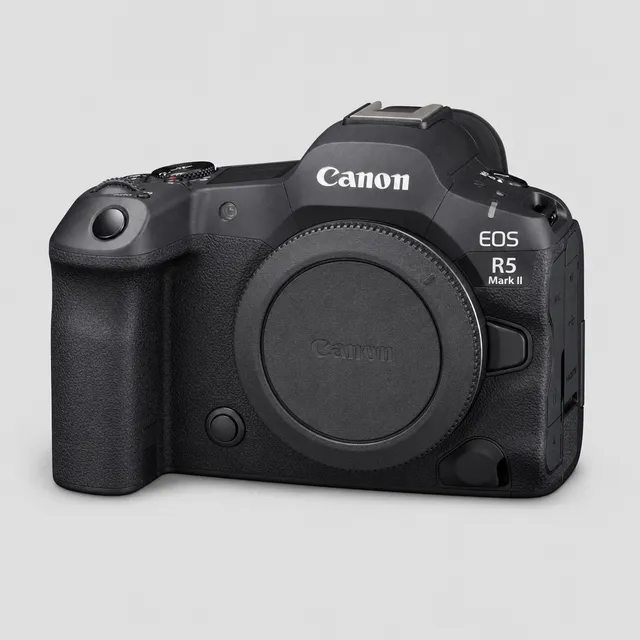
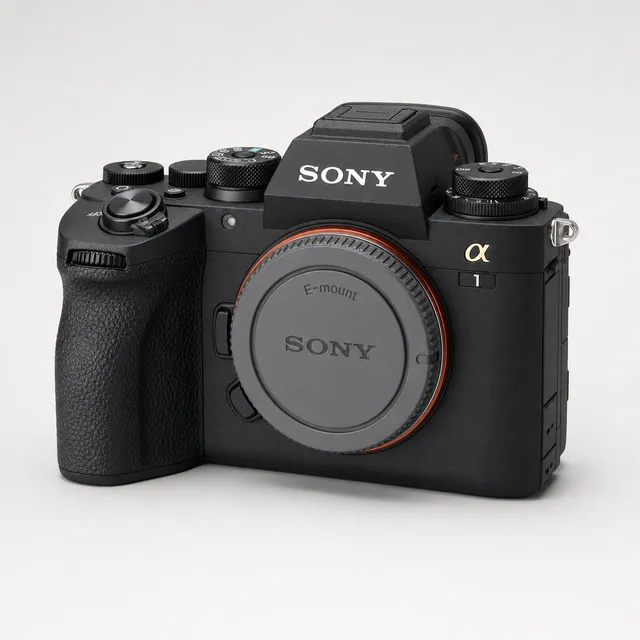
Side by side
| Canon EOS R5 Mark II | Sony α1 | |
|---|---|---|
| Hardware (maker's specs) | ||
| Sensor format | Full-frame | Full-frame |
| RAW files | CR3 | ARW |
| USB port | USB-C, SuperSpeed Plus USB (USB 3.2 Gen 2) | USB-C, SuperSpeed USB 10Gbps (USB 3.2), plus a Micro USB (USB 2.0) port |
| Wi-Fi | Wi-Fi 6 (IEEE 802.11ax); 6 GHz only in some regions | IEEE 802.11a/b/g/n/ac, 2.4 + 5 GHz (some regional models are 2.4 GHz only) |
| Built-in FTP | Built-in FTP transfer | Built-in (FTP Transfer Func.) |
| Wired Ethernet | 2.5GBASE-T via the optional BG-R20EP grip | Built-in LAN terminal |
| Card slots | CFexpress Type B + SD (UHS-II) | Two slots, each CFexpress Type A or SD (UHS-II) |
| Tethering to a phone with CloudTether | ||
| CloudTether over USB | Verified by us | Supported by the protocol, not yet tested by us (same code as our verified Sony body) |
| CloudTether over Wi-Fi | Verified (Canon) | Supported by the camera, not yet tested by us |
| Rated send | Yes — only shots you rate in camera | No — every frame is sent |
| Camera setting for a USB tether | None — turn the camera's Wi-Fi off before USB | USB Connection Mode → Remote Shooting, plus PC Remote Function On |
| Cable to a USB-C phone | USB-C to USB-C data cable | USB-C to USB-C data cable |
“Not stated” means the maker's spec page doesn't list it — we don't fill gaps with guesses. Wi-Fi bands can vary by region.
Verdict: which delivers faster?
Both have a 10 Gbps USB-C port, built-in FTP and two card slots, so on paper either can move files as fast as anything on this site. The difference for phone delivery is what's been proven: the EOS R5 Mark II is one of the bodies we've verified CloudTether on in field use, including rated send end to end, and Canon Wi-Fi tethering is verified. The α1 runs the same Sony code as our verified ZV-E10 over USB, but we haven't tested this exact body, and its wireless PC Remote is untested by us.
Wired networking differs: the α1 has a LAN terminal in the body, while the R5 Mark II needs the optional BG-R20EP grip for 2.5GBASE-T Ethernet. And on Sony every frame is sent — rated send works on Canon (and Nikon) only — so on the α1 use JPEG only or a smaller delivery resolution to keep uploads light.
Pick the EOS R5 Mark II if…
…you want a body we've verified end to end, rated send to cull in camera, or a Wi-Fi tether you can rely on.
Pick the α1 if…
…you want Ethernet in the body without a grip, and you're happy tethering over USB with every frame sent.
Setting each one up for tethering
Canon EOS R5 Mark II
Canon EOS R5 Mark II vs Sony α1: FAQ
Which is faster to tether to a phone, the EOS R5 Mark II or the α1?
Their USB-C ports are the same class on paper (10 Gbps per the makers' specs). To a phone, the phone's own port usually sets the limit — standard USB-C iPhones and many Android phones run at USB 2 — and a JPEG still arrives in a fraction of a second (a median 0.06 s from an EOS R5 Mark II in our logs).
Can both tether to a phone over Wi-Fi with CloudTether?
EOS R5 Mark II: verified (canon); α1: supported by the camera, not yet tested by us. Canon Wi-Fi is the wireless tether we've verified; USB is the dependable path on every body.
Which one can send only the shots I rate?
The EOS R5 Mark II. Rated send works over Canon and Nikon tethering only; over Sony tethering every frame is sent — use JPEG only to keep uploads light.
Do the EOS R5 Mark II and α1 have built-in FTP?
EOS R5 Mark II: built-in FTP transfer; α1: built-in (FTP Transfer Func.). In-camera FTP is a separate path from a phone tether — CloudTether can also deliver to an FTP/SFTP server from the phone, on any body.
Sources
Hardware specs from each maker's own specification page or online manual (checked 2026-11-15). CloudTether status from our own testing — see supported cameras.
Canon EOS R5 Mark II
More comparisons
- Canon EOS R6 Mark III vs Sony α7 IV
- Nikon Z6 III vs Nikon Z6 II
- Nikon Z8 vs Canon EOS R5 Mark II
- Fujifilm X-T5 vs Fujifilm X-H2
- Sony α7 IV vs Nikon Z6 III
- Canon EOS R8 vs Sony α7C II
- Canon EOS R7 vs Fujifilm X-T5
- Canon EOS R1 vs Sony α9 III
- Canon EOS R6 Mark II vs Canon EOS R6 Mark III
- All camera comparisons