Canon EOS R8 vs Sony α7C II: connectivity and tethering compared
Light full-frame bodies for weddings, travel and content. This comparison is about one thing: how fast each body gets a finished frame to where it's needed — its USB-C port, Wi-Fi, built-in FTP, Ethernet and card slots, and how it tethers to a phone with CloudTether.
By the CloudTether team · Updated
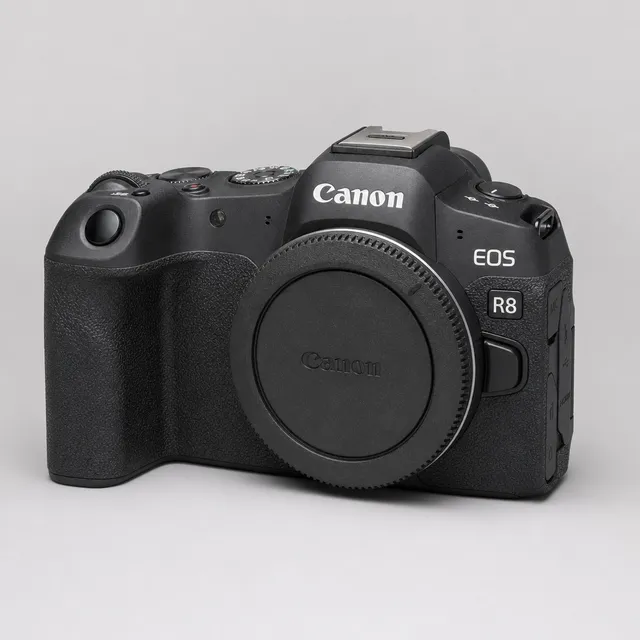
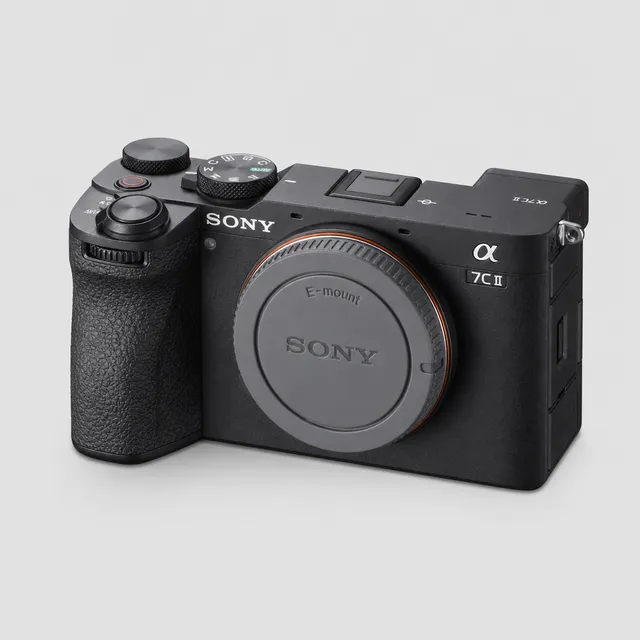
Side by side
| Canon EOS R8 | Sony α7C II | |
|---|---|---|
| Hardware (maker's specs) | ||
| Sensor format | Full-frame | Full-frame |
| RAW files | CR3 | ARW |
| USB port | USB-C, SuperSpeed Plus USB (USB 3.2 Gen 2) | USB-C, SuperSpeed USB 5Gbps (USB 3.2) |
| Wi-Fi | 2.4 GHz only | IEEE 802.11a/b/g/n/ac, 2.4 + 5 GHz (some regional models are 2.4 GHz only) |
| Built-in FTP | Not stated on the maker's spec page | Built-in (FTP Transfer Func.) |
| Wired Ethernet | Not stated on the maker's spec page | Wired LAN over a USB-LAN adapter |
| Card slots | One SD slot (UHS-II) | One SD slot (UHS-II) |
| Tethering to a phone with CloudTether | ||
| CloudTether over USB | Supported by the protocol, not yet tested by us (same code as our verified Canon body) | Supported by the protocol, not yet tested by us (same code as our verified Sony body) |
| CloudTether over Wi-Fi | Supported by the camera, not yet tested by us | Supported by the camera, not yet tested by us |
| Rated send | Yes — only shots you rate in camera | No — every frame is sent |
| Camera setting for a USB tether | None — turn the camera's Wi-Fi off before USB | USB Connection Mode → Remote Shoot (PC Remote), plus PC Remote Function On |
| Cable to a USB-C phone | USB-C to USB-C data cable | USB-C to USB-C data cable |
“Not stated” means the maker's spec page doesn't list it — we don't fill gaps with guesses. Wi-Fi bands can vary by region.
Verdict: which delivers faster?
Canon lists the R8's USB-C at USB 3.2 Gen 2 (10 Gbps); Sony lists the α7C II's at 5 Gbps. Both have a single SD slot. The α7C II has 5 GHz Wi-Fi and built-in FTP; Canon lists the R8's Wi-Fi as 2.4 GHz and no FTP on its spec page.
With CloudTether the R8 is simpler: no USB mode, rated send available, and Canon's Wi-Fi tether (EOS Utility mode) — verified on our Canon test body, though not on this exact one. The α7C II needs its USB mode and PC Remote Function set, sends every frame, and its wireless PC Remote is untested by us. With one card slot in either, the phone (and your destinations) are the second copy — on the Sony, set Still Img. Save Dest. to PC+Camera so the card keeps one too.
Pick the EOS R8 if…
…you want rated send, a 2.4 GHz Wi-Fi tether that works with a phone hotspot, and nothing to set for USB.
Pick the α7C II if…
…you want in-camera FTP and 5 GHz Wi-Fi on the body itself.
Setting each one up for tethering
Canon EOS R8 vs Sony α7C II: FAQ
Which is faster to tether to a phone, the EOS R8 or the α7C II?
On paper the EOS R8 has the faster USB-C port (10 Gbps vs 5 Gbps per the makers' specs). To a phone the gap mostly disappears — standard USB-C iPhones and many Android phones run at USB 2 — and it shows mainly with big RAW files to a USB 3 device. A JPEG arrives in a fraction of a second either way.
Can both tether to a phone over Wi-Fi with CloudTether?
EOS R8: supported by the camera, not yet tested by us; α7C II: supported by the camera, not yet tested by us. Canon Wi-Fi is the wireless tether we've verified; USB is the dependable path on every body.
Which one can send only the shots I rate?
The EOS R8. Rated send works over Canon and Nikon tethering only; over Sony tethering every frame is sent — use JPEG only to keep uploads light.
Do the EOS R8 and α7C II have built-in FTP?
EOS R8: not listed on the maker's spec page; α7C II: built-in (FTP Transfer Func.). In-camera FTP is a separate path from a phone tether — CloudTether can also deliver to an FTP/SFTP server from the phone, on any body.
Sources
Hardware specs from each maker's own specification page or online manual (checked 2026-11-15). CloudTether status from our own testing — see supported cameras.
Canon EOS R8
More comparisons
- Canon EOS R5 Mark II vs Sony α1
- Canon EOS R6 Mark III vs Sony α7 IV
- Nikon Z6 III vs Nikon Z6 II
- Nikon Z8 vs Canon EOS R5 Mark II
- Fujifilm X-T5 vs Fujifilm X-H2
- Sony α7 IV vs Nikon Z6 III
- Canon EOS R7 vs Fujifilm X-T5
- Canon EOS R1 vs Sony α9 III
- Canon EOS R6 Mark II vs Canon EOS R6 Mark III
- All camera comparisons