Canon EOS R6 Mark II vs Canon EOS R6 Mark III: connectivity and tethering compared
R6 Mark II owners weighing the Mark III for faster delivery. This comparison is about one thing: how fast each body gets a finished frame to where it's needed — its USB-C port, Wi-Fi, built-in FTP, Ethernet and card slots, and how it tethers to a phone with CloudTether.
By the CloudTether team · Updated
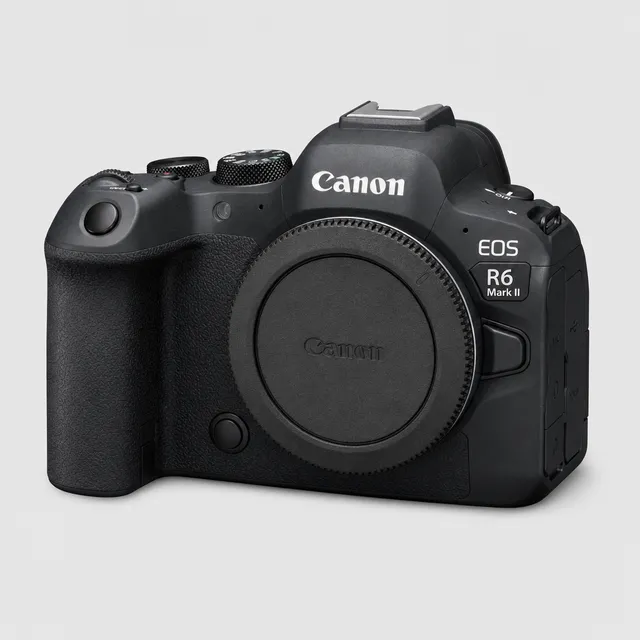
Side by side
| Canon EOS R6 Mark II | Canon EOS R6 Mark III | |
|---|---|---|
| Hardware (maker's specs) | ||
| Sensor format | Full-frame | Full-frame |
| RAW files | CR3 | CR3 |
| USB port | USB-C, SuperSpeed Plus USB (USB 3.2 Gen 2) | USB-C, SuperSpeed Plus USB (USB 3.2 Gen 2) |
| Wi-Fi | 2.4 + 5 GHz | 2.4 + 5 GHz (IEEE 802.11ac on 5 GHz) |
| Built-in FTP | Not stated on the maker's spec page | Built-in FTP, FTPS and SFTP |
| Wired Ethernet | Not stated on the maker's spec page | Not stated on the maker's spec page |
| Card slots | Two SD slots (UHS-II) | CFexpress Type B + SD (UHS-II) |
| Tethering to a phone with CloudTether | ||
| CloudTether over USB | Supported by the protocol, not yet tested by us (same code as our verified Canon body) | Supported by the protocol, not yet tested by us (same code as our verified Canon body) |
| CloudTether over Wi-Fi | Supported by the camera, not yet tested by us | Supported by the camera, not yet tested by us |
| Rated send | Yes — only shots you rate in camera | Yes — only shots you rate in camera |
| Camera setting for a USB tether | None — turn the camera's Wi-Fi off before USB | None — turn the camera's Wi-Fi off before USB |
| Cable to a USB-C phone | USB-C to USB-C data cable | USB-C to USB-C data cable |
“Not stated” means the maker's spec page doesn't list it — we don't fill gaps with guesses. Wi-Fi bands can vary by region.
Verdict: which delivers faster?
Tethered to a phone they behave the same: the same 10 Gbps USB-C (USB 3.2 Gen 2) port, no USB mode to set, rated send, and the EOS Utility Wi-Fi mode — both running the Canon code we've verified on the R7 and R5 Mark II.
The Mark III's gains are in networking and cards: Canon lists FTP, FTPS and SFTP transfer on the R6 Mark III and a CFexpress Type B slot next to the SD slot. On the R6 Mark II, Canon's page mentions FTP only through its Mobile File Transfer app, and both slots take SD.
Pick the EOS R6 Mark II if…
…you tether to a phone over USB or Wi-Fi — the Mark II delivers through CloudTether the same way.
Pick the EOS R6 Mark III if…
…you also want in-camera FTP/SFTP as a backup path, or CFexpress.
Setting each one up for tethering
Canon EOS R6 Mark II
Canon EOS R6 Mark III
Canon EOS R6 Mark II vs Canon EOS R6 Mark III: FAQ
Which is faster to tether to a phone, the EOS R6 Mark II or the EOS R6 Mark III?
Their USB-C ports are the same class on paper (10 Gbps per the makers' specs). To a phone, the phone's own port usually sets the limit — standard USB-C iPhones and many Android phones run at USB 2 — and a JPEG still arrives in a fraction of a second (a median 0.06 s from an EOS R5 Mark II in our logs).
Can both tether to a phone over Wi-Fi with CloudTether?
EOS R6 Mark II: supported by the camera, not yet tested by us; EOS R6 Mark III: supported by the camera, not yet tested by us. Canon Wi-Fi is the wireless tether we've verified; USB is the dependable path on every body.
Which one can send only the shots I rate?
Both. Rated send works over Canon tethering: switch on “Only shots I rate in camera” and only rated frames are sent.
Do the EOS R6 Mark II and EOS R6 Mark III have built-in FTP?
EOS R6 Mark II: not listed on the maker's spec page; EOS R6 Mark III: built-in FTP, FTPS and SFTP. In-camera FTP is a separate path from a phone tether — CloudTether can also deliver to an FTP/SFTP server from the phone, on any body.
Sources
Hardware specs from each maker's own specification page or online manual (checked 2026-11-15). CloudTether status from our own testing — see supported cameras.
Canon EOS R6 Mark II
Canon EOS R6 Mark III