Sony ZV-E10 tethering settings: USB menu paths
Short answer: on the Sony ZV-E10 there's one setting that matters most: Ctrl w/ Smartphone: Off. Below is every setting a tether to your phone depends on — the menu route, what it does, the wrong choices and the symptom each one gives you — plus the sleep, cable and app steps.
New to tethering the ZV-E10? Start with the overview: Sony ZV-E10 tethering app for iPhone & Android.
By the CloudTether team · Updated
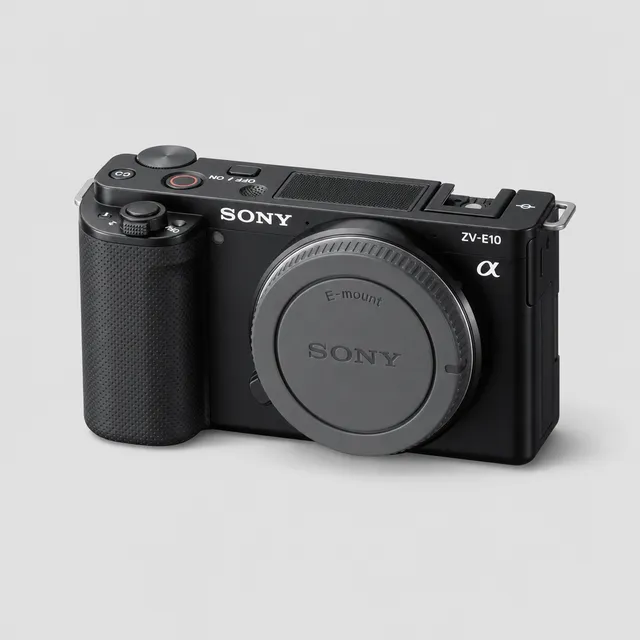
ZV-E10 settings at a glance
| USB mode | Off |
|---|---|
| USB port | Micro-USB |
| Wi-Fi tether | Use USB |
| Sleep setting | Auto power-off: long or off |
| Card backup | Still Img. Save Dest. → PC+Camera |
| Rated send | Not available — every frame is sent |
USB tethering settings on the ZV-E10
The recommended connection. Set these on the camera before you plug in, in this order.
Ctrl w/ Smartphone: Off
- MENU
- Network
- Ctrl w/ Smartphone
- Off
Releases the camera from Sony's smartphone-control link. While it's on, the ZV-E10 reserves its connection for Sony's own app instead of the tether.
USB connection mode: PC Remote
- MENU
- Setup
- USB Connection
- PC Remote
Decides what the ZV-E10 does when a cable goes in. PC Remote is the tether mode: the camera stays ready to shoot and hands every new frame to the connected phone over PTP. The other choices make it behave as a card reader or a webcam, and CloudTether can't tether either.
Still Img. Save Dest.: PC+Camera
- Still Img. Save Dest.
- PC+Camera
In remote shooting the ZV-E10 can send frames only to the connected device. PC+Camera writes every frame to the card as well, so the card stays your backup.
Wi-Fi tethering settings on the ZV-E10
CloudTether status: Use USB
Don't plan on Wi-Fi with the ZV-E10: CloudTether doesn't tether it wirelessly, and Sony's send-to-smartphone mode is not a tether. The cable is the setting that matters.
Common wrong settings and their symptoms
| Wrong setting | What you see | Fix |
|---|---|---|
| USB connection mode left on a file-transfer (card-reader) option | The ZV-E10 mounts as storage, or doesn't appear at all. | Set the USB connection mode to PC Remote. |
| USB streaming (the ZV-E10's default) | The phone sees a webcam; no photos arrive. | Switch the USB connection to PC Remote. |
| Still paired with Imaging Edge Mobile / Creators' App | The camera won't hand itself to CloudTether. | End the smartphone connection, then plug in. |
| Still Img. Save Dest. set to PC only | Shots reach the phone but the card stays empty. | Set it to PC+Camera. |
| JPEG only on in CloudTether, camera shooting RAW only | The camera connects but nothing is sent — no frame qualifies. | Set the camera to RAW+JPEG, or turn JPEG only off. |
| A charge-only USB cable | The ZV-E10 charges, or its screen lights up, but CloudTether never sees a camera. | Swap to a data cable — the one from the camera box is a safe bet. |
Still stuck? Sony Ctrl w/ Smartphone won't connect to Imaging Edge Mobile: fixes · Sony PC Remote not working over USB with your phone: fixes
Power and sleep settings for tethering
- Lengthen the ZV-E10's auto power-off (or turn it off) for the shoot. When the camera sleeps, a USB session ends until it wakes.
- Android: switch battery saver off for the shoot — aggressive power management can cut USB power to accessories.
- Keep the phone charged: on a Lightning iPhone the camera adapter's Lightning port lets you charge while tethered, and CloudTether's Pocket mode darkens the screen while the tether keeps running.
Cable and port
The ZV-E10 has a Micro-USB port — a thin, flat trapezoid — the plug of older phones.
| Your phone | Data cable | Adapter |
|---|---|---|
| USB-C iPhone (15 and later) | Micro-USB to USB-C | None |
| Lightning iPhone (14 and earlier) | Micro-USB to USB-A | Apple's Lightning to USB 3 Camera Adapter |
| Android phone | Micro-USB to USB-C | None |
Micro-USB is USB 2. Many phones run at USB 2 anyway, so a USB 2 cable to the phone loses little.
- · Shortest cable that reaches: 30 cm to 1 m, with the phone on the strap, a belt clip or a cold-shoe mount.
- · Add strain relief — a clamp on the camera, cage or tripod — so a tug can't pull the plug; a right-angle plug helps beside a grip.
- · A Micro-USB plug is small and easy to lever out; strain relief matters most here.
Then in CloudTether
Connect from Home. Tap Connect a camera and plug the ZV-E10 in — over a cable there's no brand to pick; it connects by itself.
Answer the phone's prompt. Android asks “Allow CloudTether to access the USB device?” — tap OK and tick Use by default. On iPhone, keep the app in front the first time.
Check where shots go, then test. Confirm the Send its shots to… sheet and fire one frame. “Test shot delivered” means camera, cable and destination are all right.
Optional: lighter uploads. Every frame from the ZV-E10 is sent (rated send is Canon and Nikon only), so JPEG only or a smaller delivery resolution keeps uploads quick.
Sony ZV-E10 settings FAQ
Is it called PC Remote or Remote Shooting on the ZV-E10?
PC Remote, under Setup → USB Connection. Newer Sony bodies rename it Remote Shooting; it's the same tether mode.
Why do my ZV-E10 shots reach the phone but not the card?
Still Img. Save Dest. is set to send to the connected device only. Change it to PC+Camera and every frame is written to the card too.
Can the ZV-E10 tether to a phone over Wi-Fi?
Not with CloudTether — use the cable. Sony's send-to-smartphone mode isn't a tether.
What cable fits the ZV-E10's USB port?
The ZV-E10 has a Micro-USB port. To a USB-C iPhone or Android phone that's a Micro-USB to USB-C data cable; a Lightning iPhone needs Apple's Lightning to USB 3 Camera Adapter plus a Micro-USB to USB-A cable.
Which power setting should I change on the ZV-E10 before tethering?
The auto power-off. Set it long, or off, so the camera doesn't sleep between sets and break the connection.
Have these ZV-E10 settings been tested with CloudTether?
Yes. The ZV-E10 is one of the bodies we've run CloudTether on ourselves, so these are the settings we use on it — no guesswork.