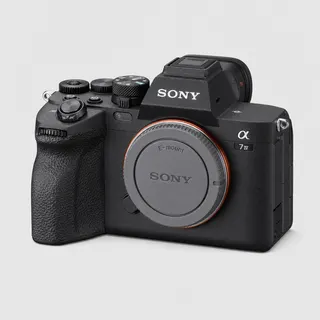

Sony α7 IV to ShootProof: auto-upload as you shoot
Tether your Sony α7 IV to your phone over USB or Wi-Fi and deliver every shot straight to ShootProof the instant you press the shutter — no laptop, no SD-card import. Real-time client proofing galleries.
By the CloudTether team · Updated

How it works for Sony α7 IV → ShootProof
Your phone sits between the camera and ShootProof: no laptop, no card reader.
 Step 1Sony α7 IV
Connect it to your phone with a USB-C data cable or over Wi-Fi, then shoot as normal.
- Step 2Your phone
CloudTether copies each full-resolution photo off the camera seconds after the shutter and uploads it once.
- Step 3ShootProof
Every shot lands in ShootProof as a JPEG while you keep shooting — and in any other destination on the shoot.
How to live-upload Sony α7 IV photos to ShootProof
Connect your Sony α7 IV to your phone and every shot lands in ShootProof live as you shoot. Here's the full setup, start to finish:
- 1
Connect your Sony α7 IV
Connect over USB with the camera in PC Remote mode for a stable, high-speed tether. Newer bodies (α1, α9 III, α7 IV, α7R V, α7C II) can also tether over Wi-Fi with wireless PC Remote — not yet tested by us, so USB is the dependable path. In PC Remote, set Still Img. Save Dest. to PC+Camera to keep a copy on the card.
- 2
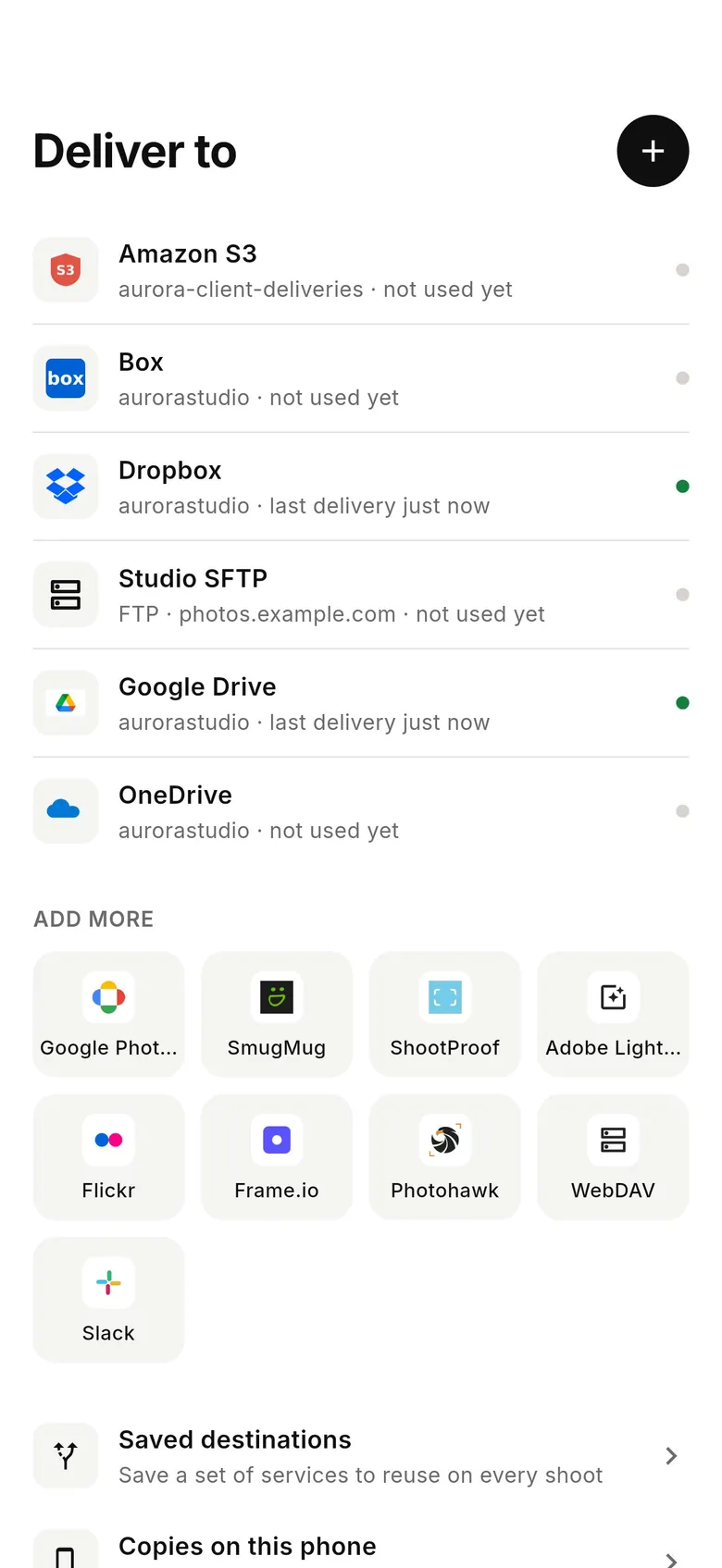
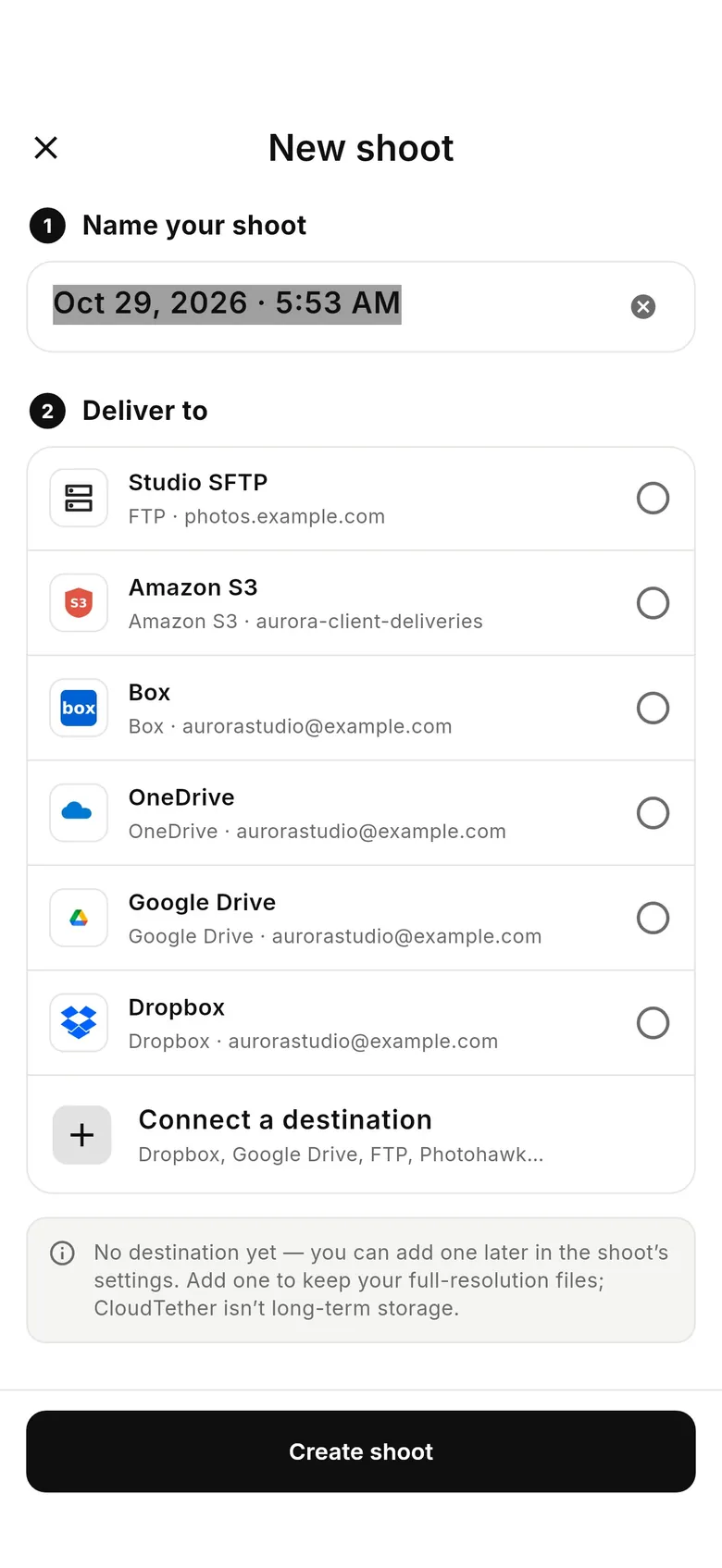
Connect ShootProof
Connects via ShootProof OAuth. Pick where photos should land — frames stream straight into the ShootProof event (or an album in it) you pick, so clients can proof and order before you've packed up.
- 3
Shoot as normal
Every frame your Sony α7 IV captures is detected and downloaded at full resolution while you keep shooting. ShootProof receives the JPEGs — RAW files are skipped for it, so shoot RAW+JPEG.
- 4
Photos deliver to ShootProof
Each photo uploads from your phone once and lands in ShootProof live, seconds after the shutter — and fans out to any other destinations on the session too.
ShootProof in the CloudTether app
Connect ShootProof once, then every shoot from your Sony α7 IV can deliver to it.
Connecting the Sony α7 IV
The α7 IV tethers over its USB-C port, and it needs two settings first: MENU → Setup → USB → USB Connection Mode → Remote Shooting, then MENU → Network → Cnct./Remote Sht. → Remote Shoot Function → Remote Shooting → On. Disconnect any smartphone connection before you plug in, or the camera keeps the USB port for that instead.
Set Still Img. Save Dest. to PC+Camera in the remote shooting settings so every frame is written to the card as well as sent to the phone. Sony's wireless remote shooting through an access point is available on this body (Wi-Fi Connect, then the Wi-Fi Access Point connection method), but we haven't tested it — every Sony runs the same CloudTether USB code we've verified on a ZV-E10, so USB is the dependable path.
Rated send isn't available over Sony tethering — in PC Remote the phone can't read ratings from the card — so every shot is sent. The α7 IV's compressed and lossless-compressed RAW options keep ARW files smaller; for galleries, JPEG only is quickest.
It's a common all-round wedding and portrait body, often paired with an older α7 III. One phone can tether two cameras at once — we've run a Sony and a Canon together — so both bodies can feed the same shoot and the same destinations.
Getting the most out of ShootProof
ShootProof receives JPEGs; RAW files and video are marked Skipped rather than failed, so shoot RAW+JPEG. Create the event in ShootProof before you start: CloudTether lists your events newest first and lets you pick the event itself or one album inside it. Each shoot has one ShootProof target, so for a wedding you might point the getting-ready shoot at one album and start a second shoot for the ceremony.
Proofing galleries don't need full-size files. Web (2048 px) or Large (4096 px) in the shoot's Delivery resolution loads quickly on a client's phone and stays inside ShootProof's per-file size limit; keep Original if clients will order big prints. The event's own settings — access, favourites, price sheet — apply to every photo CloudTether adds.
A typical day: create the event the night before, add albums for the parts of the day, and share the event link once the first frames are in. Because CloudTether adds photos the way a manual upload would, favourites, downloads and the price sheet work as normal — you don't change how you run ShootProof, only when the photos arrive.
- Add Dropbox, Google Drive or an SFTP server to the same shoot to get the RAW off-site too.
- A delivery watermark can be set in the shoot's settings on the web dashboard.
- Two photographers can point their own phones at the same event.
A typical Sony α7 IV to ShootProof workflow
- Create the ShootProof event (and album) first, then choose it in CloudTether.
- Set the α7 IV to Remote Shooting over USB-C and shoot RAW+JPEG with JPEG only on — ShootProof takes JPEGs, and the ARW files stay on the card.
- Since every Sony frame is sent, set Delivery resolution to Web (2048 px) so a busy session doesn't saturate the phone's uplink.
Sony α7 IV to ShootProof: what to know
The Sony α7 IV is a full-frame body — all-round wedding, portrait and content shooters. CloudTether pulls each frame off it the moment you shoot and delivers it to ShootProof: the JPEGs (ShootProof doesn't take ARW RAW files, so shoot RAW+JPEG).
ARW files are far larger than JPEGs, so if your ShootProof recipients only need to view or pick images, deliver JPEG for the fastest turnaround and keep the ARW originals on the card or in a second destination.
ShootProof gets JPEGs (RAW and video are skipped), into the event or album you pick — shoot RAW+JPEG.
Full guide: Upload to ShootProof From Your Camera — Live, as You Shoot →Frames stream straight into the ShootProof event (or an album in it) you pick, so clients can proof and order before you've packed up.
Connects via ShootProof OAuth.
Sony α7 IV to ShootProof — FAQ
Can I upload Sony α7 IV photos to ShootProof automatically?
Yes. Tether your Sony α7 IV to your phone with CloudTether over USB or Wi-Fi, and every shot uploads to ShootProof live as you shoot — no card offload and no card import.
Can I send Sony α7 IV photos to ShootProof live while I'm shooting?
Yes — each frame lands in ShootProof seconds after the shutter, live, while you keep shooting. There's no SD-card step in the middle.
How does CloudTether connect my Sony α7 IV to ShootProof?
Your Sony α7 IV tethers to your phone over USB or its own Wi-Fi; connects via ShootProof OAuth.
Do I need a laptop to send Sony photos to ShootProof?
No. CloudTether runs on your phone — your Sony α7 IV connects to the phone and uploads straight to ShootProof over mobile data or Wi-Fi, anywhere you have signal.
Can I send RAW files from my Sony α7 IV to ShootProof?
No — ShootProof receives JPEGs, and RAW files are skipped for it. Shoot RAW+JPEG; add Dropbox, Google Drive, OneDrive or an SFTP server to the same shoot if you want the RAW files off-site too.
Can I pick only my best α7 IV shots for ShootProof?
Not on the camera — rated send isn't available over Sony tethering, so every JPEG is delivered. Cull in ShootProof afterwards, or use a smaller delivery size to keep uploads quick.
Why aren't my α7 IV RAW files in ShootProof?
ShootProof receives JPEGs only; ARW files are marked Skipped. Shoot RAW+JPEG, or add Dropbox or Google Drive to the shoot for the RAW.
Does the α7 IV shoot normally while it feeds ShootProof?
Yes. You shoot on the camera as usual — or fire it from the phone with CloudTether's new remote shutter (USB set to Remote Shooting) — and each frame is copied to the phone and delivered to the event in the background. With Still Img. Save Dest. on PC+Camera, the card keeps every frame too.
 Canon EOS R5 to ShootProof
 Canon EOS R6 Mark II to ShootProof
 Sony α7 III to ShootProof
 Nikon Z6 III to ShootProof
 Nikon Z8 to ShootProof
 Fujifilm X-T5 to ShootProof