Uploads stuck or failing
Get delivery moving again when photos won't go through.
If photos are reaching the phone but not your destinations, the problem is almost always the phone's internet connection, the destination's sign-in, or a file the destination doesn't accept. Photos are kept on the phone until they're delivered, so a dropout never loses a frame.
1. Check what the shoot screen says
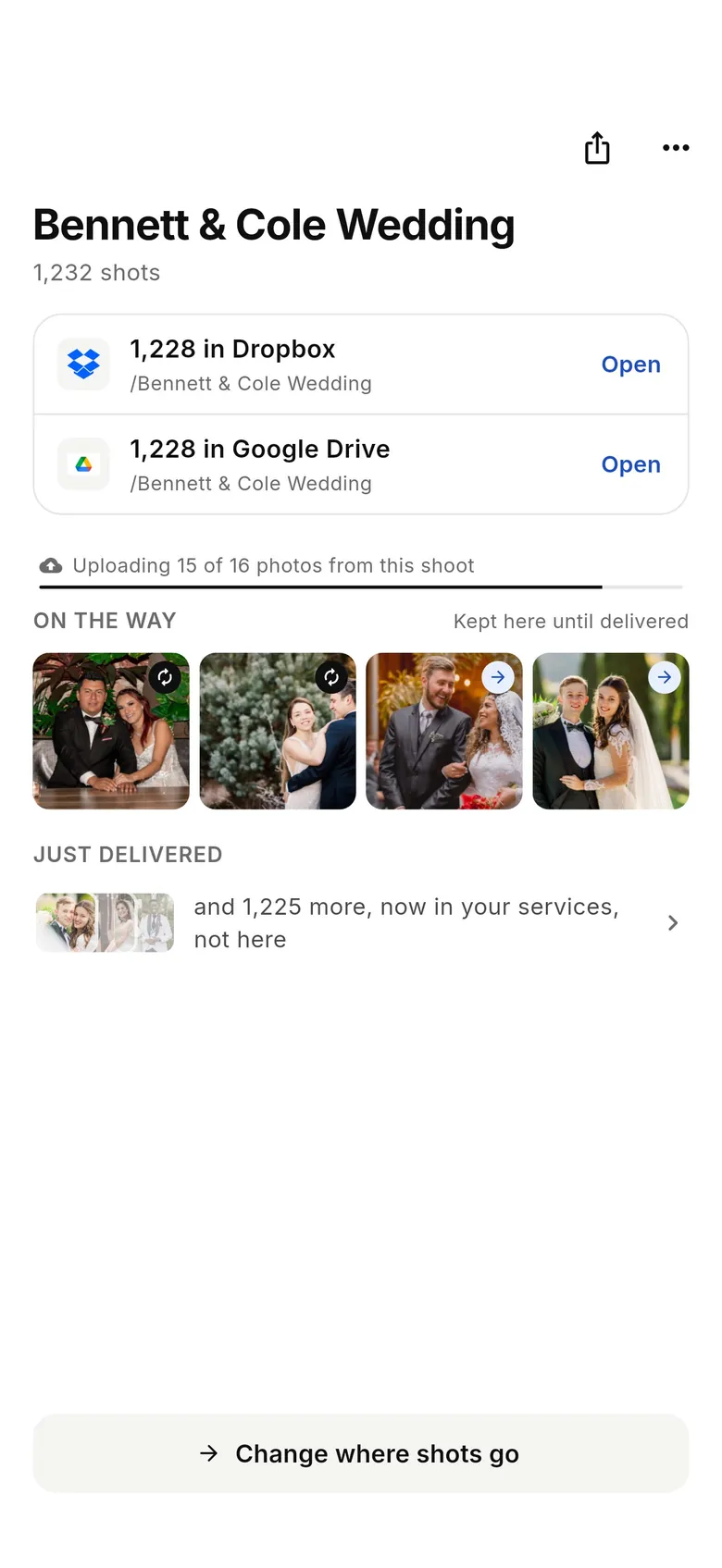
Open the shoot from Home or History. Each destination shows its own counts — delivered, On the way, and anything that needs attention — so you can see whether one service is stuck or all of them.
2. Keep the app open
Tethering and uploads run while CloudTether is in the foreground. If you switch away for a long time, transfers can pause until you return. Use Pocket mode to darken the screen while the tether keeps running, and keep the phone charged.
3. Check the connection
- On a weak signal uploads slow down but resume automatically — nothing is lost.
- If you're joined to a camera's own Wi-Fi, uploads go over mobile data. Make sure mobile data is on and allowed for CloudTether (Settings → CloudTether on iPhone; Settings → Apps → CloudTether → Mobile data on Android), and that Low Data Mode or a data saver isn't blocking background traffic.
- With no signal at all, shots wait on the phone and send themselves when it returns.
4. Re-connect the destination
If a destination's access expired or was revoked (changed password, removed app access, a SmugMug or Dropbox sign-out), its deliveries pause and it asks you to reconnect. Open the Deliver tab, tap the destination and sign in again; queued photos then deliver. For FTP / SFTP, use Test connection to check the host, port, user, password and folder.
5. "Skipped" isn't "failed"
Some destinations don't take every file type, and those files show as Skipped with a reason:
- RAW files go to storage (Dropbox, Google Drive, OneDrive, FTP, S3, WebDAV, Lightroom) but are skipped for gallery and messaging services such as SmugMug, ShootProof, Photohawk, Google Photos, Flickr, Frame.io, Slack and WhatsApp. Shoot RAW+JPEG.
- Video is skipped for ShootProof, Lightroom, Flickr and Photohawk, and some services have size limits (Box 50 MB, Slack 1 GB, SmugMug 3 GB).
- Very large files can exceed a service's own limit — a smaller Delivery resolution fixes it.
6. Retry and speed up
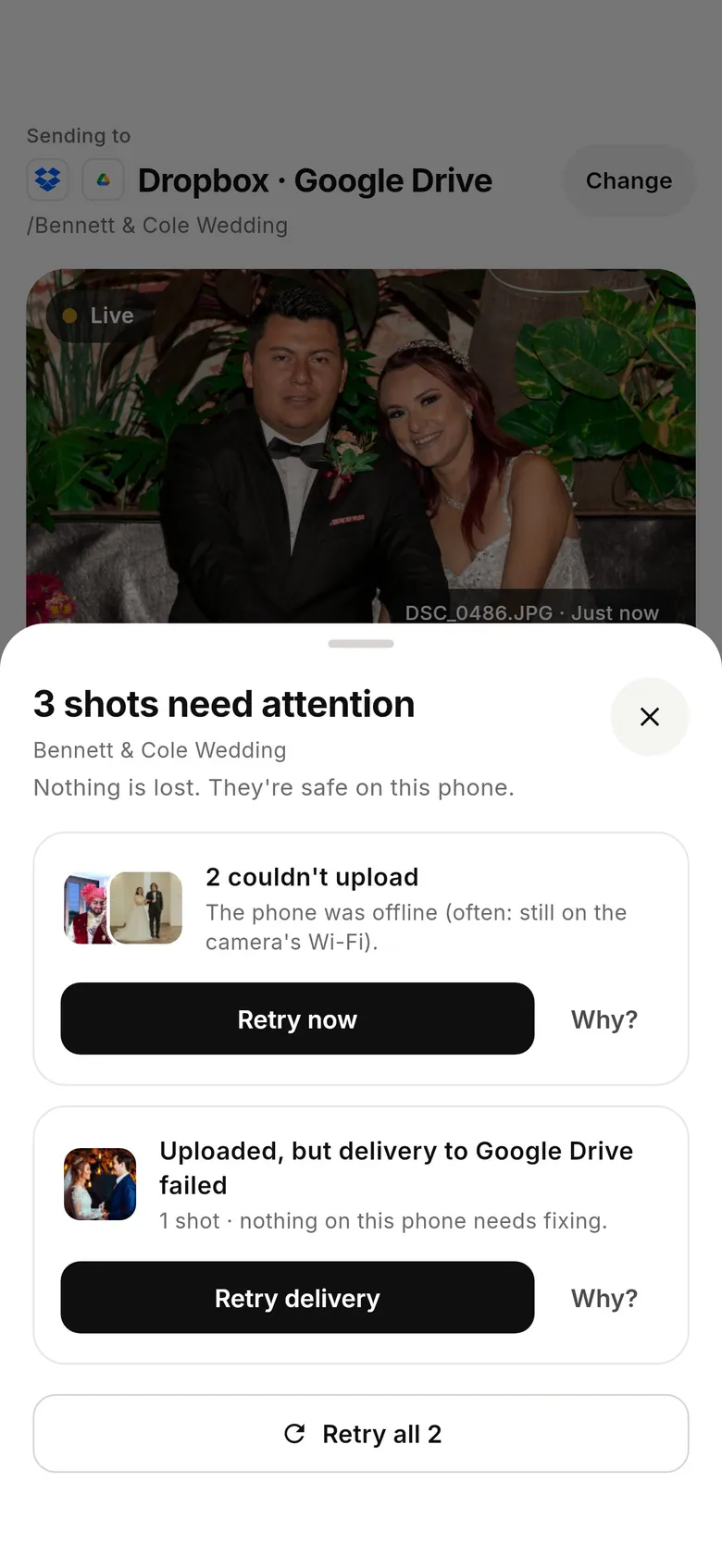
- Retry failed items from the shoot when the option is shown.
- On a slow connection, turn on JPEG only — leave RAW files on the camera, or set a destination's What gets sent to a smaller size (for example 2048 px). Less data means delivery keeps pace with the shutter.
- Each photo uploads from the phone once, then CloudTether delivers it to every destination — adding a second destination doesn't double your upload.
Still stuck?
Note the shoot name, the destination and roughly when it stopped, and contact Support from the Help Centre — the app keeps diagnostic details that help us find it quickly.