3 models
Canon EOS R6 familyTethering compared
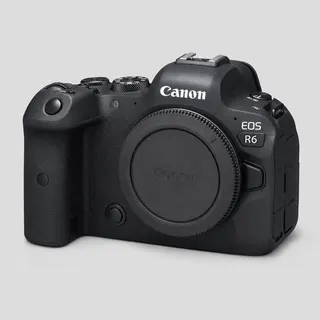
3 bodies side by side: EOS R6, EOS R6 Mark II and EOS R6 Mark III. Each has its own page with the exact USB setting and what we've verified.
Side by side
| Spec | EOS R6 | EOS R6 Mark II | EOS R6 Mark III |
|---|---|---|---|
| Sensor resolution | 20.1 MP | 24.2 MP | 32.5 MP |
| Sensor format | Full-frame | Full-frame | Full-frame |
| RAW format | CR3 | CR3 | CR3 |
| USB | Not stated | USB-C, SuperSpeed Plus USB (USB 3.2 Gen 2) | USB-C, SuperSpeed Plus USB (USB 3.2 Gen 2) |
| Wi-Fi | Not stated | 2.4 + 5 GHz | 2.4 + 5 GHz (IEEE 802.11ac on 5 GHz) |
| Card slots | Not stated | Two SD slots (UHS-II) | CFexpress Type B + SD (UHS-II) |
| Tested by us | Not yet tested | Not yet tested | Not yet tested |
Connectivity specs come from each maker's own spec page or manual (linked from the model's settings page); “Not stated” means we haven't verified it rather than that the body lacks it. “Verified on hardware” means we have run that body ourselves; every other model runs the same CloudTether code but is untested.
Pick your model
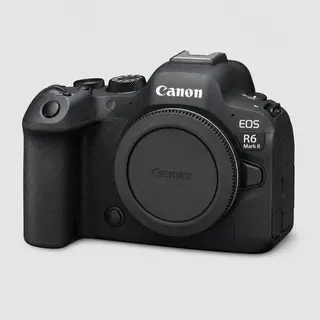
Canon EOS R6 Mark II
Wedding and event shooters who want speed and low-light performance.
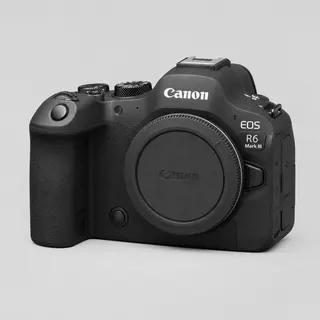
Canon EOS R6 Mark III
Wedding and event shooters who want a fast, versatile full-frame body.
Tether any Canon EOS R6 to your phone
Plug the camera into your iPhone, iPad or Android phone and every shot is copied across and delivered to Dropbox, Google Drive, a client gallery or your own server.