 For Photohawk photographers
Shoot the whole event. Every frame lands in Photohawk.
CloudTether tethers your camera to your phone and uploads each photo into the Photohawk gallery and collection you choose while you keep shooting.
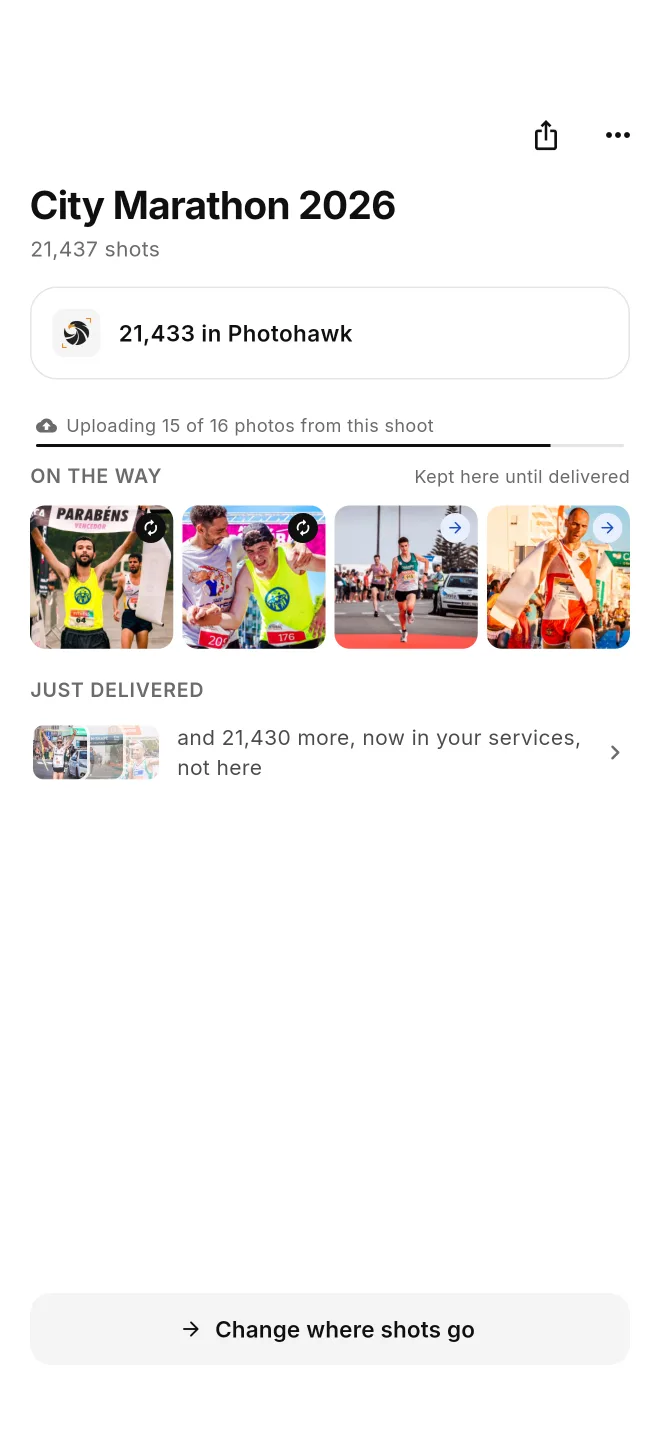
For example, a city marathon: three cameras on one shoot at the finish line, 21,000+ frames, every JPEG landing in one Photohawk gallery as the runners come in. It works the same way for school and team photos, dance recitals, graduations and events.
- Marathons & races
- School & team photos
- Dance & recitals
- Graduations
- Events
7-day free trial · iPhone, iPad and Android
How it works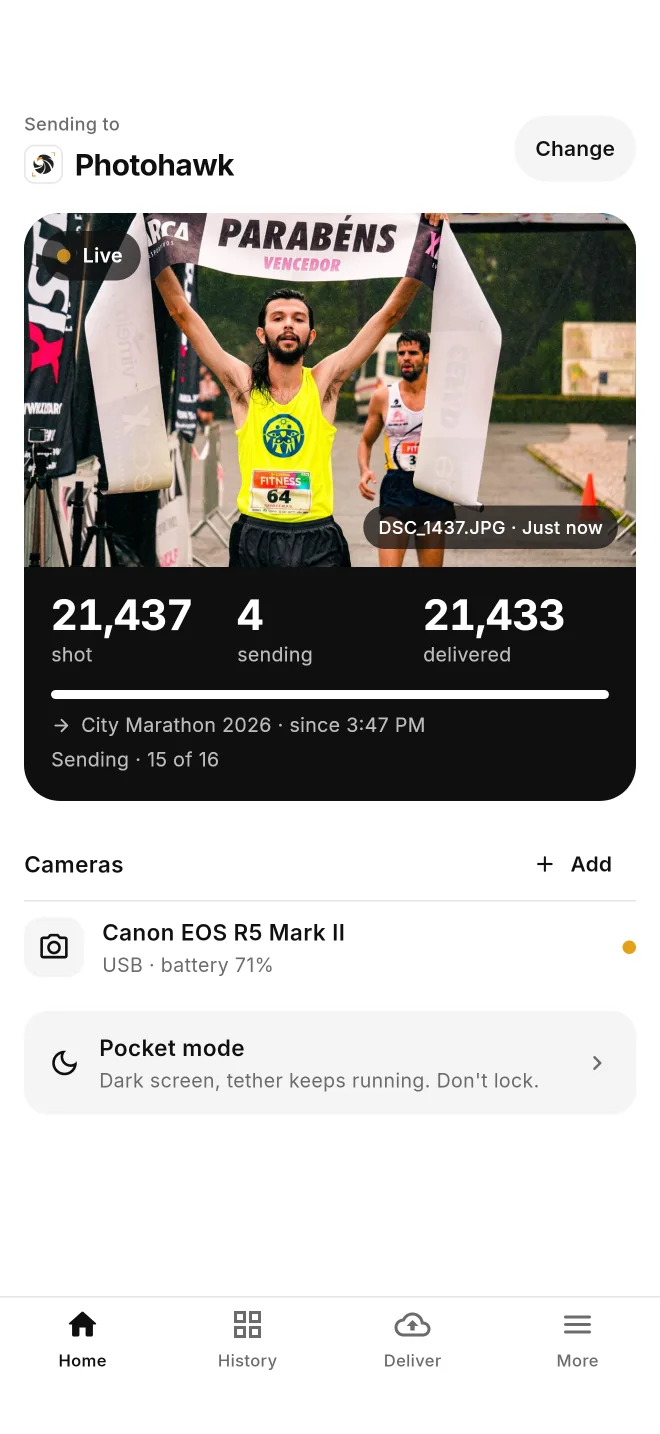
Example shoot shown with sample data.
Built for high-volume shoots
A marathon finish line, picture day, a recital: you shoot fast and you shoot a lot. CloudTether keeps up, so the Photohawk gallery fills while the event is still going — from one camera or several on the same shoot.
Every frame, automatically
Each photo is copied off the camera and uploaded on its own a few seconds after you take it. Hundreds of frames or tens of thousands — there's nothing to tap per shot.
Into the right gallery and collection
Pick the Photohawk workspace, gallery and collection once for the shoot. Every photo from that shoot lands there.
No card swaps, no sorting afterwards
The gallery fills as you go, so there's no end-of-day card dump, bulk upload or sorting into collections when you get home.
Several cameras on one shoot
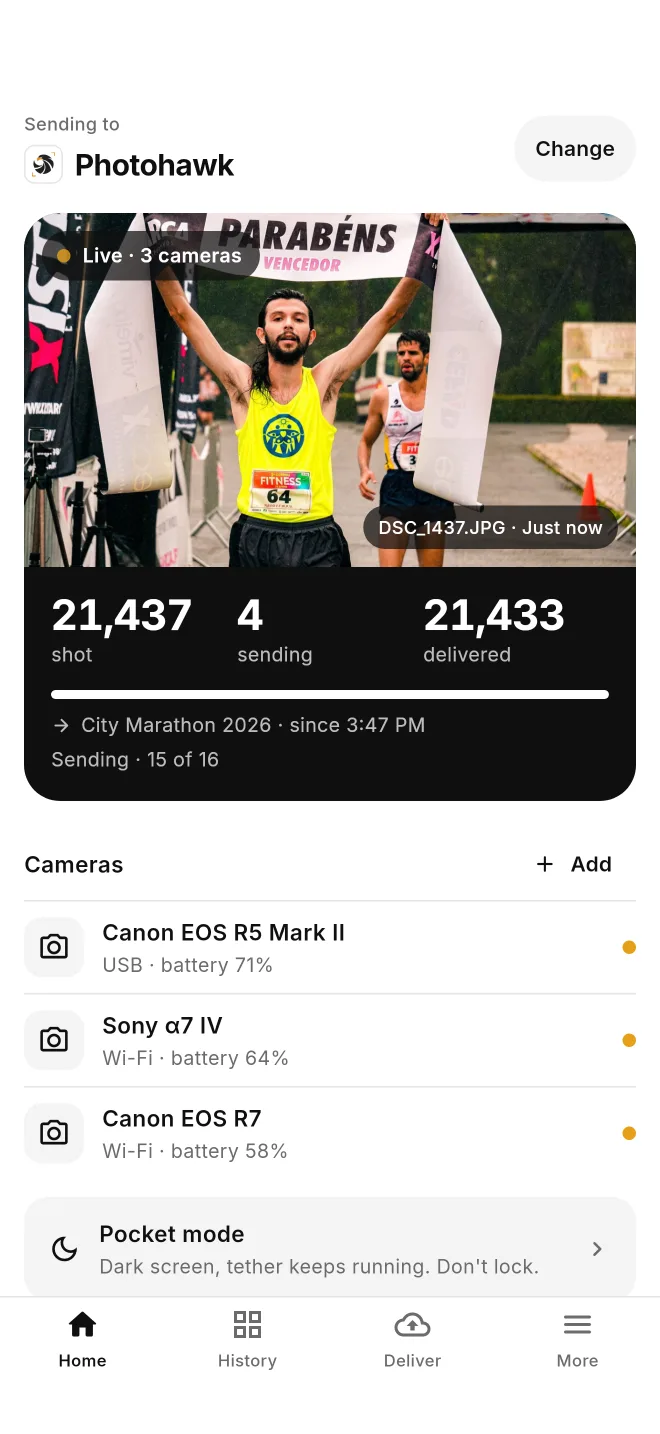
Tether more than one camera to the same phone, or put each photographer on their own phone pointed at the same gallery. Each camera's files are kept apart.
Keeps going while you shoot
Uploads run while you carry on shooting. On Android the tether keeps running with the screen locked; on iPhone, Pocket mode darkens the screen while it keeps running.
Catches up after a dropout
Lost signal in the gym or the back of the hall? Shots wait safely on the phone and upload to Photohawk on their own when the connection comes back.
How it works
Your phone sits between the camera and Photohawk: it pulls each photo off the camera and uploads it to the collection you picked.
- 1
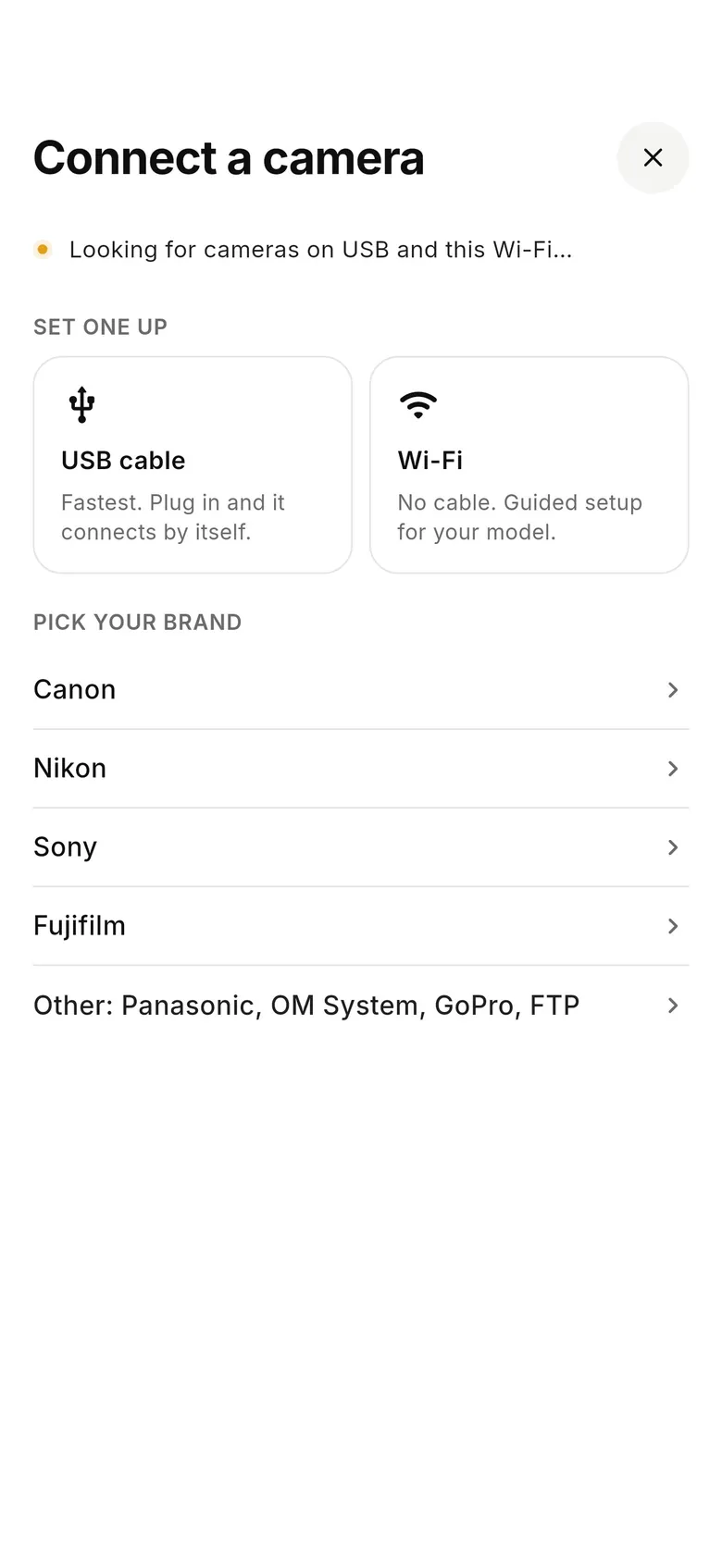
Connect your camera
Open CloudTether and tap “Connect a camera”. Plug in a USB cable, or choose Wi-Fi for guided wireless set-up. Canon, Nikon, Sony and Fujifilm are supported.
- 2
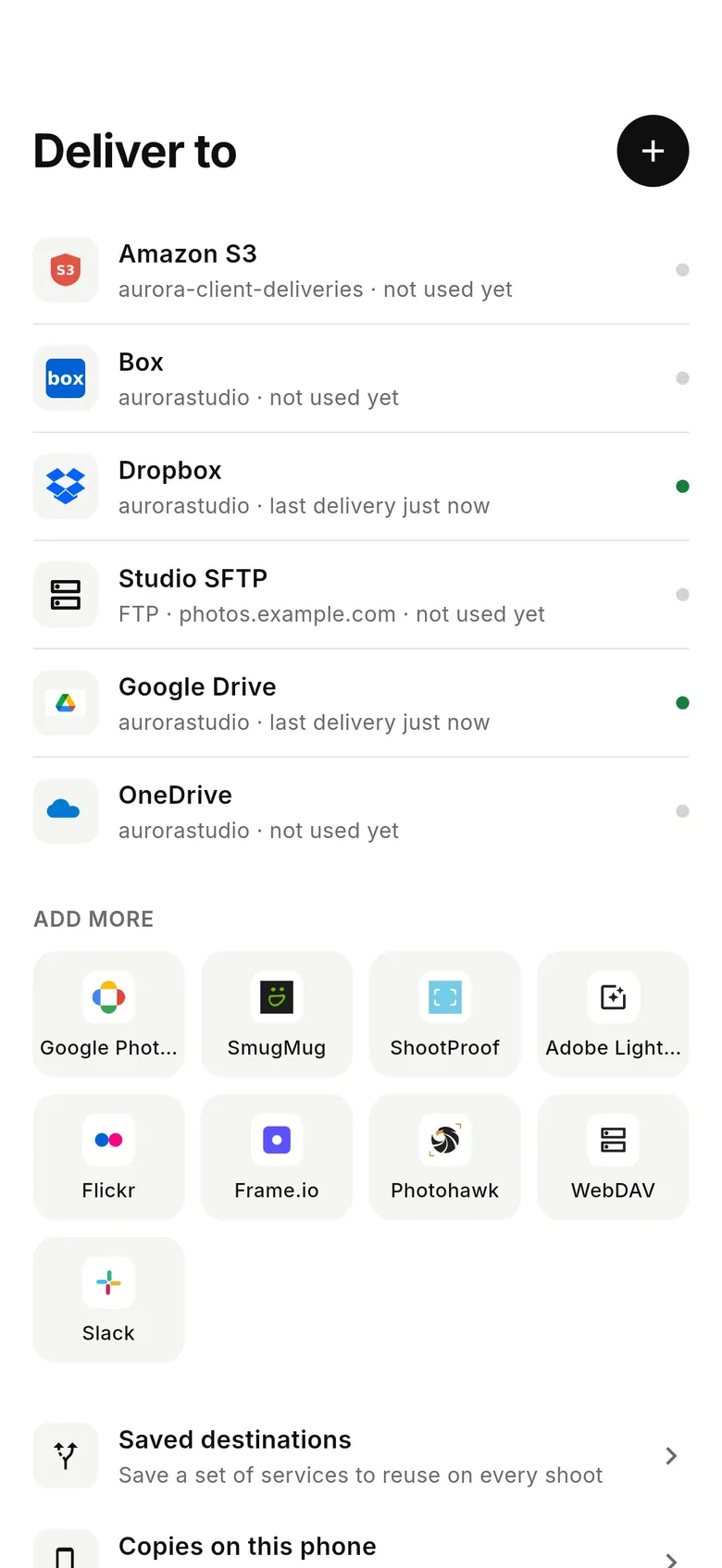
Sign in to Photohawk
In the Deliver tab, add Photohawk and sign in with your Photohawk email and password. You only do this once.
- 3
Pick workspace, gallery and collection
Choose the Photohawk workspace, then the gallery and the collection this shoot should fill — for example the “Stage” collection of a recital gallery. Set the gallery up in Photohawk first.
- 4
Shoot
Take a test shot and check it's in the collection, then just shoot. Each photo uploads automatically, and Home shows how many were shot, are sending and have been delivered.
What Photohawk receives
| Photos that go to Photohawk | JPEGs (and other image formats Photohawk accepts), full size by default. |
|---|---|
| RAW files and video | Not sent to Photohawk. Shoot RAW+JPEG and the JPEGs go to Photohawk; the RAW files stay on your card. |
| Want the RAWs off-site too? | Add Dropbox, Google Drive, OneDrive or your own server to the same shoot and they get every file. |
| Where they land | The Photohawk collection you picked, inside the gallery and workspace you chose. |
Works with your camera
Canon, Nikon, Sony and Fujifilm, over a USB cable or Wi-Fi, on iPhone, iPad and Android. Check your camera, or use the cable picker to find the right cable.
Questions from Photohawk photographers
How do I get my photos into Photohawk as I shoot?
Install CloudTether on your iPhone, iPad or Android phone, connect your camera over USB or Wi-Fi, sign in to Photohawk in the app and pick the workspace, gallery and collection. Every photo you take then uploads to that collection automatically while you keep shooting.
Does CloudTether send RAW files or video to Photohawk?
No. Photohawk gets JPEGs (and other image formats it accepts); RAW files and video clips are skipped for Photohawk. Shoot RAW+JPEG and the JPEGs go to Photohawk. To get the RAW files off-site as well, add Dropbox, Google Drive, OneDrive or your own server to the same shoot.
Which cameras work?
Canon, Nikon, Sony and Fujifilm cameras that support USB tethering, over a USB cable or Wi-Fi. Wi-Fi support depends on the model; check yours on the supported cameras page.
Can I use more than one camera on the same shoot?
Yes. You can tether more than one camera to one phone, or give each photographer their own phone pointed at the same Photohawk gallery. Each camera's files are kept apart.
What happens if I lose signal?
Keep shooting. The camera-to-phone connection doesn't need the internet, so each shot waits safely on the phone and uploads to Photohawk on its own when the connection comes back. Your card still has its own copy.
Do I need Wi-Fi at the venue?
No. The phone can upload over mobile data while the camera connects by cable or its own Wi-Fi.
Can I send only my best shots?
On Canon and Nikon, yes: turn on “Only shots I rate in camera” and only the frames you rate on the camera are sent. On Sony and Fujifilm every shot is sent.
Do I need a Photohawk account?
Yes. You sign in with your Photohawk email and password, and pick from the galleries in your Photohawk workspace. Create and set up the gallery itself — access, branding and sales — in Photohawk.
What does it cost?
CloudTether starts with a 7-day free trial. You subscribe in the app.
More about CloudTether and Photohawk
- Photohawk destination guide: what lands where
- CloudTether quick start (with screenshots)
- How to run a live event photo gallery
- Several photographers delivering to one place
- Tether two cameras at once
- Tethering with no signal: what happens offline
Need a hand? See the help centre or email support@cloudtether.app.
Fill your next Photohawk gallery as you shoot
Install CloudTether, connect your camera and Photohawk, and take a test shot before the event. Starts with a 7-day free trial.