On the Editor's Desk Before the Play Is Over
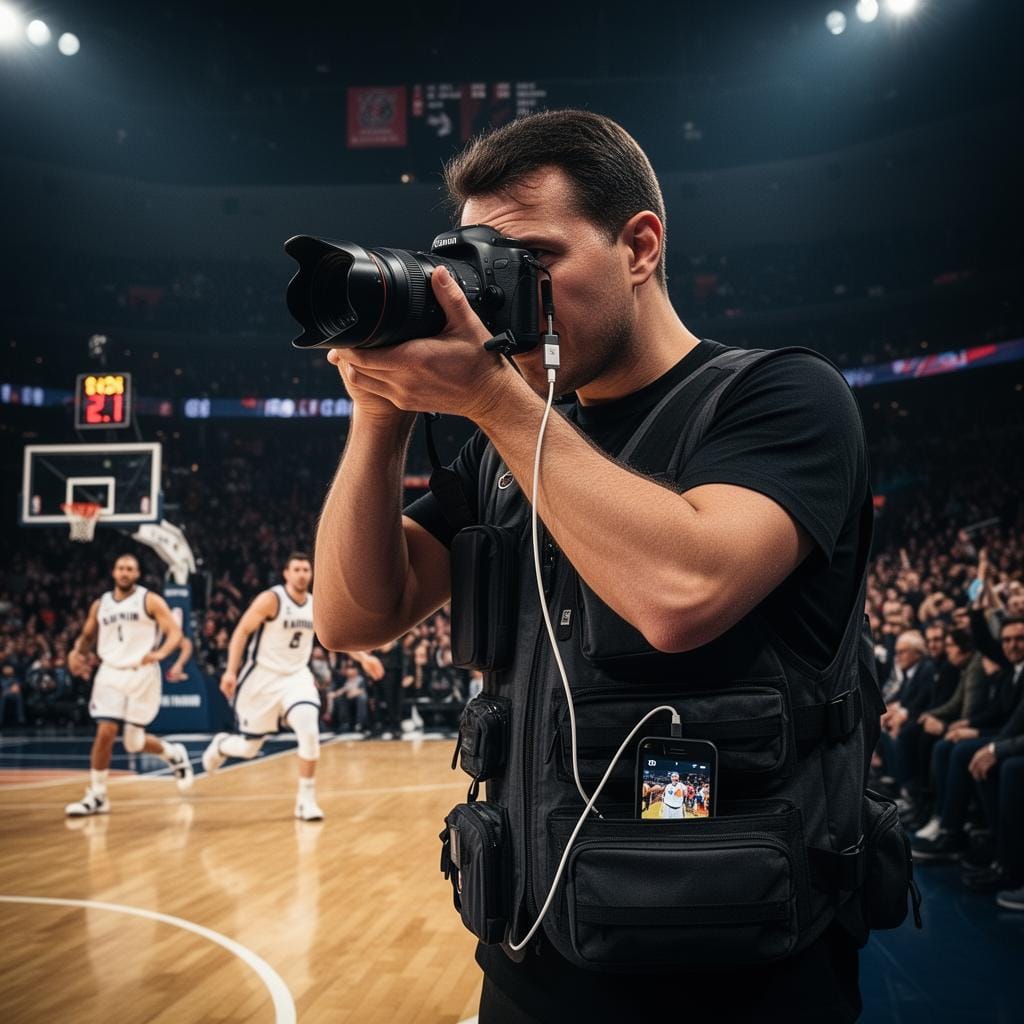
Connect your phone to your camera over USB cable or Wi-Fi tethering and upload action shots to an FTP server, Dropbox, Google Drive or any cloud destination — editors and galleries get frames in real time.
Speed is the whole game
In sports, the photo that matters is the one that gets there first. A buzzer-beater is worth ten times more on the wire in the next two minutes than it is an hour later. CloudTether turns your phone into the uplink: every burst transfers from camera to phone over USB or Wi-Fi and uploads to the desk as you shoot, so a picture editor is pulling selects from your folder while play is still live.
Action shooting means volume — hundreds of frames a quarter. CloudTether streams them continuously to your destinations without slowing your camera, and uploads each frame once before fanning it out, so the same take can feed an agency FTP, an editor's Dropbox and a coach's gallery at the same time. Because the uplink is mobile data, you file from the touchline, the stands or the infield without hunting for a press room.
On Pro you can run two bodies — long lens and wide — into the same session, ingest RAW + JPEG, and keep an off-camera backup of every frame as you go. No mid-game card swaps to safety, no post-game filing scramble.
The Problem We Solve
Deadlines Don't Wait
Editors need the frame before the story publishes. CloudTether uploads to FTP, Dropbox or Google Drive as you shoot — no filing breaks between periods.
First to the Wire Wins
In action photography, speed is everything. Be the shooter whose frames hit the agency folder first, every single time.
File from the Touchline
CloudTether uploads over your phone's mobile data, so you file from pitchside, courtside or the infield — no press room, no fighting for venue bandwidth.
Built for High Volume
Hundreds of frames per game. CloudTether handles continuous transfer to your destinations without slowing your camera or buffering your bursts.
Live Off-Camera Backup
Every frame uploads the instant it leaves the camera. If a card fails in the fourth quarter, your take is already safe in the cloud.
One Take, Many Desks
Agency FTP, editor Dropbox, coach gallery — upload each frame once and we fan it out to every destination from a single assignment.
How It Works
Gear Up Pitchside
Connect your phone to your camera over USB cable or Wi-Fi tethering. Set destinations — agency FTP, editor Dropbox, Google Drive or a coach's gallery.
Shoot the Action
Work the game as normal. CloudTether streams every burst from camera to phone and uploads to all your destinations continuously.
Editors Pull Live Selects
Photo editors grab frames from the FTP or Dropbox folder while play continues. Social teams post highlights before the final whistle.
Filed Before You Pack Up
By the time you leave, your full take is already on the wire and backed up in the cloud. No post-game filing session.
Great cameras for sports photography
CloudTether tethers these bodies over USB or Wi-Fi — see the setup for yours.
Sports Photography FAQ
Can I upload straight to an agency or wire FTP?
Yes. CloudTether supports FTP/SFTP destinations alongside Dropbox, Google Drive and galleries, so frames land directly in the desk's intake folder as you shoot.
Will continuous bursts overwhelm the upload?
No. CloudTether queues frames and uploads them in the background as fast as the connection allows — your camera's buffer and burst rate are never throttled by the app.
Do I need press-room Wi-Fi to file?
No. Uploads go over your phone's mobile data, so you can file from the touchline or the stands. Venue Wi-Fi is optional if it's fast and reliable.
Can I shoot two bodies at once?
On Pro you can run multiple cameras — for example a super-tele and a wide — into the same session in parallel, with every frame filed and backed up together.
More ways photographers use CloudTether
Ready to Try CloudTether?
Download CloudTether on iOS or Android to start delivering shots in real time.
Available now on iOS and Android